Cerber Ransomware: In-Depth Analysis, Detection, and Mitigation
What Is Cerber Ransomware?
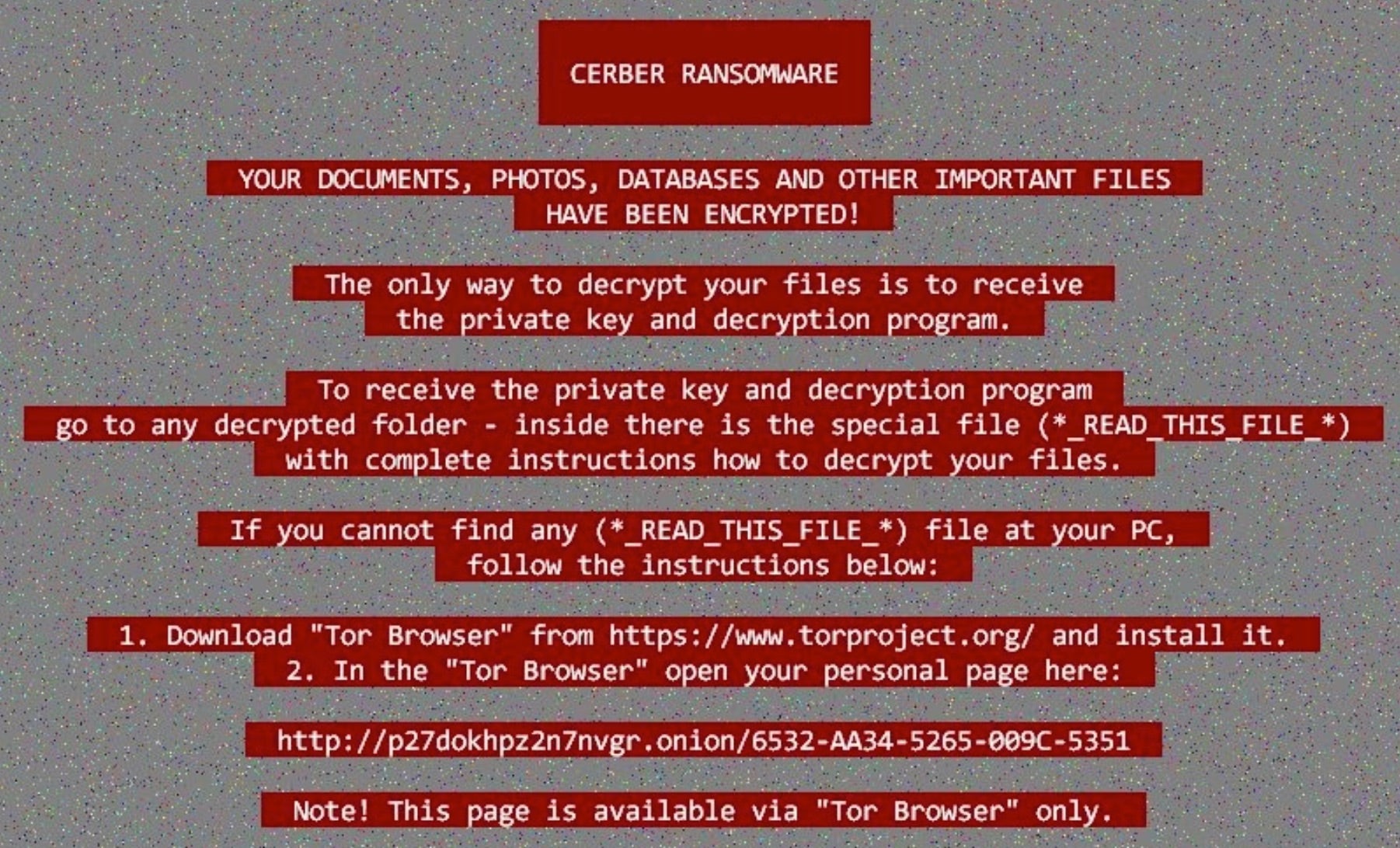
Cerber (aka C3RB3R) ransomware operates as a semi-private Ransomware-as-a-Service (RaaS) and was first observed in 2016. Cerber operations peaked between 2016 and 2017 followed by long lapses of inactivity. From 2020 onward, there have been sporadic Cerber campaigns with contemporary payloads supporting both Linux and Windows operating systems. In late 2023, Cerber resurfaced in new campaigns targeting exposed Atlassian Confluence Datacenter and Server products using CVE-2023-22518.
What Does CerberRansomware Target?
Cerber ransomware operates as an RaaS and targeting will vary depending on the affiliate. Cerber ransomware operators target multiple industries with little to no discrimination.
How Does Cerber Ransomware Work?
Cerber ransomware payloads are historically delivered via phishing email. That said, Cerber campaigns have also been observed as the result of exploitation of exposed and vulnerable services as well as via third-party offensive frameworks (e.g. Cobalt Strike and Sliver).
Early Cerber campaigns spread through phishing emails contained malicious .DOT or .DOCX office files. These malicious Object Linking & Embedding (OLE) documents contained additional Visual Basic Script (VBScript) which launches in the background upon user confirmation of macro execution. These background processes are responsible for downloading and launching the Cerber ransomware payload.
Cerber payloads contain multiple anti-analysis safeguards to prevent automated analysis, or execution within sandboxed environments. The malware attempts to detect the existence of artifacts associated with virtual machine platforms including QEMU, Parallels, VirtualBox, Hyper-V, and VMware.
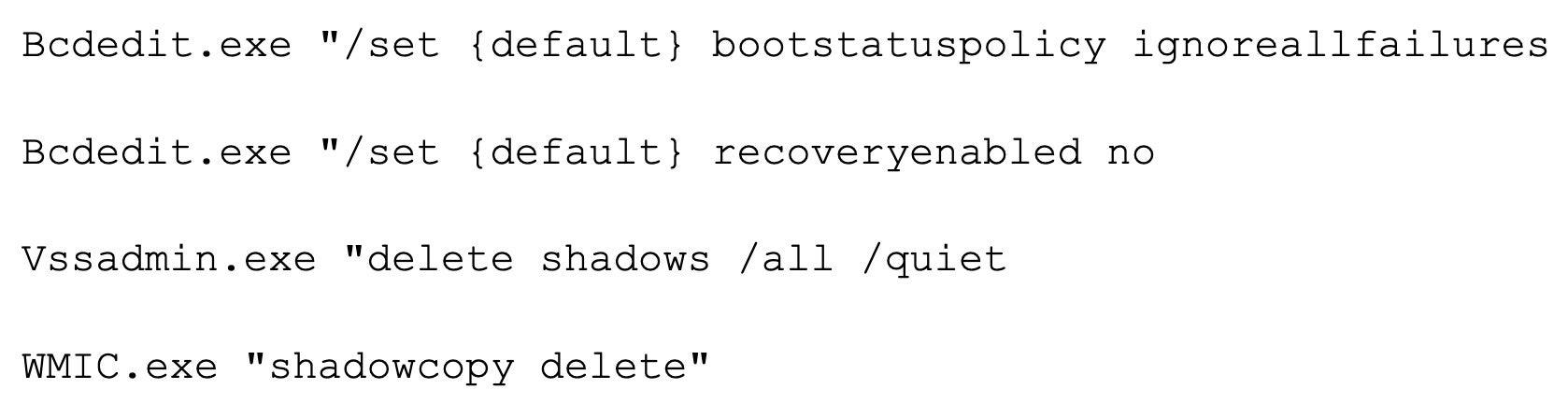
Cerber ransomware payloads will attempt to inhibit recovery by executing the following commands:
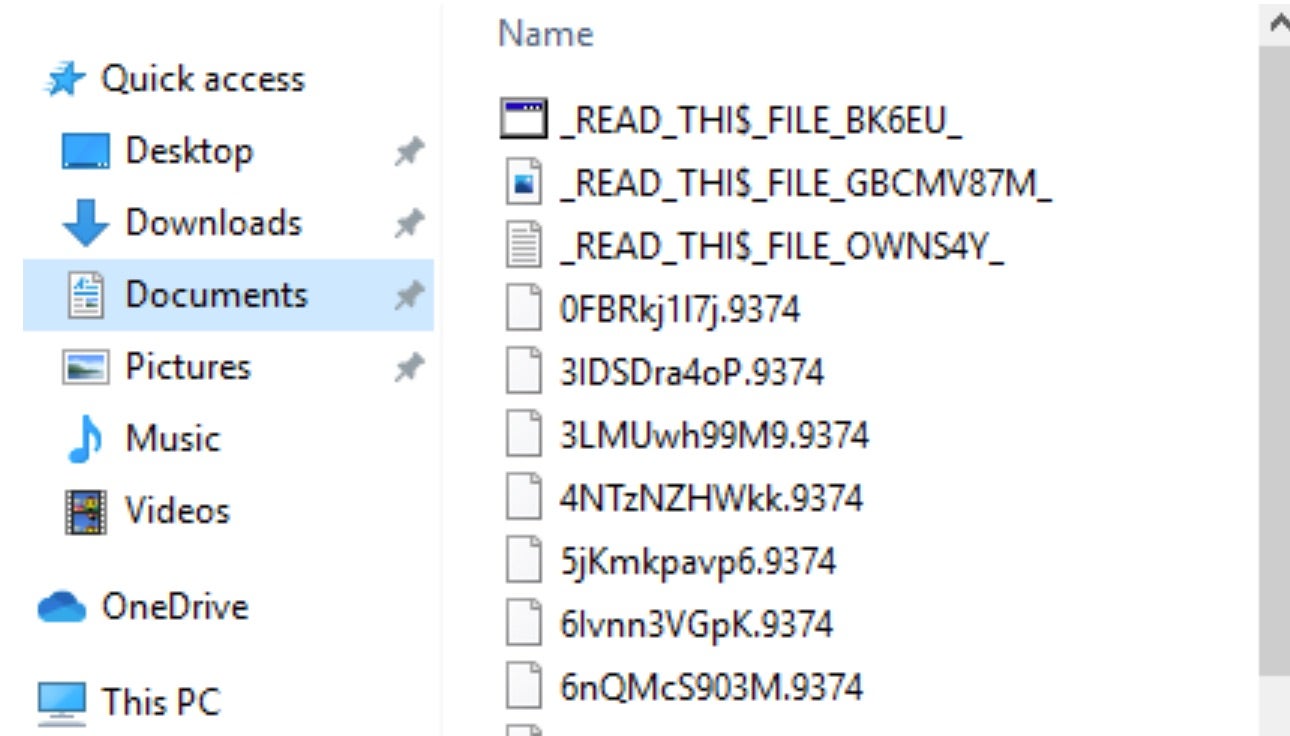
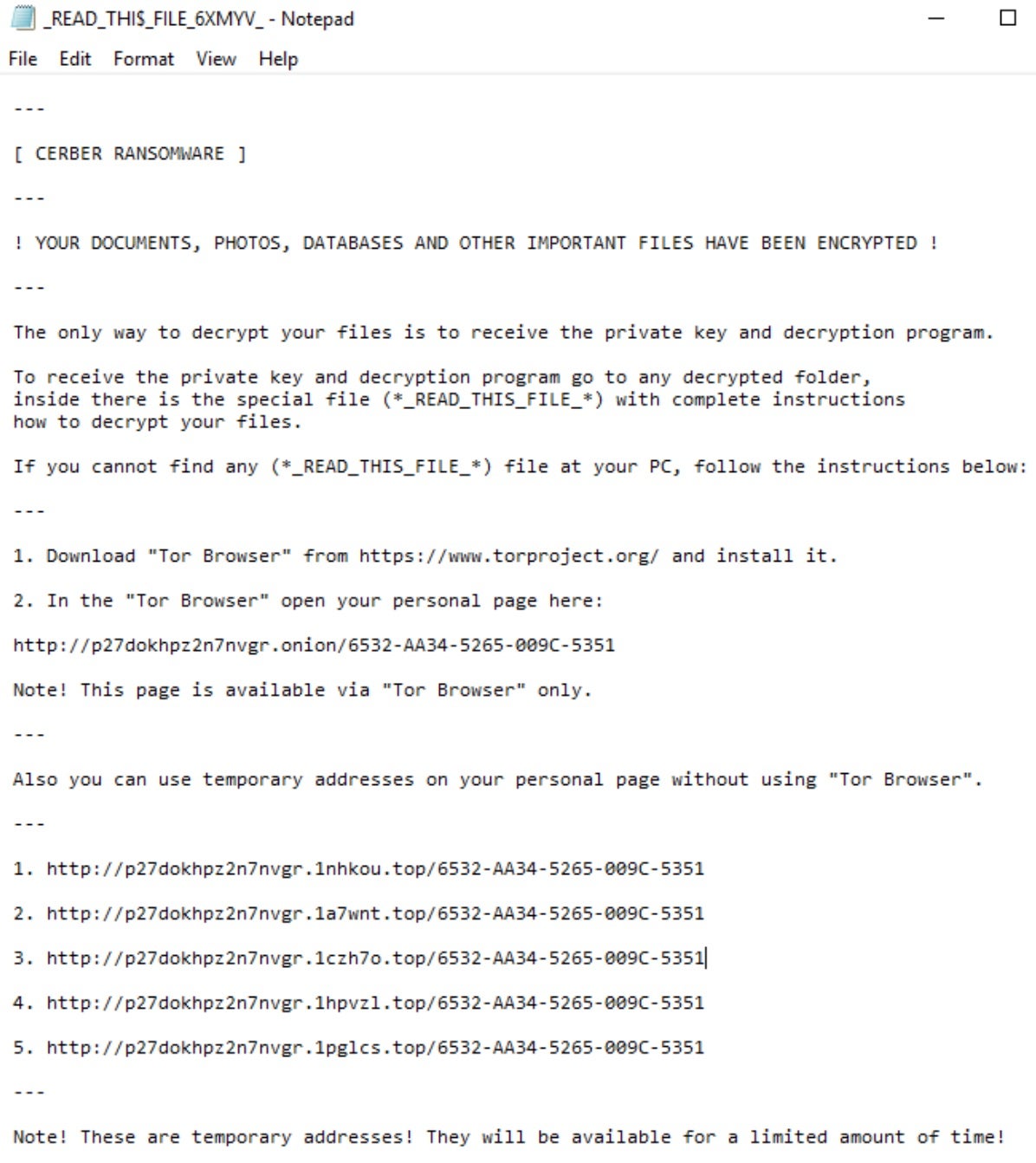
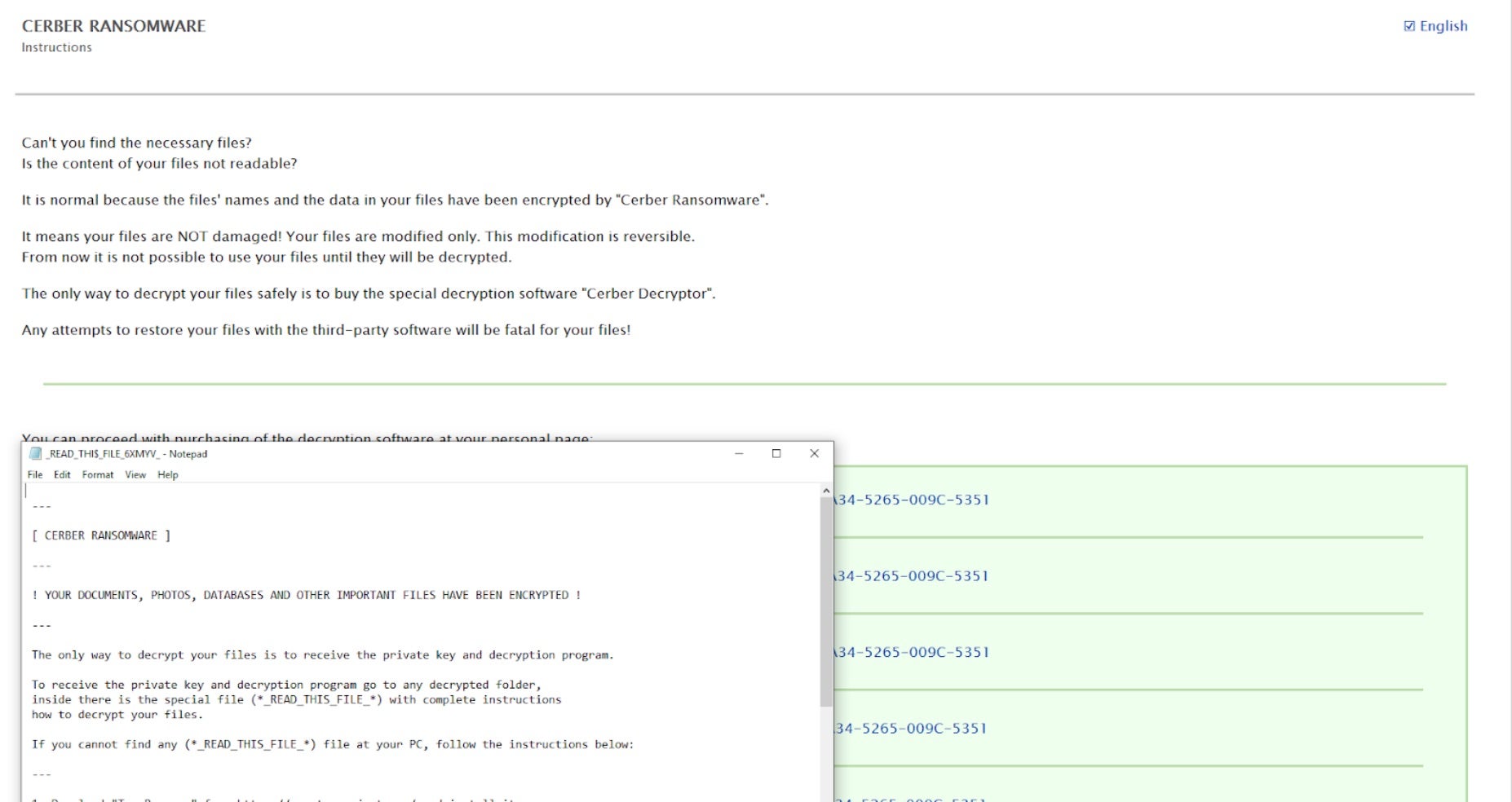
File encryption is achieved via a combination of AES-256 / RSA-2048 and RC4. Files identified for encryption are protected through multiple layers. Encrypted files are modified random characters and the Cerber ransom notes are written to each folder containing encrypted items. Ransom notes are named to appear at the top of each folder listing with appropriately placed “_” characters within the filename (e.g. “_READ_THI$_FILE_”).
How to Detect Cerber Ransomware
The SentinelOne Singularity XDR Platform can identify and stop any malicious activities and items related to Cerber ransomware.
In case you do not have SentinelOne deployed, detecting Cerber ransomware requires a combination of technical and operational measures designed to identify and flag suspicious activity on the network. This allows the organization to take appropriate action, and to prevent or mitigate the impact of the ransomware attack.
To detect Cerber ransomware without SentinelOne deployed, it is important to take a multi-layered approach, which includes the following steps:
- Use anti-malware software or other security tools capable of detecting and blocking known ransomware variants. These tools may use signatures, heuristics, or machine learning algorithms, to identify and block suspicious files or activities.
- Monitor network traffic and look for indicators of compromise, such as unusual network traffic patterns or communication with known command-and-control servers.
- Conduct regular security audits and assessments to identify network and system vulnerabilities and ensure that all security controls are in place and functioning properly.
- Educate and train employees on cybersecurity best practices, including identifying and reporting suspicious emails or other threats.
- Implement a robust backup and recovery plan to ensure that the organization has a copy of its data and can restore it in case of an attack.
How to Mitigate Cerber Ransomware
The SentinelOne Singularity XDR Platform can return systems to their original state using either the Quarantine or Repair.
In case you do not have SentinelOne deployed, there are several steps that organizations can take to mitigate the risk of Cerber ransomware attacks:
- Educate employees: Employees should be educated on the risks of ransomware, and on how to identify and avoid phishing emails, malicious attachments, and other threats. They should be encouraged to report suspicious emails or attachments, and to avoid opening them, or clicking on links or buttons in them.
- Implement strong passwords: Organizations should implement strong, unique passwords for all user accounts, and should regularly update and rotate these passwords. Passwords should be at least 8 characters long, and should include a combination of uppercase and lowercase letters, numbers, and special characters.
- Enable multi-factor authentication: Organizations should enable multi-factor authentication (MFA) for all user accounts, to provide an additional layer of security. This can be done through the use of mobile apps, such as Google Authenticator or Microsoft Authenticator, or through the use of physical tokens or smart cards.
- Update and patch systems: Organizations should regularly update and patch their systems, to fix any known vulnerabilities, and to prevent attackers from exploiting them. This includes updating the operating system, applications, and firmware on all devices, as well as disabling any unnecessary or unused services or protocols.
- Implement backup and disaster recovery: Organizations should implement regular backup and disaster recovery (BDR) processes, to ensure that they can recover from ransomware attacks, or other disasters. This includes creating regular backups of all data and systems, and storing these backups in a secure, offsite location. The backups should be tested regularly, to ensure that they are working, and that they can be restored quickly and easily.
Frequently Asked Questions
Cerber is an ongoing Ransomware-as-a-service (RaaS) campaign since 2016. It encrypts data and demands Bitcoin payment. Audio notifications and ransom messages with subject lines “#DECRYPT MY FILES#.txt” are sent to the victims. The Cerber actors charge a 40% commission on affiliate payments. They will target individuals and businesses with phishing.
Cerber attacks Windows computers only. They will attack outdated Windows versions such as 7 or XP using exploits. Make sure your computers are running supported versions. The ransomware employs PowerShell and VBS scripts, which are Windows-based.
Cerber employs AES-256 to encrypt files and RSA-2048 to encrypt the keys. They will employ a unique key for each infection. The hybrid approach makes the files inaccessible with the attacker’s private key. Decryption tools for old versions are available, but newer versions can’t be cracked.
Cerber appends indiscriminate extensions like.cerber,.cerber3, or.cerb to encrypted files. They also put ransom notes in all directories. Some of the samples also have an extra extension that is the same length as the victim’s ID.
Cerber spreads via phishing emails that hold malicious ZIP files. They will use exploit kits like Rig to silently deliver the payload. Drive-by downloads via infected websites is another favorite strategy.
Cerber uses offline encryption to avoid depending on command servers. They will generate keys locally but still exfiltrate them to attackers. This will allow for encryption even if the infected device becomes offline.
Cerber disables Windows Defender and removes volume shadow copies. They will load code into clean processes such as explorer.exe. Polymorphic code modifies its signature with each infection in an attempt to hide from antivirus solutions.
Look for ransom messages named “#DECRYPT MY FILES#.txt” and audio notifications stating “Your documents are encrypted.” They will drop registry keys under HKCU\\Software\\Cerber and modify firewall settings.
Look for bulk file renames and malicious VBS/PowerShell scripts. They will attempt to terminate antivirus processes. Watch for vssadmin usage and abnormal traffic to Tor nodes.
Block executable attachments from emails and disable macros by default. Limit PowerShell execution and lag OS patches until they have been vetted. Educate users on how to avoid suspicious links and back up data on a weekly basis. Segment networks to limit Cerber’s lateral movement.