What Is Automated Incident Response and How Does It Work?
How automated incident response finds, triages, and contains security incidents in seconds, the benefits and limits, and how to keep humans in control of risk.

What Is Automated Incident Response?
In November 2025, a joint FBI and CISA advisory labeled the Akira ransomware operation an imminent threat to critical infrastructure, tied to roughly $244 million in ransom proceeds. Akira is part of a new class of ransomware that operates at machine speed, moving across systems before an analyst can work the first alert. Manual response cannot keep up.
That speed is why response is now moving into software. Automated incident response uses software to find, triage, and contain incidents the moment they appear, while analysts keep the high-risk calls. ISACA automation guidance describes these systems as a faster, more scalable way to find and contain incidents and reduce the damage a breach can do.
In practice, automated response isolates affected systems, blocks malicious IPs, revokes credentials, and centralizes evidence as the incident unfolds.
.jpg?width=2560&quality=90&format=auto)
Why is Automated Incident Response Important?
Speed determines how much an incident costs. The FBI’s Internet Crime Complaint Center logged $16.6 billion in reported losses in 2024, up 33% from the year before, with ransomware its most pervasive threat to critical infrastructure.
Most of that damage occurs in the hours between a breach and its containment. Manual triage cannot close that span. While analysts spot an alert, open a ticket, and pull logs across consoles, attackers move through systems with impunity. Automated response compresses those hours into seconds, which is often the line between a contained alert and a reportable breach. It also returns analyst hours to the investigations that need a person.
Core Components of Automated Incident Response
Automated incident response breaks into five working parts that map to the standard incident response lifecycle.
- Finding. AI and machine learning tools analyze logs and traffic to find suspicious activity and reveal indicators of compromise before they spread.
- Triage. Automated workflows classify, prioritize, and route incidents the moment they appear. Pre-defined workflows for phishing, malware, or privilege misuse assign roles and trigger alerts. Your team can focus on the most urgent threats.
- Containment. Automated controls revoke and rotate credentials, disable accounts, block IPs, quarantine services, and roll back configuration changes in seconds, work that once required a human to manually disconnect devices.
- Eradication and remediation. Automated systems deploy patches across affected hosts, remove malicious software, and restore systems from clean backups.
- Automated playbooks. Cybersecurity playbooks are predefined workflows that outline step-by-step procedures for specific incidents, including finding, containment, eradication, recovery, and post-incident review. When an alert fires, the system runs the workflow and performs the predefined actions without waiting for a human to initiate the process.
Newer adaptive playbooks go even further, using contextual data and threat intelligence to adjust responses in real time. These components matter when they run in sequence through an end-to-end workflow.
How Automated Incident Response Works
Automated incident response executes the standard lifecycle — defined by NIST SP 800-61r3 as preparation, finding and analysis, containment, eradication and recovery, and post-incident activity — faster than a human can read the first alert.
A common email phishing workflow shows this speed in action: A SOAR platform sends attachments and URLs to a sandbox, detonates them, and populates the ticket with the analysis. If the email is malicious, the ticket is upgraded and the messages are pulled from inboxes before any user opens them. No analyst had to lift a finger.
Where Automated Response Saves Time
Automated response removes the two delays that stretch a manual workflow: enrichment and containment. ISACA automation guidance describes manual containment as analysts disconnecting affected devices, blocking malicious IP addresses, and disabling compromised accounts by hand, a process that slows down in large organizations with complex networks.
Automated tooling collects context across consoles for the analyst automatically. Defined triggers let the system isolate a host the moment criteria are met. The trade-off is that automated tooling follows rules, so novel or gray-area incidents still rely on human judgment.
How Automated Response changes the manual workflow
Manual and automated incident response follow the same lifecycle. What changes is who performs each step and how long it takes.
| Step | Manual handling | Automated handling |
| Triage | Analyst reads and sorts each alert by hand | Workflows classify, prioritize, and route the moment an alert fires |
| Investigation | Analyst pivots between consoles to gather context | The system pulls and correlates evidence into one view |
| Containment | Analyst disconnects hosts and blocks IPs by hand | Defined triggers isolate hosts, block IPs, and revoke credentials in seconds |
| Remediation | Analyst patches and restores systems manually | Playbooks deploy fixes and restore from clean backups |
Read top to bottom, the shift is the same at every step: software takes the mechanical work, and people keep the calls that matter. Those two changes cut response time, lift alert throughput, and free analyst hours.
Key Benefits of Automated Incident Response
Automated response pays off in two places a SOC feels immediately: how fast incidents are contained, and how much analyst time is freed for work that needs a person. Every benefit below traces back to one of those two.
- Faster Mean Time to Respond (MTTR). Automated triage and containment compress the time from initial identification to action, which is where much of the response-speed gain appears.
- Higher alert throughput. Automated tooling handles the repetitive triage that buries analysts, so more alerts get investigated and fewer real threats slip through.
- Consistency. Automated systems follow predefined rules and algorithms. Their responses stay consistent and free from human error during high-pressure incidents.
- Reduced analyst fatigue. By absorbing alert triage and repetitive tasks, automated tooling frees analyst time for threat hunting and strategic work.
- Better visibility. Orchestration combines data from multiple systems into a single view. Analysts get clearer context and faster analysis.
But these gains hold only when the tooling is scoped well. Pushed past its limits, automated response can create problems of its own.
Challenges and Limitations of Automated Incident Response
Automated tooling does not eliminate human work, and poorly planned deployments can even add to it. More tooling without process discipline does not equal less work, especially when teams bolt complex platforms onto weak processes instead of redesigning workflows around clear response objectives.
ISACA lists integration with legacy systems, initial setup and configuration, balancing automation against the human element, and cost as the primary implementation challenges.
There are hard limits on what automated tooling can do alone. An arXiv survey of agentic AI in cybersecurity found that workflow-oriented platforms favor rapid response and operational scale, but depend on predefined playbooks and human oversight for irreversible actions. The same limitation applies to SOAR and automated incident response more broadly: complex, novel, or high-stakes incidents still require human validation.
Common Automated Incident Response Mistakes
Most failed automated response programs share a handful of root causes, and all of them are avoidable. Knowing the patterns is the fastest way to keep your deployment from adding work instead of reducing it.
- Overusing automation for high-risk decisions. Automatically isolating a traveling executive’s laptop because of an “unusual login” at 3 AM erodes trust in the system. Use automated tooling to reveal context for gray-area alerts, and require human approval for irreversible action.
- Static playbooks. Playbooks that never change drift out of step with your environment. They should be reviewed, simulated, and refined as systems and threats evolve.
- Skipping the planning step. Before adopting automated tooling, define how your team will use it. Agree on which response objectives it serves and which workflows it will run.
- Treating SOAR as a silver bullet. No platform addresses every threat scenario. Expecting one to do so guarantees coverage gaps.
- Neglecting analyst feedback loops. Human validation of automated decisions improves model accuracy over time. Without it, the system never gets smarter.
- Targeting the wrong tasks. True automated tooling targets the mechanical investigation work, such as querying SIEMs and pulling logs, so analysts get a structured report quickly with fewer dashboards to monitor.
Each of these mistakes traces back to one root: scaling automation faster than the process around it can absorb. The practices below correct for that, setting where automation runs, what it can touch on its own, and who signs off before it acts.
Automated Incident Response Best Practices
Effective automated tooling balances machine speed with human judgment. NIST SP 800-61r3 recommends that you create playbooks as part of documenting your procedures and estimate the impact and scope of adverse events through SIEM, SOAR, or manual means.
- Document and maintain playbooks. Build them for the processes that matter most during emergencies, then test and update them on a schedule. NIST points to CISA incident and vulnerability response playbooks as reference models.
- Start with Tier-1 work. Initial alert triage, validation, and basic enrichment are the ideal starting point. They are repetitive, high-volume, and low-risk.
- Keep humans in the loop for irreversible actions. Modern SOCs increasingly run modular AI agents under human-in-the-loop controls, so the system suppresses noise and surfaces real risk while analysts keep sign-off on high-impact moves.
- Run tabletop exercises. Walk key stakeholders through simulated cyberattack scenarios on a schedule to validate response plans and expose gaps before a real incident forces the issue.
- Track mean time to detect (MTTD) and MTTR. Measuring both lets you find bottlenecks in your response process and allocate resources where they matter.
Teams that track these metrics are also the ones best positioned for where automated response is heading next.
The Future of Automated Incident Response
AI agents are already absorbing first-tier analyst work, and the shift is well underway, with AI-driven SOC tooling now ranking among the leading priorities across the industry. These systems improve alert triage and investigation workflows and introduce new complexity around staffing, upskilling, and cost.
The driver is threat-side as much as defense-side. ISACA’s 2026 white paper warns that agent-based attack systems can independently plan, sequence, and execute multistep cyberoperations and operate continuously without human oversight. That speed compresses finding and response timelines to windows too short for human-paced workflows to keep up.
But adoption is harder than the hype suggests. Many agentic AI deployments stall before production when teams underestimate the cost, integration work, and risk controls involved, so a large share of early projects get abandoned. SOC leaders need to decide how to govern automated response, and the NIST AI Risk Management Framework offers a structure for the accountability and oversight that requires. The platforms built for that governance are where the field is consolidating.
Use Autonomous Incident Response with SentinelOne
Automated response runs predefined playbooks. SentinelOne goes a step further with autonomous response. The SingularityTM Platform uses behavioral AI to find threats the moment they execute and contains them on the endpoint, online or offline, without waiting for a console or a rule to fire. When ransomware does land, Singularity Endpoint's 1-Click rollback restores affected systems to their pre-attack state.
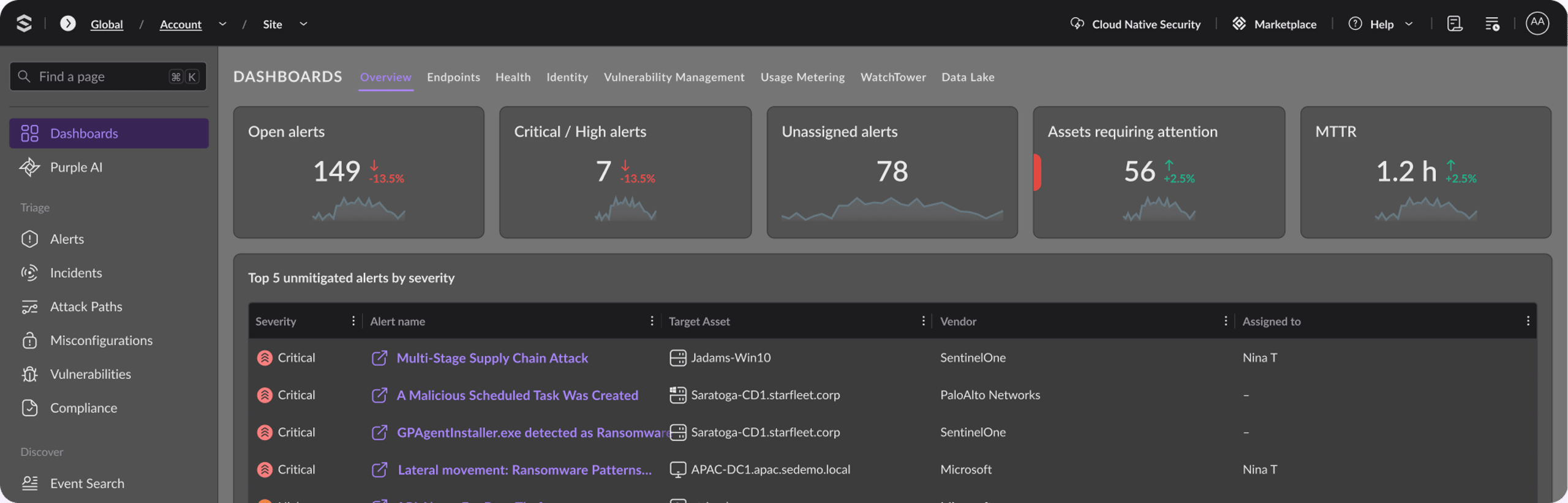
Purple AI handles the investigation work that drains analyst hours. Ask a question in plain language, and it returns structured queries, correlated incidents, and a forensic timeline.According to IDC, Purple AI customers saw 63% faster threat identification and a 55% reduction in MTTR, keeping senior analysts on validation and hunting, not log-pulling. Both run on one console, while Singularity AI SIEM normalizes native and third-party telemetry into a single data lake, so teams can investigate and respond in one workflow instead of pivoting across consoles. Singularity Hyperautomation adds the autonomous-response layer on top of AI SIEM, running triage, enrichment, and response actions end to end, as well as integrating with Purple AI.
If you run a SOC, the fastest way to understand the MTTR gain is to see it on your own data. Book a SentinelOne demo to watch autonomous response and Purple AI run in your environment.

Singularity™ MDR
Get reliable end-to-end coverage and greater peace of mind with Singularity MDR from SentinelOne.
Key Takeaways
Automated incident response compresses threat finding and containment by running finding, triage, containment, and remediation through playbooks. Automated tooling handles mechanical work, while humans keep judgment over irreversible actions.
Static playbooks, overuse of automation, and poor planning cause failures. SentinelOne delivers autonomous response, 1-click rollback, and Purple AI to make this practical, so your team spends its hours on the calls that actually need a human.
FAQs
Automated incident response uses software to find, triage, contain, and remediate security incidents with minimal human action. It runs predefined playbooks that isolate hosts, block IPs, revoke credentials, centralize evidence, and route alerts the instant an alert fires.
Human analysts stay involved when incidents require complex analysis, strategic judgment, or high-risk decisions that need context beyond predefined response logic.
No. Automated incident response takes over repetitive, high-volume work such as alert triage, enrichment, and defined containment, but it does not remove analysts. People still own the judgment calls: novel incidents, gray-area alerts, and irreversible actions such as broad isolation or credential revocation.
In practice, automation shifts analyst time away from manual log-pulling toward threat hunting, validation, and the strategic decisions that need human context.
Automated incident response describes the specific machine-led actions inside the response lifecycle, such as host isolation, traffic blocking, credential revocation, or evidence collection. SOAR is the broader platform layer that integrates tools, orchestrates workflows, manages tickets, and executes that response logic.
In short, automation performs task-level execution, while orchestration coordinates the wider process across tools, teams, alerts, and evidence sources.
No. Automated systems handle repetitive, high-volume, low-risk work well, especially triage, enrichment, routing, and defined containment actions. Novel, gray-area, or high-stakes incidents still need human judgment. Keep human-in-the-loop controls for irreversible actions such as broad isolation, credential revocation, or major configuration rollback.
The safer model lets software gather context and act on defined triggers while analysts validate strategic response choices.
Automated incident response depends on SIEM and SOAR integrations for context and execution. A SIEM or data lake centralizes telemetry so the workflow can analyze logs, traffic, and alerts in one place. SOAR then coordinates the playbook across tools, tickets, sandboxes, and response controls.
That combination lets analysts receive structured investigation context while the workflow pulls evidence from separate consoles during an active incident.
Start with Tier-1 work: initial alert triage, validation, and basic enrichment. These tasks are repetitive, high-volume, and low-risk, so they free time quickly without much downside if a rule misfires.
Document playbooks for the scenarios that matter most, keep human approval in place for irreversible actions, and widen automation only after you have tracked the results and built trust in the workflow.
Discover More About Services




Ready to Revolutionize Your Security Operations?
Discover how SentinelOne AI SIEM can transform your SOC into an autonomous powerhouse. Contact us today for a personalized demo and see the future of security in action.