What Is WebAuthn? Definition, Examples & Best Practices
WebAuthn is the W3C standard for passwordless, phishing-resistant authentication. Learn how it works, common deployment mistakes, and enterprise best practices.

What Is WebAuthn?
Passwords fail. They get phished, stuffed, sprayed, and dumped. Verizon’s 2026 Data Breach Investigations Report (DBIR) found credential abuse somewhere in 39% of all breaches, the single most pervasive technique in its dataset, which is why defenders prioritize controls that remove passwords from the login path. WebAuthn is the World Wide Web Consortium (W3C) standard built to do exactly that.
WebAuthn, short for Web Authentication, is a W3C web standard that defines a browser API for creating and using strong, public key-based credentials to authenticate users to web applications. Instead of exchanging shared secrets like passwords, WebAuthn uses asymmetric cryptography: your authenticator generates a unique key pair per site, keeps the private key locked inside secure hardware, and only shares the public key with the server.
The W3C specification formally defines it as "an API enabling the creation and use of strong, attested, scoped, public key-based credentials by web applications, for the purpose of strongly authenticating users." In practical terms, this means you can log into web applications using a fingerprint scan, a face unlock, or a physical security key, and the server never receives anything an attacker could reuse.
WebAuthn is a core component of the FIDO2 project, developed in coordination with the Fast Identity Online (FIDO) Alliance. FIDO2 pairs WebAuthn (the browser API layer) with CTAP (Client to Authenticator Protocol), which handles communication between your authenticator device and the browser over USB, near-field communication (NFC), or Bluetooth Low Energy (BLE). Together, they form the foundation for passwordless and phishing-resistant authentication on the web.
Two incidents show what the password model costs at scale. In 2021, attackers reached Colonial Pipeline through a legacy virtual private network (VPN) profile that was not intended to be in use, as the company's CEO told the U.S. Senate. Colonial shut the pipeline down to contain the attack and paid a $4.4 million ransom to a DarkSide affiliate, the ransomware operation covered in a CISA advisory. The Department of Justice later seized $2.3 million of it. In 2023, MGM Resorts reported an estimated $100 million negative financial impact from a cyber incident that began with social engineering against identity workflows, per an October 2023 8-K. Both incidents turned on a reusable secret. WebAuthn removes it from the login path.
WebAuthn vs Traditional Authentication
Traditional authentication relies on shared secrets. Passwords, one-time codes, and push approvals all transmit data that an attacker can intercept, replay, or phish in real time. WebAuthn changes the model by replacing shared secrets with public key cryptography, where the private key never leaves your authenticator hardware and nothing reusable crosses the network.
The differences matter most at the points where traditional methods break down:
- Phishing resistance. Password-based and OTP-based authentication can be captured by real-time phishing proxies. WebAuthn credentials are cryptographically bound to the origin domain, so a credential registered at login.example.com will not authenticate against login-example.com or any other lookalike domain. The browser enforces this at the protocol level, independent of user judgment.
- Server-side exposure. Traditional systems store password hashes or shared secrets that become high-value targets in database breaches. WebAuthn stores only public keys. A complete server compromise gives an attacker nothing they can use to impersonate a user.
- Credential reuse. Users reuse passwords across services, which makes credential stuffing effective at scale. WebAuthn generates a unique key pair per relying party, so a compromised credential at one service has zero value at another.
- User friction vs. security tradeoff. Longer passwords and frequent rotation improve security on paper but degrade usability. WebAuthn removes the tradeoff: a fingerprint scan or face unlock provides stronger authentication assurance than any password policy, with less friction for the user.
The net effect is that WebAuthn eliminates the three vectors responsible for most credential-based breaches: phishing, server-side theft, and cross-site reuse. Understanding these differences sets the foundation for how the protocol's components enforce those properties.
Key Components of WebAuthn
WebAuthn operates on a three-party architecture defined by the W3C specification.
Authenticator: This is the cryptographic entity that generates key pairs and signs authentication assertions. Authenticators fall into two categories:
- Platform authenticators are built into your device's operating system: Windows Hello, Touch ID, Face ID. They enroll with almost no friction, but are lost if the device is lost.
- Roaming (cross-platform) authenticators are portable hardware devices like YubiKeys and FIDO security keys. They work across multiple devices but require physical distribution and inventory management.
Whichever type you choose, the security model stays the same: the authenticator creates a unique key pair per relying party, and the private key never leaves the authenticator's secure boundary.
Relying Party (RP): This is your web application: client-side JavaScript that invokes the WebAuthn API plus a server-side component that handles credential storage and verification. The RP stores only the public key. The RP ID, typically your domain name, serves as the cryptographic anchor for origin binding.
User Agent (Browser): The browser mediates all interactions between authenticators and relying parties. It enforces origin policies, prevents credential misuse across domains, and preserves user privacy: credentials registered at one origin cannot be used by another, which is what stops phishing at the protocol level.
WebAuthn also defines an attestation framework that lets authenticators cryptographically prove their authenticity during registration. Your enterprise can then verify that credentials come from trusted, IT-approved authenticator models rather than unknown or consumer-grade devices. The FIDO Metadata Service provides a live revocation and advisory mechanism for authenticator models.
Once you know the actors and trust boundaries, you can map the two ceremonies and see exactly where verification can fail.
How WebAuthn Works
WebAuthn defines two cryptographic ceremonies: registration (credential creation) and authentication (assertion verification). Both follow a challenge-response protocol.
- Registration (credential creation): Your server generates a cryptographically random challenge and sends it to the client along with relying party info, user account details, and acceptable cryptographic algorithms. The client calls
navigator.credentials.create(). The authenticator requests explicit user consent, generates a new asymmetric key pair, and returns an attestation object containing the public key, signed challenge, credential ID, and (optionally) an attestation certificate chain. Your server verifies the attestation, validates the signature, confirms the public key matches requested algorithms, and stores the credential public key, credential ID, and signature counter. Critical guardrail: Even with identical parameters,navigator.credentials.create()generates a new credential on every call. You must use the excludeCredentials parameter to prevent duplicate registrations. - Authentication (assertion verification): Your server generates a fresh challenge and sends it to the client with a list of allowed credential IDs. The client calls
navigator.credentials.get(). The authenticator verifies user presence or identity (depending on your policy), then signs the challenge with the stored private key. Your server retrieves the stored public key, verifies the assertion signature, validates the challenge match, checks user presence/verification flags, confirms the origin and RP ID match, and verifies the signature counter has been incremented.
The signature counter verification is your defense against cloned authenticators. If the counter does not increment as expected, you have evidence of credential duplication.
For AAL2 compliance, you must enforce User Verification (UV), not just User Presence (UP). Per syncable authenticators guidance, verifiers must indicate that UV is preferred and inspect responses to confirm the UV flag is set.
How Organizations Deploy WebAuthn
Seeing where WebAuthn runs in production answers the question most evaluators actually ask: has this been proven at scale?
- Google Accounts is the clearest benchmark. Google began rolling out passkeys in May 2023 and made them the default for personal accounts in October 2023. Within a year of launch, passkeys had been used over one billion times across more than 400 million accounts, and Google reported passkeys were already used for authentication more often than SMS OTP and authenticator apps combined on a daily basis.
- GitHub cited WebAuthn as the strongest 2FA option available when it mandated 2FA in 2023 for all contributors, calling physical security keys and platform authenticators like Windows Hello and Face ID the methods least vulnerable to phishing.
- Commercial platforms have followed: Amazon, PayPal, Shopify, DocuSign, and Kayak, which cut average sign-up and sign-in time by 50%, have all shipped WebAuthn-backed sign-in. These deployments confirm WebAuthn performs at consumer scale, handles recovery workflows, and integrates with standard identity provider architectures.
With the ceremonies and real-world deployments understood, the next decision is which type of authenticator fits your environment.

Reduce Identity Risk Across Your Organization
Detect and respond to attacks in real-time with holistic solutions for Active Directory and Entra ID.
Types of WebAuthn Authenticators
Your authenticator choice shapes the security assurance level, user experience, and operational overhead of your WebAuthn deployment. Each type carries distinct tradeoffs that matter for enterprise planning.
- Platform authenticators are embedded in the device's operating system and hardware. Windows Hello uses a Trusted Platform Module (TPM)-backed PIN, facial recognition, or fingerprint. Apple devices use Touch ID or Face ID backed by the Secure Enclave. Android devices use fingerprint or face unlock through Google Play Services. Platform authenticators 1carry the lowest enrollment friction because users already have the hardware, and biometric verification satisfies user verification (UV) requirements for AAL2 compliance without extra steps. The limitation is that credentials are tied to the device. If a user loses their laptop or phone, those credentials are gone unless you use synced passkeys.
- Roaming (cross-platform) authenticators are portable hardware tokens, such as YubiKeys, Feitian BioPass keys, or other FIDO2 security keys, that connect over USB, NFC, or BLE. They work across multiple devices and operating systems, which makes them the standard choice for privileged access, shared workstation environments, and high-assurance use cases. The tradeoff is distribution logistics: you need to procure, ship, inventory, and manage physical devices, and users need to carry them.
- Synced passkeys are a newer category where WebAuthn credentials synchronize through a platform password manager (iCloud Keychain, Google Password Manager, or a third-party manager like 1Password). Synced passkeys reduce the device-loss recovery problem because the credential survives on any device connected to the same account. For most enterprise users, this removes the biggest friction point in WebAuthn adoption. The tradeoff is that your authentication security now partially depends on the security of the platform account that hosts the synced credential. For high-assurance environments, device-bound credentials with IT-managed backup keys remain the stronger choice.
Most enterprise deployments use a combination: platform authenticators for daily use, a roaming key as a registered backup, and synced passkeys where the risk profile allows it. Choosing the right mix depends on your assurance requirements, your user population, and how much operational overhead you can absorb.
The authenticator decision directly influences the security properties you gain, which is what the next section covers.
Security Benefits of WebAuthn
WebAuthn delivers concrete security advantages across phishing resistance, server-side exposure, regulatory compliance, and cross-site attack prevention:
- Phishing resistance at the protocol level. WebAuthn binds credentials cryptographically to the origin. The FIDO Alliance NIST comment warned that attackers have caught up with AAL2 authenticators that are not phishing resistant. WebAuthn closes that gap.
- No shared secrets on the server.FIDO2's public key cryptography model removes the need to share secrets between the identity provider and the authenticator, which is what NIST SP 800-63B-4 calls verifier compromise resistance. A complete database breach yields nothing an attacker can replay.
- Regulatory alignment. WebAuthn satisfies NIST SP 800-63B-4 AAL2 phishing-resistant requirements. The U.S. government's Office of Management and Budget (OMB) Memorandum M-22-09 names the W3C Web Authentication standard directly as a phishing-resistant approach for federal agencies. Regulated organizations get a clear, auditable compliance path.
- Elimination of human-element attacks. The 2026 Verizon DBIR put the human element in 62% of breaches. WebAuthn removes two critical human attack surfaces: weak password selection and phishing susceptibility. Users cannot choose bad passwords when there are no passwords.
- Cross-site credential stuffing prevention. Each credential is cryptographically scoped to a specific domain, making credential stuffing far less effective across services.
Those security properties are not theoretical. The organizations that have deployed WebAuthn at scale have already validated them in production, and the use cases span nearly every industry vertical.
Common WebAuthn Use Cases
WebAuthn adoption is concentrated in scenarios where credential-based attacks carry the highest business impact. These are the deployment patterns that show up most frequently in production environments.
- Privileged access and admin consoles. VPN portals, cloud management consoles, and infrastructure admin panels are the highest-value targets for credential theft. Deploying WebAuthn as a required second factor, or as the primary passwordless method, for these access points removes the attack surface that phishing kits and credential dumps exploit most aggressively. This is typically the first phase in any enterprise rollout.
- Customer-facing login for financial services and healthcare. Regulated industries where credential compromise triggers breach notification, regulatory penalties, and direct financial loss are adopting passkeys for customer authentication. Banking applications, patient portals, and insurance platforms use WebAuthn to satisfy both compliance requirements (PCI DSS, HIPAA access controls) and the operational goal of reducing account takeover fraud.
- Shared workstation and kiosk environments. Hospitals, manufacturing floors, and retail operations run shared terminals where password-based login is slow and prone to shoulder-surfing. Roaming authenticators (NFC-enabled security keys or badge-tap solutions) authenticate users in seconds with no credentials typed into a shared device.
- Workforce single sign-on (SSO). Deploying WebAuthn at the identity provider (IdP) level, through platforms like Okta, Azure AD, or Ping Identity, protects every downstream application in a federated environment with a single enrollment. This is the most efficient path to broad coverage because you deploy WebAuthn once at the IdP and every Security Assertion Markup Language (SAML) or OpenID Connect (OIDC) relying party inherits the phishing-resistant authentication.
Each of these use cases reinforces the same principle: the closer you get to eliminating reusable secrets from your authentication flow, the fewer credential-based attack paths remain open. That said, deploying WebAuthn at scale introduces operational complexity that teams need to plan for.
Challenges and Limitations of WebAuthn
WebAuthn's security model is sound, but enterprise deployments surface operational complexity that teams consistently underestimate:
- Credential lifecycle management. The primary failure mode in enterprise WebAuthn deployments is operational, not cryptographic. You need documented processes for authenticator distribution, credential revocation on device loss, renewal policies, and user support for authentication failures. The FIDO lifecycle guidance covers enrollment, recovery, and revocation phases in detail.
- Authenticator type selection. You face a strategic decision between platform authenticators (zero distribution cost, lost with the device), roaming authenticators (portable but requiring physical distribution), and hybrid approaches. Each carries different assurance levels, recovery requirements, and operational overhead.
- Legacy application integration. Not every application in your environment supports WebAuthn natively. You need to address integration with federation protocols like SAML, OAuth, and OpenID Connect. This is a significant challenge for organizations with complex identity federation topologies.
- FIDO server architecture decisions. You must choose between integrating a FIDO server into your existing identity provider, deploying a standalone FIDO server, or using a FIDO-server-as-a-service model. Each impacts credential storage architecture, disaster recovery procedures, and rollout scope. The FIDO server deployment guide covers the tradeoffs in detail.
- The synced credential tradeoff. Passkey synchronization through major platform password managers reduces user friction dramatically but transfers a portion of authentication security to the platform account's security. Where assurance requirements are highest, device-bound credentials with IT-managed backup keys are still the stronger call.
Beyond operational complexity, specific implementation decisions create more lasting exposure:
- Treating all MFA as phishing-resistant. This is the highest-impact mistake. Deploying TOTP, SMS OTP, or push notification MFA and claiming phishing-resistant compliance leaves you exposed. Real-time phishing proxies capture and replay both factors in these approaches. Only WebAuthn with verifier name binding or channel binding achieves true phishing resistance.
- Allowing unauthenticated credential registration. CVE-2021-3632 demonstrated this in Keycloak, where anyone could register a new security device when no device existed for a user account. Registration must occur within an already-authenticated session or through verified out-of-band processes.
- Poor enrollment flow design. Clunky enrollment creates user resistance and drives support ticket volume. Your enrollment portal should guide users through registration within an authenticated session, provide clear instructions on acceptable authenticators, and explain why specific devices were rejected.
- Missing fallback and recovery mechanisms. Deploying WebAuthn without documented fallback procedures for device loss, hardware failure, or biometric issues creates lockout scenarios. You need pre-registered backup authenticators, IT administrator emergency access codes, and in-person verification processes.
- Deploying WebAuthn in isolation from your security stack. WebAuthn is not a standalone fix. Per NIST SP 1800-35, it should integrate with continuous authentication evaluation, device health verification, context-aware access policies, and your endpoint security infrastructure. In a zero trust architecture, WebAuthn becomes one of the strongest signals you can feed into access decisions.
These challenges are solvable with the right planning. The following practices cover the key decisions that separate a production-ready deployment from a proof of concept.
Best Practices for Implementing WebAuthn
The following practices cover the key decisions that separate a production-ready WebAuthn deployment from a proof of concept.
Enforce user verification for AAL2. Set userVerification: "required" in both registration and authentication ceremonies and validate the UV flag server-side. Do not rely on "preferred" for compliance-scoped deployments.
Use attestation to enforce authenticator policy. Check attestations during registration and only allow authenticators that meet your security requirements (for example, FIDO L1+ certification). Use AAGUID (authenticator model identifier)-based allowlists and integrate with the FIDO Metadata Service for live authenticator status checks.
Deploy in phases. The FIDO phased rollout recommendation is a staged approach:
- Second-factor WebAuthn for high-risk applications (VPN, privileged access, admin consoles)
- Platform-wide second-factor rollout while building operational support
- Discoverable credentials and passwordless flows for mature user populations
- Full passwordless with legacy authentication retired for enrolled users
This approach lets you validate policy, support, and recovery workflows before you make WebAuthn the default.
Implement a multi-authenticator recovery strategy. Register at least two authenticators per user: a primary (for example, platform authenticator for daily use) and a backup (for example, security key stored securely). Display registered recovery credentials clearly in user account settings.
Verify signature counters. Check that the signature counter increments monotonically on every authentication. A counter that does not increment signals a potentially cloned authenticator.
Separate expected from unexpected errors. Track WebAuthn errors explicitly. Bucket NotAllowedError, AbortError, and Credential Manager passkey errors as distinct signals so you can differentiate user friction from security anomalies.
Following these practices will bring your WebAuthn deployment to a production-ready state. But even a correctly configured WebAuthn rollout is not a complete identity defense. The attacks that bypass WebAuthn entirely require controls that operate beyond the login ceremony: session hijacking, post-authentication lateral movement, and help desk social engineering.
How SentinelOne Enhances Identity Security
WebAuthn reduces credential replay, but it does not stop every identity-path attack you will see in production. You still need to handle session-token theft, device compromise, help desk social engineering, and post-auth lateral movement.
The Singularity™ Platform closes that gap by correlating identity and endpoint context:
- Singularity Identity finds suspicious identity behavior and responds when adversaries target directory services and SSO workflows. It covers the identity infrastructure WebAuthn never touches.
- Singularity Endpoint runs behavioral and static AI models on the device to stop credential-stealing malware and hands-on-keyboard activity that bypasses login controls entirely. It flags malicious patterns in real time without human intervention, which matters when attackers go after sessions instead of passwords.
- Purple AI™ reasons across your security data to guide investigations and recommend next actions. A 2025 IDC Snapshot found customers identifying threats 63% faster, which matters when you need to determine whether a failed WebAuthn login was user friction or an active phishing campaign.
Together they hold the identity attack path on both sides of the login.
If you treat WebAuthn as one strong signal inside your broader phishing defense program and incident response workflow, you can reduce both takeover risk and the time you spend proving what happened.
Request a demo to see how SentinelOne closes the gap between authentication and full identity defense.
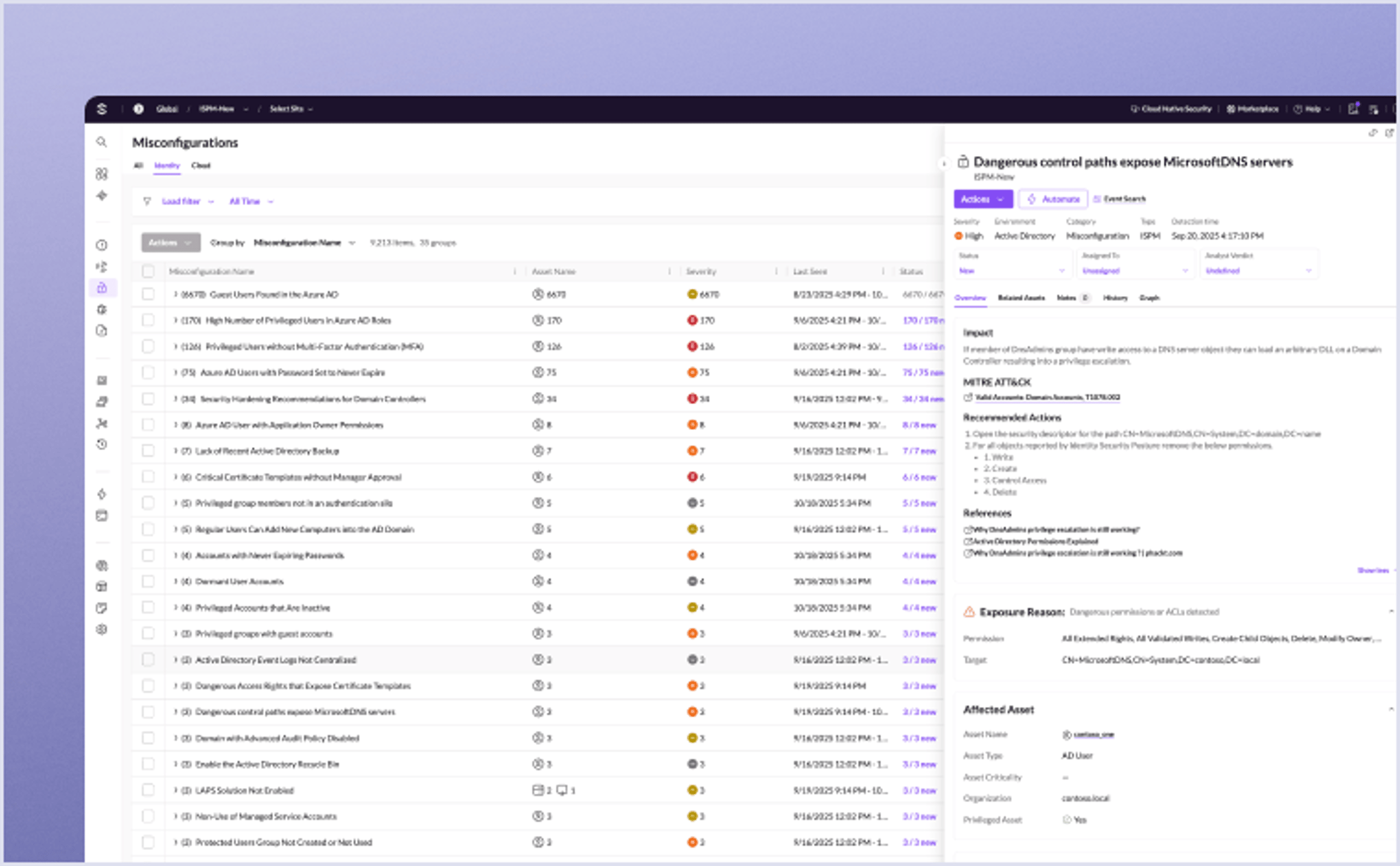
Get real-time identity protection and end-to-end visibility across hybrid environments to detect exposures, stop credential abuse, and reduce identity risk.
Key Takeaways
WebAuthn is the W3C standard for passwordless, phishing-resistant web authentication using public key cryptography. It binds credentials cryptographically to specific domains, making credential replay architecturally impossible.
Successful enterprise deployment requires phased rollout, attestation-based authenticator policy, multi-device recovery strategies, and integration with your broader security stack.
FAQs
WebAuthn, short for Web Authentication, is a W3C web standard that defines a browser API for creating and using strong, public key-based credentials to authenticate users to web applications.
Instead of passwords, it uses asymmetric cryptography: your authenticator generates a unique key pair per site, keeps the private key in secure hardware, and shares only the public key with the server. This makes credential theft and phishing attacks far harder to execute.
WebAuthn's primary security property is phishing resistance through cryptographic domain binding. When you register a credential, it binds to the exact origin of the relying party. When you authenticate, the browser cryptographically includes that origin in the signed response, so an attacker on a lookalike domain cannot replay your credential.
Beyond phishing, WebAuthn eliminates server-side credential theft because only public keys are stored, and it stops credential stuffing because each credential is scoped to a single domain.
WebAuthn and FIDO2 are related but not identical. FIDO2 is the broader project, developed by the FIDO Alliance in coordination with the W3C, that combines two specifications: WebAuthn (the browser API for creating and verifying public key credentials) and CTAP (Client to Authenticator Protocol, which handles communication between your authenticator and the browser over USB, NFC, or BLE).
WebAuthn is the web-facing half of FIDO2. You implement WebAuthn in your application. CTAP runs between the authenticator hardware and the browser.
WebAuthn provides one of the strongest authentication signals in a zero trust architecture. Per NIST SP 1800-35, it integrates with continuous authentication evaluation, device health verification, and context-aware access policies. Because WebAuthn credentials are phishing-resistant and domain-bound, they serve as a high-assurance identity verification step that feeds into broader access decisions.
In practice, pairing WebAuthn with endpoint telemetry and behavioral analytics gives your policy engine a more trustworthy authentication signal than any password or legacy MFA method.
According to Can I Use, WebAuthn is available in approximately 95% of global browsers. All evergreen desktop browsers support it: Chrome (v67+), Firefox (v60+), Safari (v14+), and Edge (v18+). On mobile, Chrome for Android, Safari on iOS, and Samsung Internet all support WebAuthn.
For platform authenticators, Windows 10+ ships Windows Hello (facial recognition, fingerprint, PIN via TPM), macOS/iOS 16+ supports Touch ID and Face ID with iCloud Keychain sync for passkeys, and Android 9+ provides fingerprint and face unlock via Google Play Services. Gaps remain in older OS versions and some locked-down enterprise browser configurations.
WebAuthn is the W3C API specification that browsers implement for public key credential creation and authentication. Passkeys are a user-facing term for WebAuthn credentials, often specifically referring to synced (cloud-backed) credentials that synchronize across your devices through platform providers.
All passkeys use WebAuthn under the hood, but not all WebAuthn credentials are synced passkeys. Device-bound WebAuthn credentials remain tied to specific hardware.
WebAuthn can function as single-factor (possession of the authenticator), two-factor (possession plus biometric or PIN), or multi-factor authentication depending on your configuration.
For AAL2 compliance, you must enforce user verification (biometric or PIN) and validate the UV flag server-side. WebAuthn replaces legacy MFA methods like TOTP and SMS OTP while providing stronger phishing resistance than any of them.
Without a recovery plan, they are locked out. Best practice is to register at least two authenticators per user: a primary device for daily use and a backup stored securely.
Your account recovery process should also include IT administrator emergency access codes and an in-person verification path for high-assurance environments where backup authenticators are unavailable.
Yes, but integration requires planning. WebAuthn operates at the identity provider (IdP) level in federated environments using SAML, OAuth, or OpenID Connect. Your IdP handles the WebAuthn ceremony, then issues federation tokens to downstream applications.
This means you deploy WebAuthn at the IdP rather than at every individual application, simplifying rollout across federated services.
The browser cryptographically includes the origin (domain) in the data signed by the authenticator during every authentication ceremony. A man-in-the-middle attacker cannot relay an authentication assertion to a different domain because the signature will not validate for any origin other than the one where the credential was registered.
This protection operates at the protocol level, independent of TLS or user awareness.
Discover More About Identity Security



Ready to Revolutionize Your Security Operations?
Discover how SentinelOne AI SIEM can transform your SOC into an autonomous powerhouse. Contact us today for a personalized demo and see the future of security in action.