Authentication vs Authorization: What's the Difference?
Many breaches happen because teams blur authentication and authorization. Learn how authentication vs authorization differ, how modern identity stacks work and where to place security controls.

TL;DR
- Authentication asks who you are by identifying an individual's credentials, whether via password, passkey, multifactor authentication prompt, etc, just to validate their identity.
- Authorization tells you what you can do by assessing what role/attribute/policy applies to each validated user/workload. It decides what resources/actions they are permitted access to after being authenticated.
- OpenID Connect (OIDC) is used for authentication while OAuth 2.0 is used for API/service delegation-based authorization.
- Mixing up authentication and authorization can lead to serious design errors, such as granting a valid login permission to suddenly perform all possible actions (even if it’s not within their rights); assigning overly privileged roles to users; and relying on hard-coded checks of permissions that are difficult to track, manage, and audit.
Introduction
The internet is currently not doing so well and falling down. The cPanel and WHM authentication bypass CVE-2026-41940 showed us how many hosting providers are still stuck on older versions and what their potential blast radii is actually like. And this exploit affects all versions.
For any who get compromised, it's a good reminder to guard your infrastructure behind strong network segmentation.
Microsoft faced a huge multi-stage phishing campaign also recently that targeted over 35k users across 13k+ organizations. Hackers used Adversary-in-the-Middle (AiTM) techniques to bypass MFA and steal session cookies.
If this sounds confusing and you don't know the difference between authentication vs authorization attacks, then keep reading. We'll explain below.
.jpg?width=2560&quality=90&format=auto)
What is Authentication?
Authentication makes the user prove who they are and protects sensitive data from unauthorized access. It bars illegal entry and will make the user provide credentials like username and passwords to log into systems.
For non-digital use, they'll have to validate documents notarized. In preventative security, authentication is used to protect sensitive data.
Common authentication methods
Authentication will rely on one of more of these factors to verify your identity:
- Passwords, PINs, and answers to common security questions that only you will know
- Smart cards, hardware tokens, and OTPs
- Biometrics like fingerprint scans, facial recognition, and Iris Scans.
Types of authentication attacks
Here are the common types of authentication attacks you should be aware of:
- Credential stuffing and brute force. Replaying username or password pairs from previous breaches or hammering weak logins when rate limits are poor.
- Phishing and MFA fatigue. Tricking users into revealing credentials or approving prompts, often through social engineering that mimics trusted brands.
- Session hijacking. Stealing tokens from browsers, devices, or memory so an attacker can skip the login form entirely.
- Device compromise. Taking over a trusted device that already passed checks, then abusing the session context that came with it.
What is Authorization?
Authorization is a security process where a logged in user is checked to see what they can do within a network or system. It basically tells you what you can do or what you are allowed to do (within acceptable rights).
Authorization will happen only after successful authentication, not before. It will evaluate the user identity against a set of rules or policies and grant or deny access to specific resources accordingly.
Types of Authorization Models and Protocols
Here are the common types of authorization roles models to be aware of:
- Role-based access controls (RBAC): Permissions are granted to specific roles like admins, editors, viewers, over individual users. It's one of the most common models used in corporate ecosystems.
- Attribute-based Access Controls (ABAC): These are highly flexible authorization models that will use attributes to make decisions. They can include user and department details, resource type info, and environmental contexts (like device security, location, time of day, etc.)
- Discretionary Access Control: The resource owner will have full control over who has access to what and who can access it. It's like file sharing on Google drive or Windows folders.
- Mandatory Access Control (MAC): It's one of the most restrictive authorization models where access will be based on strictly defined security labels. It will centrally manage your secrets and is very commonly used in military and high-grade security government systems.
- Relationship-based access control (ReBAC): Your access will be decided on the relationship between a user and a resource. This is a bit more personalized and akin to being the owner of a resource, with the member being a part of their specific folders.
And a for modern authorization types and protocols, here is what to know:
- OAuth 2.0: It's the industry standard for delegated authorization. It lets third-party apps access your data without seeing passwords.
- JSON Web Tokens (JWT): It's a compact, URL-safe way to show claims between two parties. The server will give a JWT when someone logs in which basically says "the user is authorized for X", which you can also present for confirming other subsequent requests.
- Access Control Lists (ACLs): This is a simple list that will be attached to a resource which will name your users and groups. It will also tell you what permissions they have. The only downside is that it becomes much harder to manage on a larger scale as your enterprise grows.
Critical Differences between Authentication vs Authorization
You will often see the difference between authentication and authorization summarized in a sentence, but design work needs more detail. Here are the areas where authentication vs authorization diverge.
1. Order in access flows
Authentication occurs before Authorization. During the authentication phase, it will create an Identity Context. Then during the authorization phase, it will take this Identity Context into consideration when deciding whether to allow a certain action to occur.
In other words, by allowing these phases to run independently (and not treating them as a single process), you can ensure that you are validating each of the subsequent steps for security, even though "the user has already authenticated". In healthy systems, every sensitive action flows through both layers.
2. Data used
Authentication will use passwords, PINs, security question-answers, possession factors (like OTPs via email and SMS, hardware token serial numbers, digital certificates), and inherence factors (fingerprint templates, facial geometric scans, iris patterns), and entity IDs (unique identifiers like emails, employee IDs, and usernames).
Authorization will use data related to permission rules like labels assigned to identities (user roles), user and resource attributes (specific metadata about people and objects being accessed), and environmental context (IP addresses, device health, timings, and locations).
3. Failure modes and error handling
Auth failure errors typically lead to either invalid credential messages or CAPTCHA/MFA challenges, while repeated attempts usually lock out the user’s account. On the other hand, auth failure errors produce forbidden messages, conceal resource information, or prompt additional authorization for access control privileges.
Handling auth failure errors as standard errors or silent failure errors complicates incident response. Proper logging and differentiation between auth and authentication errors enable responders to determine whether attackers have reached the door or are exploring the premises.
4. Ownership and responsibilities
Ownership of authentication is generally within the identity team or the platform teams dealing with single sign-on (SSO), MFA, and identity providers. Ownership of authorization, on the other hand, lies between the application team, the security team, and data owners who know what must be required of every action.
If one team takes full control while the business owners have not been consulted, there is likely to be a shift in permissions.
Authentication vs Authorization: Key Differences
Want to compare or get an overview of authentication vs authorization at a glance? Here is a quick reference:
| Feature | Authentication | Authorization | Example |
| Primary question | Verifies who the user or workload is. | Decides what that identity can access. | Employee logs in with MFA, then a policy decides which HR records they may view. |
| Typical data | Credentials, biometrics, device or workload identities. | Roles, attributes, resource labels, risk scores. | An API call carries an ID token plus a role claim and project tag. |
| Main standards | OIDC, SAML, platform sign in protocols. | OAuth 2.0, policy engines, ABAC and RBAC rules. | OIDC logs a user in, OAuth scopes define which APIs they can call. |
| When it runs | Before any protected resource is accessed. | At every access decision after authentication. | User session is valid, but a high risk transfer still triggers an additional check. |
| Failure behavior | Blocks login or asks for more proof. | Denies specific actions, hides resources, or escalates for review. | Password reset fails vs a payment approval screen that shows “not allowed”. |
Common Authentication vs Authorization Mistakes Enterprises Make
Here is a list of common authentication vs authorization mistakes every enterprise should avoid:
Treating login as the only gate
Other teams might think that if the user is already logged in, anything he does within the application is acceptable. The high-risk processes, such as exporting all data at once, changing configurations, or generating tokens, are therefore left to depend on just that one login process.
Your critical actions should be regarded as independent control gates that will perform their own checks for authorization, risk assessment, and even authentication. This could mean raising your MFA requirements for any wire transfers, for example.
Overprivileged roles and “just in case” permissions
A natural instinct is to provide liberal rights to allow team members to “move fast” and sort out matters at a later point. Research on authorization errors reveals that this “later” never arrives, and with time, accounts accumulate unnecessary rights that an attacker can exploit.
Your efforts will yield more success by designing narrow-scope roles at the outset and ensuring they are task-aligned. The review process is integral to any access recertification effort, just like eliminating unnecessary privileges.
Hardcoded checks in application code
In case when the authorization logic is distributed among different services, each new product launch represents a new risk for the regression of permissions access. When developers use copy-paste techniques, such as “if user.is_admin”, it means they may miss some edge cases and make life harder for auditors.
The problem can be mitigated by centralizing permission logic either in policies or specialized services where security and compliance teams can have access to. The products would still determine what policies should be used, while permissions would be centrally managed.
Authentication vs. Authorization in Zero Trust and Modern Architectures
Identity is becoming the new security perimeter in zero trust architectures. Systems are continuously verifying your identity and device health throughout sessions. Permissions are no longer static, they will be evaluated at the moment of each request based on a wide range of real-time signals.
Modern authorization engines use Policy Decision Points (PDPs) to evaluate these signals before granting any access. They take into account resource sensitivity, device posture, user identity, and location/networks.
In cloud-native environments, Machine-to-Machine (M2M) security is also being considered since authorization isn't just meant for humans. Service identities (non-human users) are now also being authenticated and authorized before being allowed to use modern protocols like SPIFFE and MTLS to prevent automated systems from moving laterally through networks, thus preventing follow-up breaches (in case one is breached).
How to Design Safer Authentication and Authorization Flows: Best Authentication vs Authorization Practices
The best authentication vs authorization designs look forward. They prepare your organization for the way attackers are abusing identities in 2026, not for legacy threat models. These are the best authentication and authorization practices you can start adopting:
- Use OIDC for sign in and OAuth for API access. Keep identity proof and delegated access separate so you can validate ID tokens for authentication and scopes for authorization without mixing their responsibilities.
- Adopt least privilege by design, not as a cleanup task. Build roles and policies that map to real jobs, require justification for powerful rights, and schedule regular access reviews to remove unused permissions before attackers find them.
- Prefer policy based authorization over scattered checks. Move access rules into dedicated policy engines or services, then have applications call those for every sensitive action. This keeps audits, changes, and testing in one place.
- Enable continuous and risk aware authentication. Combine signals such as credential exposure, device posture, geolocation, and behavior analytics so high risk actions trigger step up MFA or token revocation instead of relying on a single login event.
- Shorten token lifetimes and use just in time elevation. Issue short lived tokens with narrow scopes, then grant temporary admin access only when someone requests it and passes extra checks. Expire that access automatically once the task is complete.
- Unify identity logs with endpoint and workload telemetry. Stream authentication and authorization events into the same data lake that captures EDR and cloud workload signals so you can trace attacks that cross identity, device, and workload boundaries.
- Test failure paths as carefully as success paths. Add automated tests and chaos style exercises that intentionally fail authentication and authorization conditions so you can confirm that errors, alerts, and logging behave as expected.
If you follow these practices consistently, you will see fewer “mystery admin” accounts, clearer attribution in incidents, and a much smaller window where an attacker can use a stolen identity before your controls respond.
How SentinelOne Strengthens Identity Security
SentinelOne's Singularity Platform is powered by Autonomous Security Intelligence (ASI) — the intelligence fabric built into the foundation of the platform that identifies malicious behavior, automates critical work, and responds to threats at machine speed. Where identity providers manage who can log in and what they can access, Singularity Identity adds the security enforcement layer — detecting credential abuse, stopping lateral movement, and protecting your authentication and authorization policies from the threats that bypass standard access controls.
You can use Singularity™ Identity to monitor and block access attempts and prevent threat actors from harvesting user credentials from endpoints.
Singularity Identity's conditional access policies can autonomously trigger step-up authentication — such as additional MFA prompts — when suspicious behavior is detected from users or devices. It also helps prevent MFA fatigue and doesn't allow bypass attacks by correlating login events with device health and behavioral signals.
Singularity Identity continuously identifies weaknesses across your authentication infrastructure — including exposed service accounts, weak password configurations, and Active Directory misconfigurations — before attackers can exploit them. Learn more at the Singularity Identity product page. You can also use SentinelOne to prevent privilege escalations and block attackers who have been already authenticated but are trying to gain admin or root rights. This will prevent lateral movement attacks and stop them in their tracks.
SentinelOne uses deception technology and lures to trick unauthorized users into revealing themselves when they try to access data they shouldn't see. In a zero-trust architecture, Singularity Identity provides continuous validation of intent and can revoke access at machine speed when a user's behavior deviates from their authorized function. It also identifies Access Control List (ACL) misconfigurations and can address them.
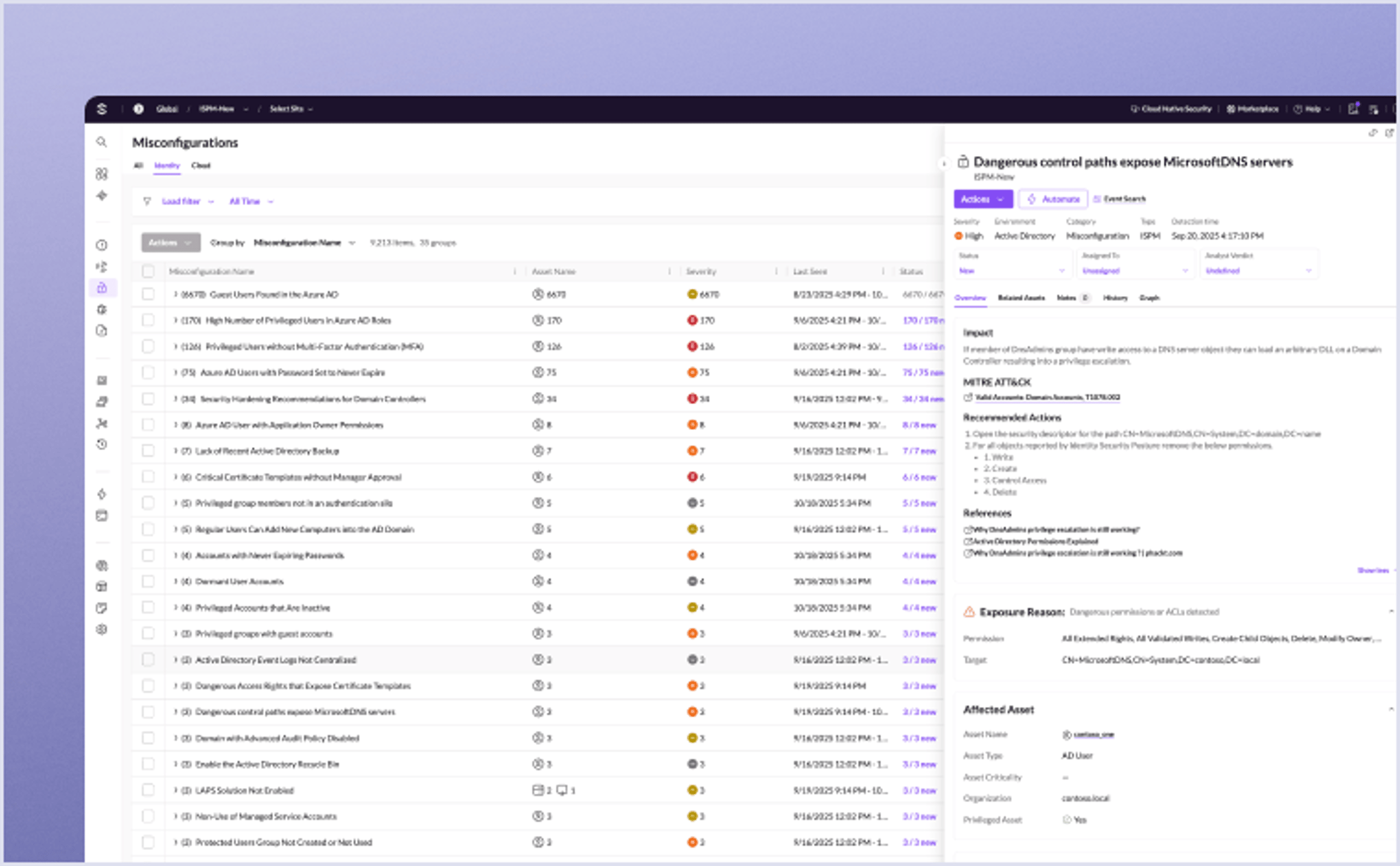
Get real-time identity protection and end-to-end visibility across hybrid environments to detect exposures, stop credential abuse, and reduce identity risk.
Conclusion
Authentication and authorization are both a part of cloud and cybersecurity. As long as you deal with human and non-human users, you’re going to need both. They are a design decision that shapes how every account, service, and agent behaves inside your environment. When you treat them as separate layers and connect them to continuous verification workflows, misused identities become much easier to spot and contain.
As identity attacks keep growing, SentinelOne's Singularity Platform — spanning identity, endpoint, and cloud workload protection — gives security teams the unified context they need to secure both human and non-human identities at runtime. Book a live demo to see it in action.
FAQs
No, authorization isn’t possible without authentication. Authorization checks what an authenticated identity is allowed to do. If you haven’t verified who someone is first, there’s no user to apply permissions to. Some sites let you browse as a guest with no login, but that’s not real authorization—it’s just open, unauthenticated access. A good rule is you should always authenticate before you enforce any roles or access controls.
OAuth 2.0 is for authorization. It gives apps limited access to a user’s stuff without sharing their password. OIDC is built on OAuth and handles authentication by adding an ID token with identity claims. So if you have to verify who someone is, you use OIDC. If you only need delegated access, OAuth is enough. They work together, but they serve different jobs.
Roles are collections of permissions you assign to users, like “admin” or “viewer.” Attributes are facts about a user, device, or session—things like department, clearance, or location. Authorization can check roles alone, or you can combine attributes to make finer decisions. For example, you might allow access only if the role is manager and the attribute is department=sales. There are many ways to set up these policies.
SSO authenticates you once and shares that identity across apps, but each app still runs its own authorization checks. MFA raises how strongly you prove who you are. You can build policies that demand MFA before authorizing access to sensitive data. If you fail MFA, authorization never gets a chance to proceed. So MFA doesn’t grant permissions by itself, but it can gate them based on login strength.
For authentication, collect login successes, failures, lockouts, MFA prompts, and source IPs. For authorization, grab access denials, permission changes, role assignments, and privilege escalations. You should pull these from your identity provider, apps, and security tools. If you have these logs, you can trace whether an incident started with stolen credentials or misuse of granted rights. They will help you build a clear timeline.
Discover More About Identity Security



Experience the Most Advanced Cybersecurity Platform
See how the world’s most intelligent, autonomous cybersecurity platform can protect your organization today and into the future.