XDR vs CDR for Modern SOC Teams
XDR and CDR both promise better detection and response, but they watch very different paths of your attack surface. Learn how XDR vs CDR compare and how to combine them without adding noise.

The future of cloud security is finally here and we're seeing 63% of the top companies citing using AI for making big business decisions. Sure, the cloud has risks and more than 80% of security exposures happen there, but that doesn't mean we don't have solutions to fight against adversaries.
XDR and CDR are both security solutions that prevent attackers from exploiting the latest vulnerabilities and block data exfiltration attempts. If you're curious how they work, how they can help, and which to choose, then keep reading. Our guide on XDR vs. CDR below will give you all the insights you need.
What is XDR?
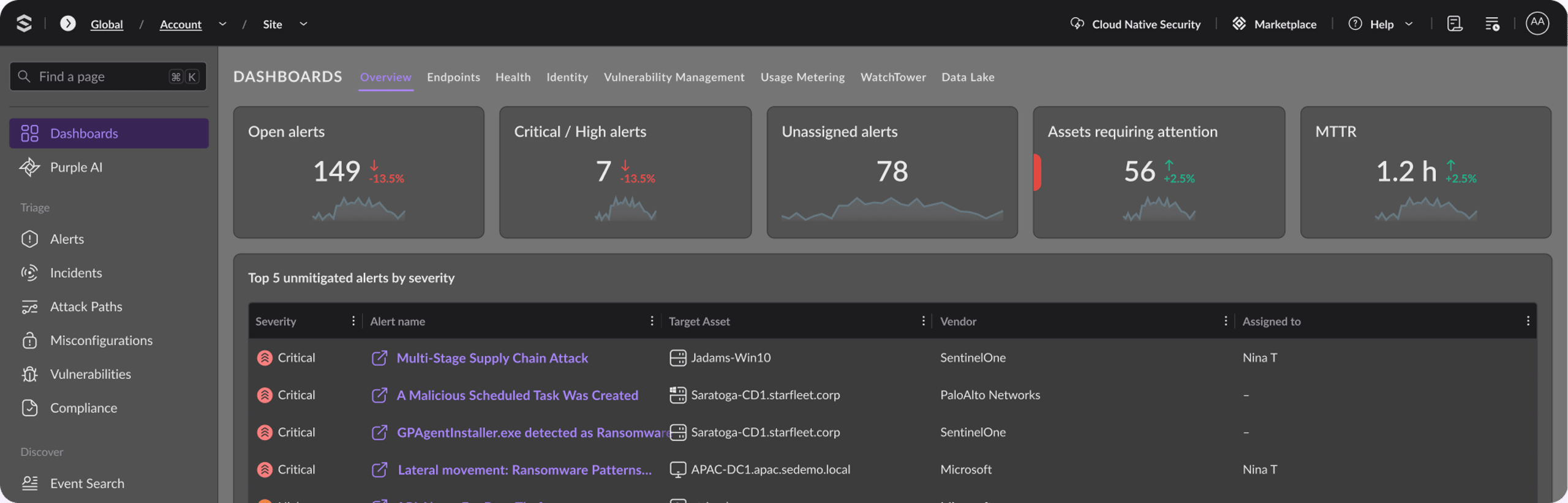
The XDR definition is this: XDR is a unified security platform for extended threat detection and response. XDR centralizes your security data from networks, endpoints, cloud workloads, and identities into a single platform. It automates correlation and provides rapid threat responses, thus breaking down security silos. AI in XDR can turn your disparate logs and alerts into cohesive attack stories.
.jpg?width=2560&quality=90&format=auto)
Key Features of XDR
Here is what XDR technologies offer:
- XDR can collect data from diverse sources (like EDR, NDR, mails, identity streams), and correlate it. It can add context to your security data and use advanced AI and ML to link seemingly unrelated events.
- You get unique security insights that way. XDR can map entire attack lifecycles and let you visualize root causes. You understand the full scope of data breaches instead of just getting isolated alerts.
- XDR also gives you intelligent incident scoring and reduces false noise. It actively reduces alert fatigue and uses automated workflows that trigger whenever threats are validated. You reduce your mean times for detection and containments that way.
Native XDR vs Open XDR: Where Enterprises Struggle Today?
The key difference between native and open XDR is the integration architecture. Native XDR is tied to a single vendor and meant for deeper and better pre-built efficiency. Open XDR is more vendor-agnostic and unifies a diverse and "best-of-breed" security stack.
If that sounds confusing, let's break it down:
- Native XDR is single vendor, open XDR is multi-vendor
- Native XDR is seamless, out-of-the-box, when it comes to integrations. Open XDR solutions use API-based third-party connections.
- Native XDR has a vendor lock-in period while Open XDR does not.
- Native XDR is great for SMEs and security teams who want rapid deployments. Large enterprises who deal with complex and diverse security stacks prefer open XDR solutions.
Implementing XDR effectively is not easy. There is a skilled talent shortage and although XDR can help reduce false noise, its initial implementations can cause data overwhelm. Most companies don't see immediate ROI because XDR AI solutions need a good deal of time to adapt to and learn their specific security and work environments. There are also issues with meeting compliance requirements and global regulations well, especially when there are concerns with changing regional regulations, data sovereignty, and compliance overlaps.
What is CDR?
CDR focuses on finding and shutting down active threats inside your cloud. It’s not a compliance checkbox or a static audit tool. It spots malicious behavior as it happens, gives your team the full cloud context to investigate, and speeds up your response so an attacker can’t spread to more data, services, or assets.
You can think of CDR as the layer that turns cloud telemetry into action:
- Detect: Surface real threats across your cloud identities, workloads, and data stores, not just noise.
- Investigate: Connect events across services with cloud-specific context (roles, permissions, API calls, resource relationships) so you know what actually happened.
- Respond: Contain and remove the threat before it expands, often with automated steps.
Key Features of CDR
CDR combines continuous monitoring, behavioral detection, and automated response steps so your team can catch threats that slip past traditional tools. Here’s what it can do:
See your entire cloud, all the time
CDR captures events from your applications, users, APIs, and configurations – in AWS, Azure, GCP, or wherever your environment lives. You no longer have to manually correlate logs; CDR gives you one place to see everything.
It goes beyond monitoring network traffic too. CDR can identify your cloud identities, permissions, and service dependencies. This allows you to detect any misconfigurations or malicious role assumptions that simply aren’t possible with network-only detection solutions.
Find the attacks that matter
There is a huge difference between XDR and CDR. CDR finds attacks that matter and here’s how:
Behavioral baselines. ML algorithms will learn how things should normally behave and detect deviations – misuse of credentials, privilege escalation, lateral movements. It is not only signature recognition.
Risk ranking. The alerts are prioritized based on risk level, allowing you to filter out all the alerts and focus on what actually matters.
Threat hunting. You can actively search for signs of compromise or security issues that an automated scanner would probably miss otherwise.
Stop incidents before they spread
When CDR confirms a threat, it can automatically isolate a workload, revoke credentials, or block access, no one has to manually jump in. That cuts the time an attacker can hang around and closes the gap between detection and action.
It also continuously audits your cloud configurations against compliance rules. A storage bucket that drifts from a secure baseline doesn’t sit unnoticed until your next audit.
CDR ties into your broader cloud security stack, working alongside tools like CNAPP to interrupt attacks early and keep your team focused on what matters. It will also be a part of your cloud workload protection.
5 Critical Differences between XDR and CDR
Now that you know what CDR does, let’s look at how it compares to XDR. They both detect and respond to threats, but they operate at different scopes. Here’s are the key differences between XDR vs CDR:
1. Where they focus
- CDR lives inside your cloud footprint. It watches workloads (VMs, containers, serverless), identity and access patterns, API calls, storage, and cloud configurations. It’s built to catch attacks that start with cloud misconfigurations, stolen roles, or unusual API activity.
- XDR takes a wider view. It pulls together signals from endpoints, network traffic, email, identity streams, and cloud accounts. Its job is to correlate activity across those layers and spot attacks that cross from a laptop to a cloud admin console to a database.
2. What data they work with
- CDR digs into cloud-native sources: control plane logs, runtime workload telemetry, identity provider logs, and cloud platform APIs. It understands the relationships between resources, permissions, and network paths inside your cloud environment.
- XDR aggregates from a broader set. It connects endpoint detection data, network sensors, email gateways, and identity providers - often across on-prem and cloud. The cloud data it gets is usually less granular than what a dedicated CDR tool collects, but the strength is in connecting dots that would otherwise stay separate.
3. Automation that matches your ecosystem
- Because your cloud infrastructure is software-defined, CDR can act fast and surgically. If it spots an over-permissioned role running a suspicious sequence of API calls, it can automatically revoke credentials, quarantine a container, or rebuild a workload from a trusted image.
- XDR automates across a wider range. It might trigger a playbook that blocks an email sender, isolates a compromised endpoint, and updates your firewall — all from one incident. The playbooks tend to cover more layers, but they’re less focused on cloud-specific controls.
4. When to choose CDR, XDR, or both
If you run a huge cloud environment and need deep visibility into workloads, identities, and configuration risks, CDR is your starting point. You’ll catch problems that a broad tool would likely miss.
If your organization spans data centers, SaaS, and cloud, and your security team needs a unified view across all of it, XDR makes sense. It reduces the number of consoles and helps you trace an attack path that moves from an endpoint into a cloud service.
Most teams that adopt CDR feed its findings into an XDR platform. That way, cloud-specific detections don’t sit in a silo, they become part of a bigger picture. Your SOC gets both the depth of cloud context and the breadth of cross-layer correlation. If you can’t pick a solution from CDR vs EDR vs NDR vs XDR, you can combine multiple security solutions together or choose holistic platforms like SentinelOne.
5. Skills required and ownership models
CDR teams want cloud-savvy analysts who understand IAM policies, cloud service relationships, and infrastructure-as-code. XDR teams, on the other hand, often lean on general SOC skills across endpoint, network, and log analysis. If you use a managed detection and response service, you’ll find providers that specialize in cloud-native monitoring for CDR and others that operate a full cross-layer XDR service. Your choice depends on whether your primary risk lives mostly in the cloud or spans a hybrid mix.
XDR vs CDR: Key Differences and Comparison for 2026
Here is a 2026 comparison table that highlights the key differences between XDR vs CDR at a glance:
| Area | XDR | CDR |
| Coverage | XDR covers endpoints, network, email, identity, and whatever cloud hooks it can pull in. It connects dots across layers. But its cloud visibility is usually coarser; it relies on the cloud signals it can ingest rather than purpose-built cloud telemetry. | CDR is purpose-built for the cloud. It watches your workloads (VMs, containers, serverless), identities, APIs, data stores, and the cloud control plane itself. It understands things like IAM role chaining, cross-account trust, and service-link relationships that generic tools have no context for. |
| Response | XDR automates across domains. A single incident might trigger a playbook that blocks an email sender, isolates a laptop, and updates a firewall rule. The automation covers more ground but can’t match CDR’s granularity inside the cloud. | CDR can quarantine a container, revoke a role, or rebuild a workload from a trusted image in seconds; all through the cloud provider’s own APIs. |
| Cloud depth | XDR might see that same event as a log entry among many. It can flag it, but often without the cloud-specific reasoning that tells you exactly who granted those permissions and what else they can reach. | CDR doesn’t just collect cloud logs. It models identity and permission relationships, tracks configuration drift, and spots an attacker moving from an over-permissioned role to a storage bucket — with full context for why that’s suspicious. |
| Integration | XDR sits as the central hub. It ingests from EDR, NDR, identity providers, email gateways, and — if you connect it — from your CDR tool. Its job is to correlate everything into a single timeline. | CDR typically plugs into your CI/CD pipeline, feeds findings into a CNAPP, and pushes enriched cloud detections into a SIEM or XDR. It fills the cloud-native gap that broader platforms leave open. |
| Use Case | XDR is often priced as a platform: endpoint licenses, data ingestion tiers, and premium modules. You might pay more upfront, but you can retire standalone NDR or SIEM tools. Many XDR deals are shifting toward multi-year bundles and platform-wide licensing - mainly in the mid-market, which can hide per-tool cost comparisons. | CDR pricing usually tracks cloud asset count or data volume: number of cloud accounts, workloads, or API events processed. It’s a focused spend that reflects deep cloud telemetry. |
Here’s how we compare CDR vs XDR when it comes to their best fit scenarios:
| Your situation (Best fit scenario) | Where to lean |
| You run a large, multi-account cloud footprint and need runtime visibility that traditional tools miss | CDR |
| You have a hybrid mix — data centers, SaaS, cloud — and your team spends too much time stitching alerts across consoles | XDR |
| You’re a smaller team with mostly cloud-native workloads and want fast, API-driven response without building a SOC around a big platform | CDR |
| You’ve already invested in endpoint and network tooling and need a layer that pulls cloud context into the bigger picture | Feed CDR into your XDR |
Advantages of XDR and CDR
XDR and CDR both help defend your organization, but they focus on different layers. XDR ties together signals from endpoints, email, identity, and your network. CDR goes deep into the cloud workloads themselves—containers, serverless functions, and the configurations that hold them together. Think of XDR as the wide-angle lens, and CDR as the macro lens for your public cloud.
XDR Pros
XDR just extends what EDR can’t do and provides greater security coverage. That is a big difference between XDR vs CDR vs EDR. Here are its main pros:
- Cross-domain correlation : It automatically links suspicious activity across laptops, email, network traffic, and identity systems. This surfaces multi-step attacks that would stay hidden if you only watched one source.
- Less alert fatigue: Instead of a hundred tiny alerts, XDR groups related events into a single incident. Many platforms use machine learning to suppress false positives before they reach your team.
- Coordinated response: You can trigger actions in multiple places at once—for example, isolate a compromised laptop and revoke the user’s cloud session tokens in the same workflow.
CDR Pros
CDR is purpose-built for the speed and sprawl of modern cloud environments. It watches things that traditional endpoint and network tools often miss.
- Cloud-native depth: It monitors Kubernetes clusters, serverless functions, and microservices. These environments spin up and down quickly, so detection has to be real-time and ephemeral-aware.
- Configuration monitoring: Misconfigurations cause roughly 45% of cloud breaches. CDR constantly checks your cloud fabric—IAM policies, storage bucket permissions, network security group rules—and flags drift.
- Specialized threat detection: It catches cloud-specific attack patterns: IAM privilege escalation, API abuse, cryptomining inside your instances, and other risks that don’t look like traditional malware.
Limitations of XDR and CDR
Here are the following limitations of XDR and CDR:
XDR Cons
If you use XDR, here is what you might miss:
- IAM privilege creep: An attacker escalating roles through identity and access management doesn’t always touch a traditional endpoint. If the XDR can’t read cloud audit logs with enough context, that movement stays invisible.
- Resource changes made via API: Someone changes an S3 bucket policy, spins up a new Lambda function, or creates an unmanaged cloud account. None of these actions generate host-level events, so the XDR never sees them unless you’ve built custom integrations.
- Shadow IT that bypasses your agents: Teams standing up unvetted cloud services outside the XDR’s configured connections create coverage gaps. You’re watching the front door while new accounts pop up around the side. SaaS adds another layer of trouble. XDR’s visibility depends on whatever logs the SaaS vendor chooses to hand over, and those logs rarely tell the full story.
CDR Cons
CDR was built for cloud-native telemetry: API calls, orchestration logs, container runtime events. That focus becomes a liability the moment you tilt it toward a traditional data center.
Here are a few difficulties you’ll run into:
- No standard APIs to hook into: Mainframes, older servers, and bare-metal appliances rarely expose the clean, streaming APIs that CDR expects. Without those hooks, the tool sits idle.
- The agent problem: Many CDR tools favor agentless collection to stay fast in dynamic cloud environments. Legacy systems often need a deep, installed agent to catch system-level activity, and CDR isn’t designed to deploy or manage that kind of footprint at scale.
- Physical access and local network movement get missed: If someone plugs into a server console or pivots over SSH between two on-prem boxes, those actions don’t generate a cloud management event. CDR stays blind to the whole chain.
- Monolithic, non-containerized apps: CDR thrives on Kubernetes pods and serverless functions that produce rich orchestration metadata. A monolith running on a single bare-metal host doesn’t give you that, so you lose the deep process visibility you’d get in a cloud-native workload.
When to Choose between XDR and CDR?
Picking between XDR and CDR isn't a clear yes or no. It all depends. Your mix of infrastructure, compliance demands, and how deeply you’ve moved into the cloud.
Here’s how to decide:
- Type of setup: If you run a hybrid shop with on-prem servers, employee laptops, and some cloud VMs, XDR makes sense. It pulls correlations across those different worlds. If you’re cloud-native with no metal to manage, CDR fits naturally, because it’s built for that environment.
- Company size and complexity: Mid-size to large enterprises often have security teams siloed by function. XDR gives those teams a shared view of incidents that cross boundaries. With CDR, size matters less—if a business runs critical workloads in AWS, Azure, or GCP, it needs cloud-native detection whether it’s a 20-person startup or a 20,000-person bank.
- Cloud maturity: When you’re in the middle of lifting legacy apps to the cloud, XDR helps you watch both sides of the migration, on-prem and cloud, and it also spots gaps. If you’re already deep into containers, serverless, and Kubernetes, CDR is the tool that understands ephemeral assets and rapidly changing infrastructure.
- What you already own: XDR can tie together your existing EDR, firewall logs, and email security into one investigation flow. You’re not starting from zero; you’re connecting what’s already there. CDR tends to slot into a cloud-native protection platform. You’d choose it when your security toolchain is already biased toward cloud-native signals.
- Compliance and regulations: For broad enterprise audits that span identity, endpoints, and network access, XDR gives you a unified trail. If your compliance worries center on cloud data residency, storage bucket configurations, and who touched what API, CDR gives you that direct line of sight into the control plane.
How SentinelOne Helps with Both XDR and CDR?
If you can’t decide between cloud detection and response vs XDR, SentinelOne offers both.
SentinelOne’s Singularity™ Platform combines cloud detection and response (CDR, which is also a part of its agentless CNAPP), with extended detection and response (XDR) surfaces, like endpoint and identity protection. It’s all in one AI-powered system. Here’s how it actually works and what you get.
How it works
- Unified Data Lake: Telemetry from endpoints, cloud workloads, identities, and networks all land in the same place.
- Storyline™: This tech automatically connects different events across your environment. You see the full attack timeline—from a cloud breach to a compromised endpoint.
- Autonomous Response: AI acts fast. It can reverse changes or isolate devices across your whole environment at once.
- Marketplace: You can connect third-party tools like SIEM or SOAR without custom code.
What you gain
- No blind spots: Protect containers, Kubernetes, serverless, workstations, mobile devices, and identities under one roof.
- Less noise: The AI groups related alerts, cutting false positives. Your team stops chasing ghosts.
- One place to manage: Oversight, response, and reporting, all live in a single console.
Singularity™ Binary Vault automates malicious and benign file upload, forensic analysis, and security tool integration. It can automatically investigate new files as they land and give you insights into the nature of newly introduced binaries with automations that sweep samples into the SentinelOne Cloud.
For those who are further interested, SentinelOne also offers EDR and MDR services. Also, check out our Singularity™ Complete tour to see our endpoint protection in action.
Conclusion
Choose XDR if your main risk sits on endpoints, identities, and network traffic. It gives you cross-domain visibility there. Pick CDR if your environment is heavily cloud native, running containers, serverless, and Kubernetes.
Combine XDR and CDR when attacks move between cloud and on-prem systems. Together, they will help you trace the full kill chain and respond everywhere at once. No blind spots, no manual correlation. SentinelOne unifies XDR and CDR natively, so you manage everything from a single console. You can contact our team for more support.
FAQs
XDR correlates data from endpoints, network, and cloud into one console so you can spot threats faster. CDR is a cloud-specific tool that focuses on detecting attacks against your cloud identities, workloads, and configurations. The main difference is scope. If you operate primarily in the cloud, CDR gives you focused detections that a general XDR might not catch. You should consider both if you need broad and deep cloud protection.
If your XDR already covers cloud activities well, you might not need CDR. But many XDRs lack deep cloud-native threat detection like spotting identity abuse or container escapes. CDR fills those specific gaps. If you have a large cloud footprint, CDR adds a needed layer. There are cases where XDR alone misses cloud-only attacks, so having CDR is a good backup.
CNAPP is a broader platform that brings together CSPM, workload protection, and other cloud security tools. CSPM checks your cloud configurations for misconfigurations. CDR adds real-time threat detection and response to those cloud environments. They complement each other. If you use a CNAPP, CDR can provide the active detection piece. You should see CDR as the response layer on top of posture management.
XDR can take over some tasks from NDR and SOAR because it often includes network detection and automated response playbooks. SIEM is different: it stores logs long-term for compliance and forensic investigations. XDR focuses on real-time threat detection. You shouldn’t expect XDR to completely replace your SIEM. They work best together, with XDR handling active threats and SIEM managing your log data.
Small and mid-size companies usually benefit from MDR first - you get 24/7 monitoring without building a SOC. If your business is mostly cloud, starting with CDR might make sense. XDR is powerful but requires resources to manage. You can begin with an MDR service that uses XDR or CDR behind the scenes. There are good MDR options for SMBs. A managed service handles the heavy lifting for you.
Discover More About Cloud Security



Your Cloud Security—Fully Assessed in 30 Minutes.
Meet with a SentinelOne expert to evaluate your cloud security posture across multi-cloud environments, uncover cloud assets, misconfigurations, secret scanning, and prioritize risks with Verified Exploit Paths™.