Fog Ransomware: In-Depth Analysis, Detection, and Mitigation
What Is Fog Ransomware?
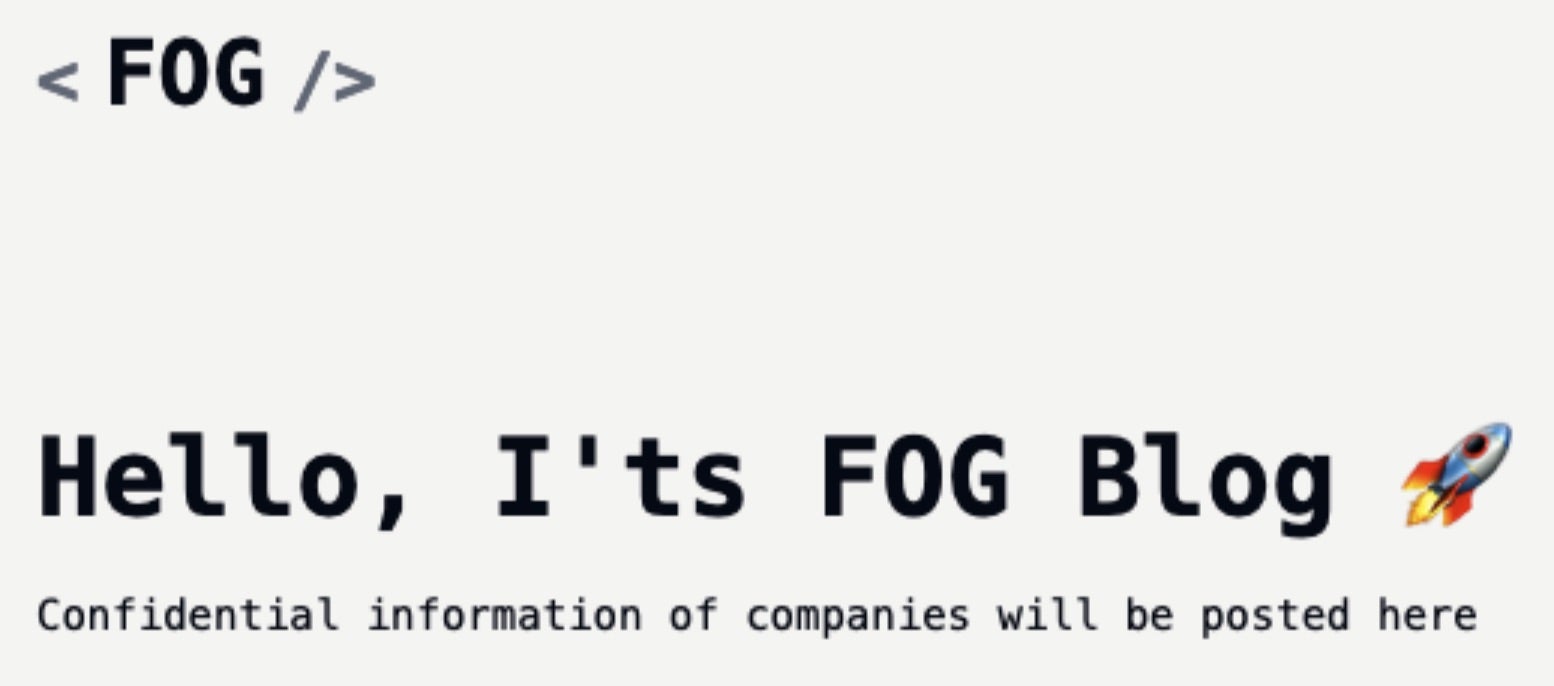
Fog Ransomware emerged in April of 2024 with operations targeting both Windows and Linux endpoints. Fog is a multi-pronged extortion operation, leveraging a TOR-based DLS to list victims and host data for those that refuse to comply with their ransom demands.
What Does Fog Ransomware Target?
Fog ransomware targeting has been primarily focused on education, recreation and travel, and manufacturing sectors. Targeting is mainly on United States entities, though there is nothing to indicate they would not target entities outside of the United States.
How Does Fog Ransomware Work?
Fog threat actors rely heavily on exploitation of known-vulnerable applications. Operators typically achieved initial access via the purchase of compromised credentials from an Initial Access Broker (IAB). Operators will leverage the purchased accounts to establish a foothold in the environment then move laterally in a methodical way.
Fog ransomware variants exist for both Windows and Linux platforms. The Linux-flavored variants include specific targeting tuned for virtual environments (e.g., VMSD and VMDK files). The Fog payloads will also make attempts to terminate various processes associated with these virtualized environments.
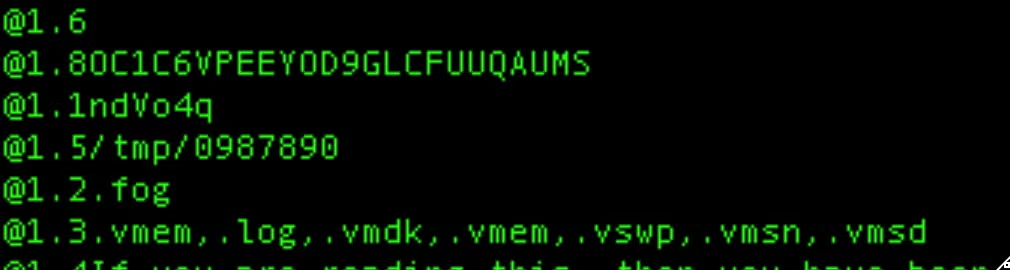
Fog Ransomware supports multiple command-line parameters. These include:
| Command-Line Parameters | Description |
| –help | display all available syntax |
| –offvm | force termination of VM-related processes |
| –size | file encryption percentage (e.g., 70%) |
| –target | path/directory to encrypt |
| –id | ID/password to execute (required) |
| –fork | without terminal, daemon mode |
| –log (file) | switch on log to terminal and file, if file not set then defaults to terminal |
| –nomutex | do not check for existing running processes |
| –showtalkid | show talkid (campaign ID) and exit – no encryption |
| –processallfiles | ignore hard coded extension configuration and encode all files on disk |
| –thread | use N threads (resource management) |
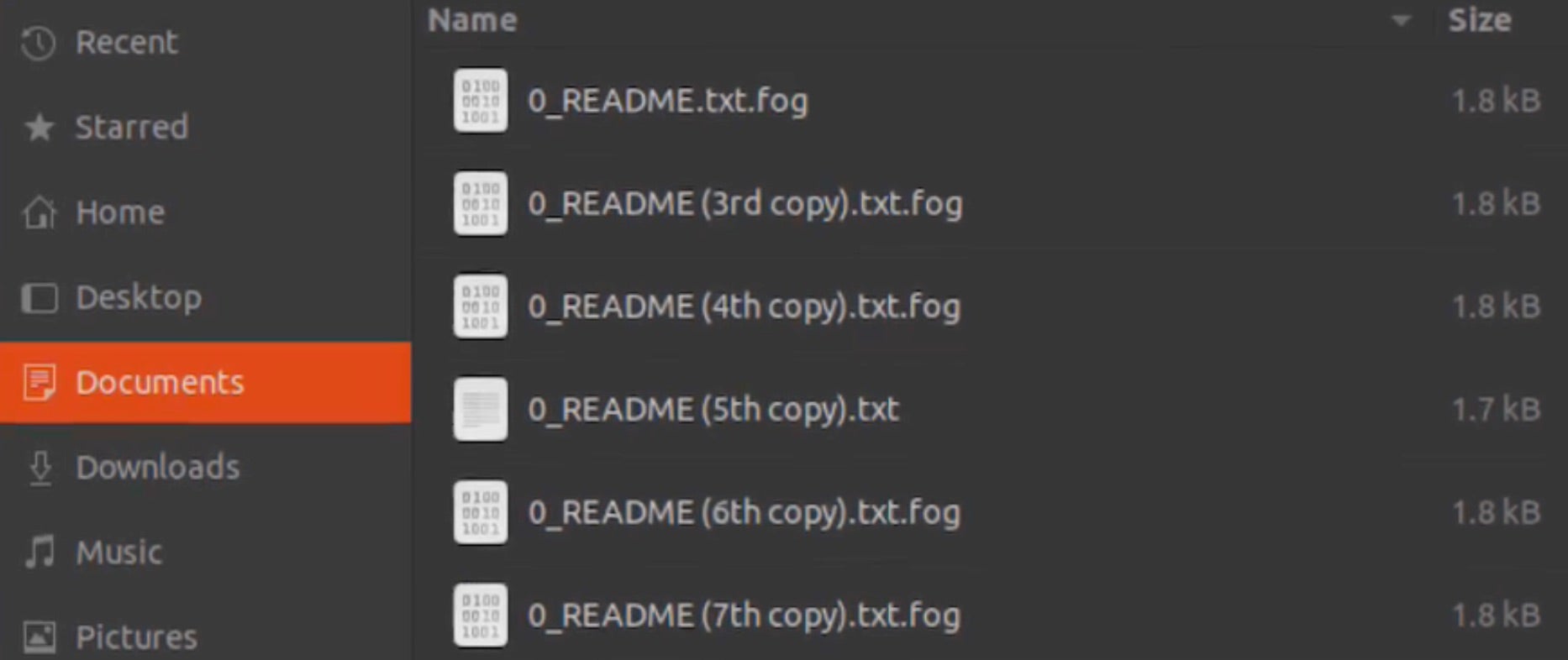
Upon encryption, the extensions .fog, .Fog or .FLOCKED are appended to the affected files.
Windows-based variants of Fog ransomware will attempt to delete volume shadow copies via vssadmin.exe.
Vssadmin.exe delete shadows / all /quiet
Additionally, the Windows versions of Fog include a JSON-based configuration section. Operators are able to customize the extension appended to encrypted files along with configuration of the ransom note name, process/service termination and the RSA public key to be embedded for encryption use.
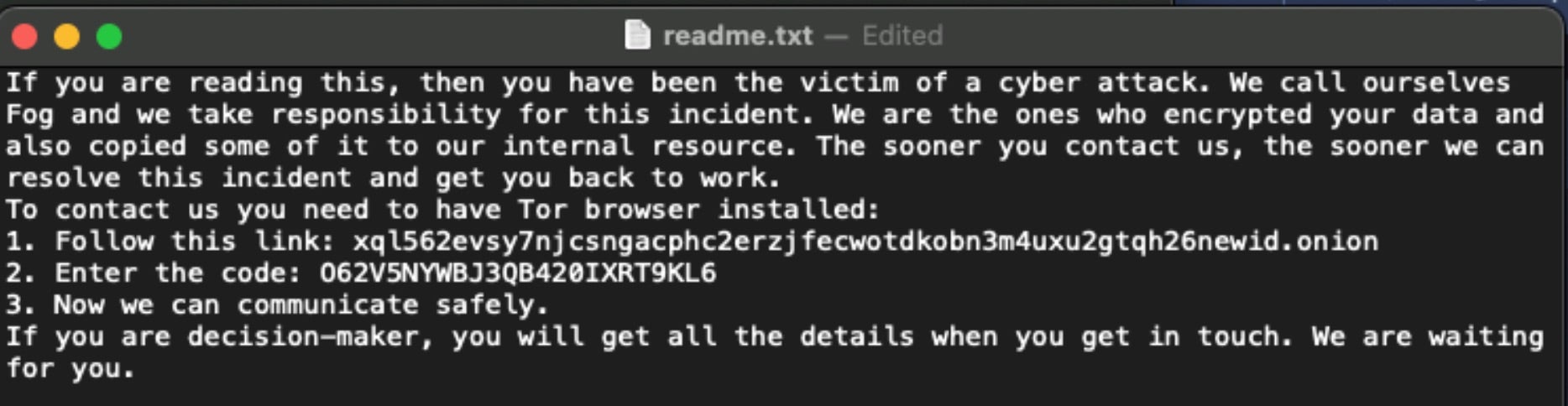
Fog ransom notes are written to each location containing encrypted files as “readme.txt”. The note instructs victims to communicate with the attackers via their TOR-based victim portal.
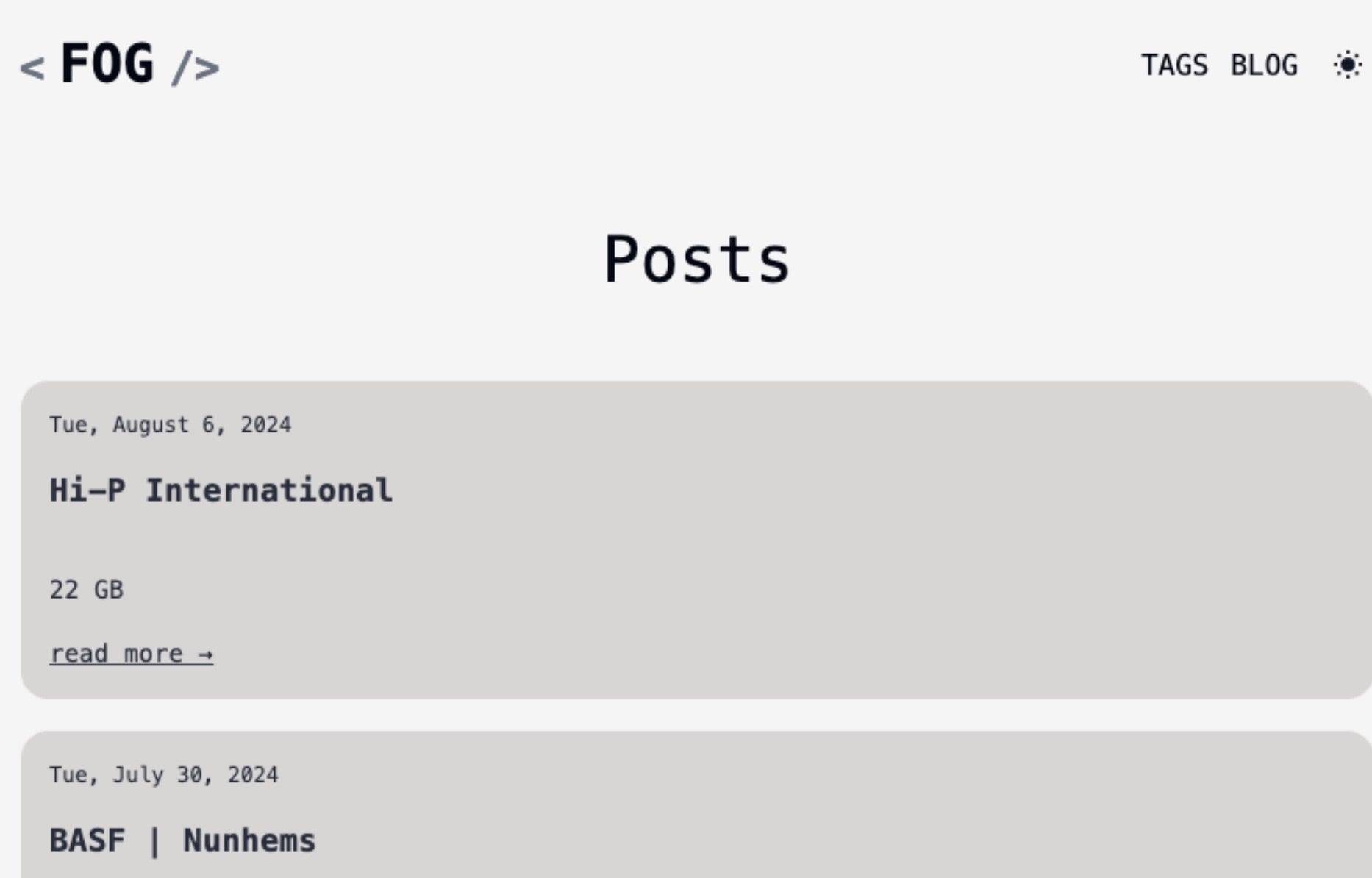
The Fog ransomware DLS was first observed in July 2024 and is available via TOR only with no clearnet mirrors as of this writing.
How to Detect Fog Ransomware
The SentinelOne Singularity XDR Platform can identify and stop any malicious activities and items related to Fog ransomware.
In case you do not have SentinelOne deployed, detecting Fog ransomware requires a combination of technical and operational measures designed to identify and flag suspicious activity on the network. This allows the organization to take appropriate action, and to prevent or mitigate the impact of the ransomware attack.
To detect Fog ransomware without SentinelOne deployed, it is important to take a multi-layered approach, which includes the following steps:
- Use anti-malware software or other security tools capable of detecting and blocking known ransomware variants. These tools may use signatures, heuristics, or machine learning algorithms, to identify and block suspicious files or activities.
- Monitor network traffic and look for indicators of compromise, such as unusual network traffic patterns or communication with known command-and-control servers.
- Conduct regular security audits and assessments to identify network and system vulnerabilities and ensure that all security controls are in place and functioning properly.
- Educate and train employees on cybersecurity best practices, including identifying and reporting suspicious emails or other threats.
- Implement a robust backup and recovery plan to ensure that the organization has a copy of its data and can restore it in case of an attack.
How to Mitigate Fog Ransomware
The SentinelOne Singularity XDR Platform can return systems to their original state using either the Quarantine or Repair.
In case you do not have SentinelOne deployed, there are several steps that organizations can take to mitigate the risk of Fog ransomware attacks:
- Educate employees: Employees should be educated on the risks of ransomware, and on how to identify and avoid phishing emails, malicious attachments, and other threats. They should be encouraged to report suspicious emails or attachments, and to avoid opening them, or clicking on links or buttons in them.
- Implement strong passwords: Organizations should implement strong, unique passwords for all user accounts, and should regularly update and rotate these passwords. Passwords should be at least 8 characters long, and should include a combination of uppercase and lowercase letters, numbers, and special characters.
- Enable multi-factor authentication: Organizations should enable multi-factor authentication (MFA) for all user accounts, to provide an additional layer of security. This can be done through the use of mobile apps, such as Google Authenticator or Microsoft Authenticator, or through the use of physical tokens or smart cards.
- Update and patch systems: Organizations should regularly update and patch their systems, to fix any known vulnerabilities, and to prevent attackers from exploiting them. This includes updating the operating system, applications, and firmware on all devices, as well as disabling any unnecessary or unused services or protocols.
- Implement backup and disaster recovery: Organizations should implement regular backup and disaster recovery (BDR) processes, to ensure that they can recover from ransomware attacks, or other disasters. This includes creating regular backups of all data and systems, and storing these backups in a secure, offsite location. The backups should be tested regularly, to ensure that they are working, and that they can be restored quickly and easily.
Frequently Asked Questions
Fog ransomware is a malicious file encryptor that targets organisational data and demands payment for decryption. It was discovered in recent years and spreads through various infection vectors. The ransomware encrypts your documents, databases, and media files. After encryption completes, you’ll receive a ransom note with payment instructions.
Fog ransomware mainly targets the healthcare, education, and manufacturing sectors. It will focus on organisations with valuable data and poor security practices. Small businesses are frequent targets because they often lack robust protections. If you operate in these industries, you should strengthen your security posture immediately. Government agencies have also reported Fog infections.
Fog ransomware enters systems through phishing emails and vulnerable remote connections. It first establishes persistence mechanisms and disables security tools. The ransomware then scans for valuable files across local and network drives. It tries to stop recovery options by deleting shadow copies. You’ll see it encrypt your files and leave ransom notes before demanding payment.
Fog ransomware adds the “.fog” or “.foggy” extension to encrypted files. It will modify your filenames to include a unique victim identifier. For example, “document.docx” becomes “document.docx.fog” after encryption. You can quickly identify affected files by looking for these extensions. The ransomware targets over 200 file types, including documents, images, and databases.
Fog ransomware runs commands to disable Windows Defender and other security tools. It will delete shadow copies using “vssadmin delete shadows /all /quiet”. The malware stops database services from encrypting database files properly. You’ll find it using PowerShell to turn off security features. It creates scheduled tasks for persistence and modifies registry settings to maintain access.
You can identify Fog ransomware by files with “.fog” extensions and ransom notes called “HOW_TO_RECOVER.txt”. The ransomware creates specific registry keys and scheduled tasks. It will establish connections to command servers. You should look for stopped security services and deleted backup files. You’ll notice suspicious PowerShell commands and privilege escalation attempts if you check system logs.
Organisations can detect Fog using SentinelOne’s Singularity XDR platform. If you don’t have that deployed, monitor for mass file modifications and suspicious network traffic. You should set up alerts for known Fog behaviors like shadow copy deletion. Look for unusual account activities and privilege escalation attempts. Regular security scans can help identify Fog components before activation.
You should implement email filtering and anti-phishing solutions, keep all systems patched and updated, and train your employees to recognise suspicious emails and attachments. Network segmentation can limit ransomware’s spread. Make regular offline backups of critical data. You can also deploy application allowlisting and least privilege access controls.
Yes, EDR tools like SentinelOne can effectively detect and block Fog ransomware. They monitor system behaviors and identify suspicious activities in real time. You should deploy EDR across all endpoints. These tools can stop the ransomware before encryption completes. If you fail to use EDR, you risk complete system compromise and data loss.
If infected by Fog, disconnect affected systems from the network immediately. If possible, don’t pay the ransom. Report the incident to authorities like CISA and the FBI. If available, restore your data from clean backups. Before reconnecting systems, scan for remaining malware and patch all vulnerabilities. You can perform forensic analysis to determine how the attackers got in.