Inc. Ransomware Ransomware: In-Depth Analysis, Detection, and Mitigation
What Is Inc. Ransomware?
Inc. ransomware is a ransomware extortion operation that emerged in July of 2023. Operators of Inc. ransomware position themselves as a service to their victims. Victims can then pay the ransom to ‘save their reputation’ though the threat actors indicate their intention to reveal their methods, making the victim’s environment ‘more secure’ as a result. Inc. ransomware is a multi-extortion operation, stealing victim data and threatening to leak said data online should the victim fail to comply with their demands.
What Does Inc. Ransomware Target?
Inc. ransomware operators target multiple industries with little to no discrimination. This includes attacks on healthcare, education, and government entities. As of this writing, there are seven victims listed on the Inc. ransomware TOR-based blog; two of which are in the healthcare industry. Targets in the technology industry are listed as well.
How Does Inc. Ransomware Work?
Initial access can vary. Observed methods include spear-phishing email as well as targeting of vulnerable services. This includes the exploitation of CVE-2023-3519 in Citrix NetScaler. Once the threat actor has gained initial access, a variety of COTS (Commercial off the Shelf) or LOLBINs are utilized to continue internal reconnaissance and lateral movement. Tools associated with Inc. ransomware operations include:
- NETSCAN.EXE – Multi-protocol network scanner and profiler
- MEGAsyncSetup64.EXE – Desktop application for MEGA file sharing/synchronization/cloud services
- ESENTUTL.EXE – Microsoft utility for database management and recovery
- AnyDesk.exe – Remote management/Remote Desktop
Inc. ransomware payloads support multiple command-line arguments.
Commands supported by Inc. ransomware include:
| Argument | Function |
| –file | Target a file directly for encryption (path) |
| –dir | Target a directory for encryption (path) |
| –sup | Stop using process |
| –ens | Encrypt network shares |
| –lhd | Local hidden drives (encrypt hidden boot and recovery volumes)
Note: When used, this will result in a non-bootable device. |
| –debug | Output console-style debug logging |
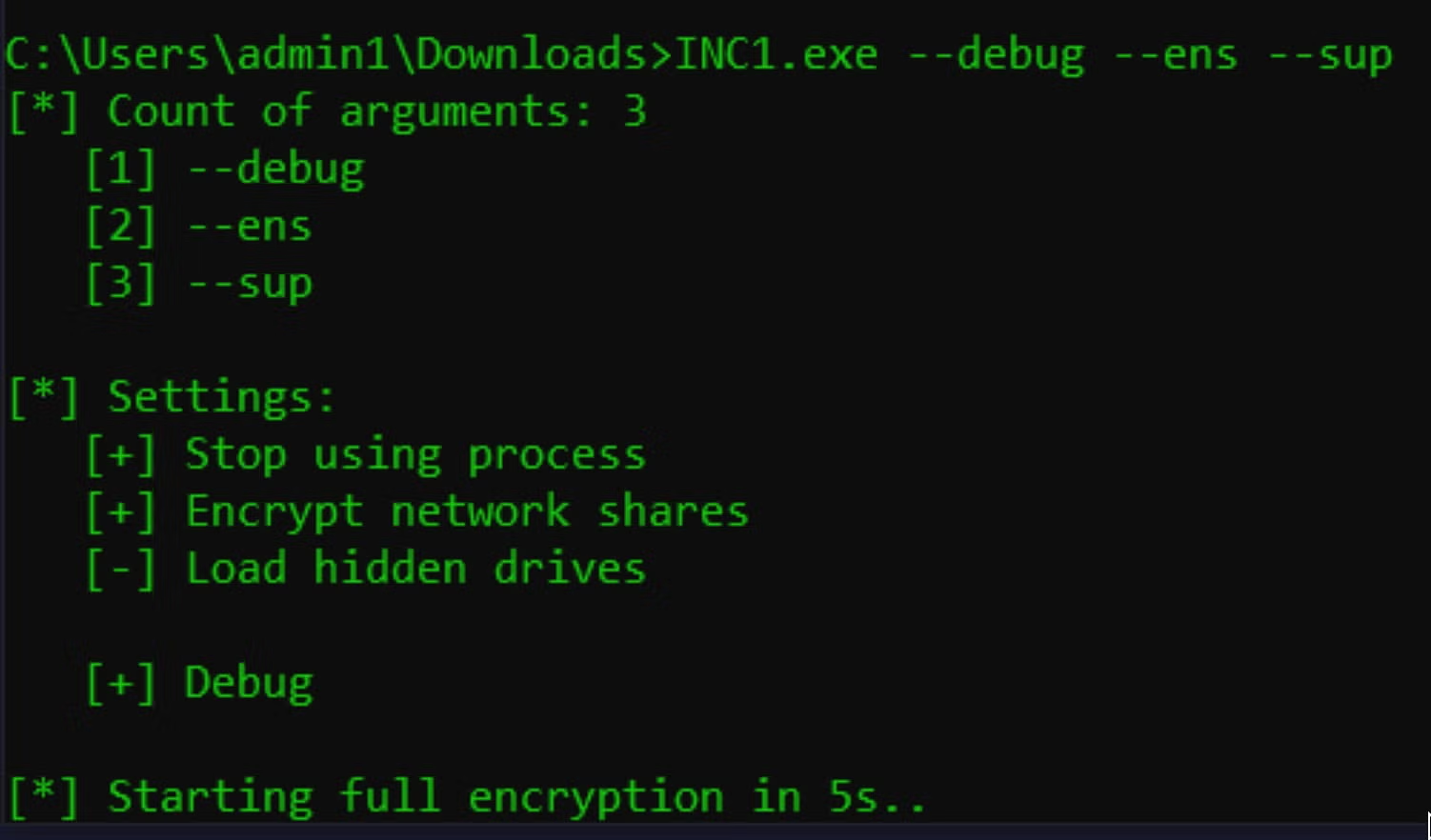
If the threat actor omits the use of command-line arguments, the payload will simply attempt to encrypt the local device including all available volumes and files.
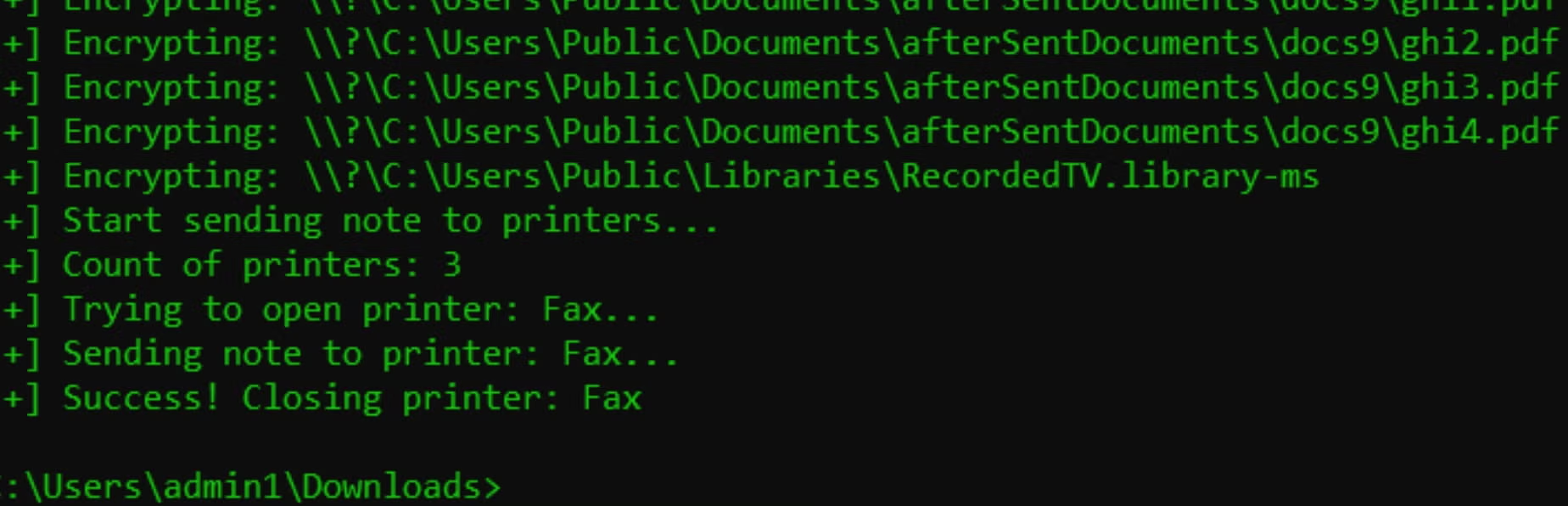
Inc. ransomware ransom notes are written to each folder containing encrypted items. Copies of the ransom notes are written in both .TXT and .HTML format as “INC-README.TXT” and “INC-README.HTML”, respectively. The payloads will also attempt to output the HTML-formatted note to any connected and accessible printers or fax machines.
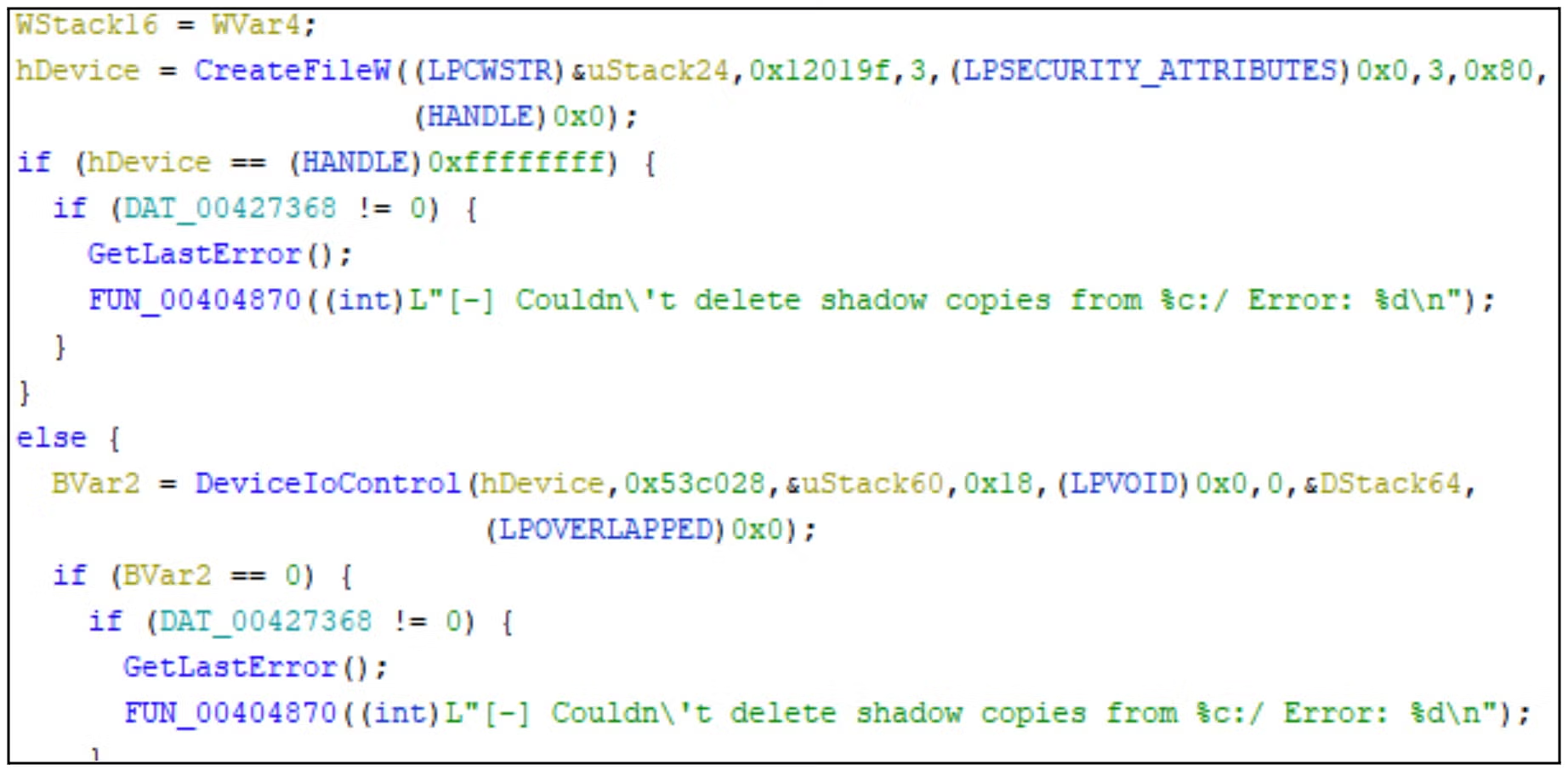
In addition, the ransomware appears to attempt to delete Volume Shadow Copies (VSS) although we were not able to reproduce this behavior in our testing.
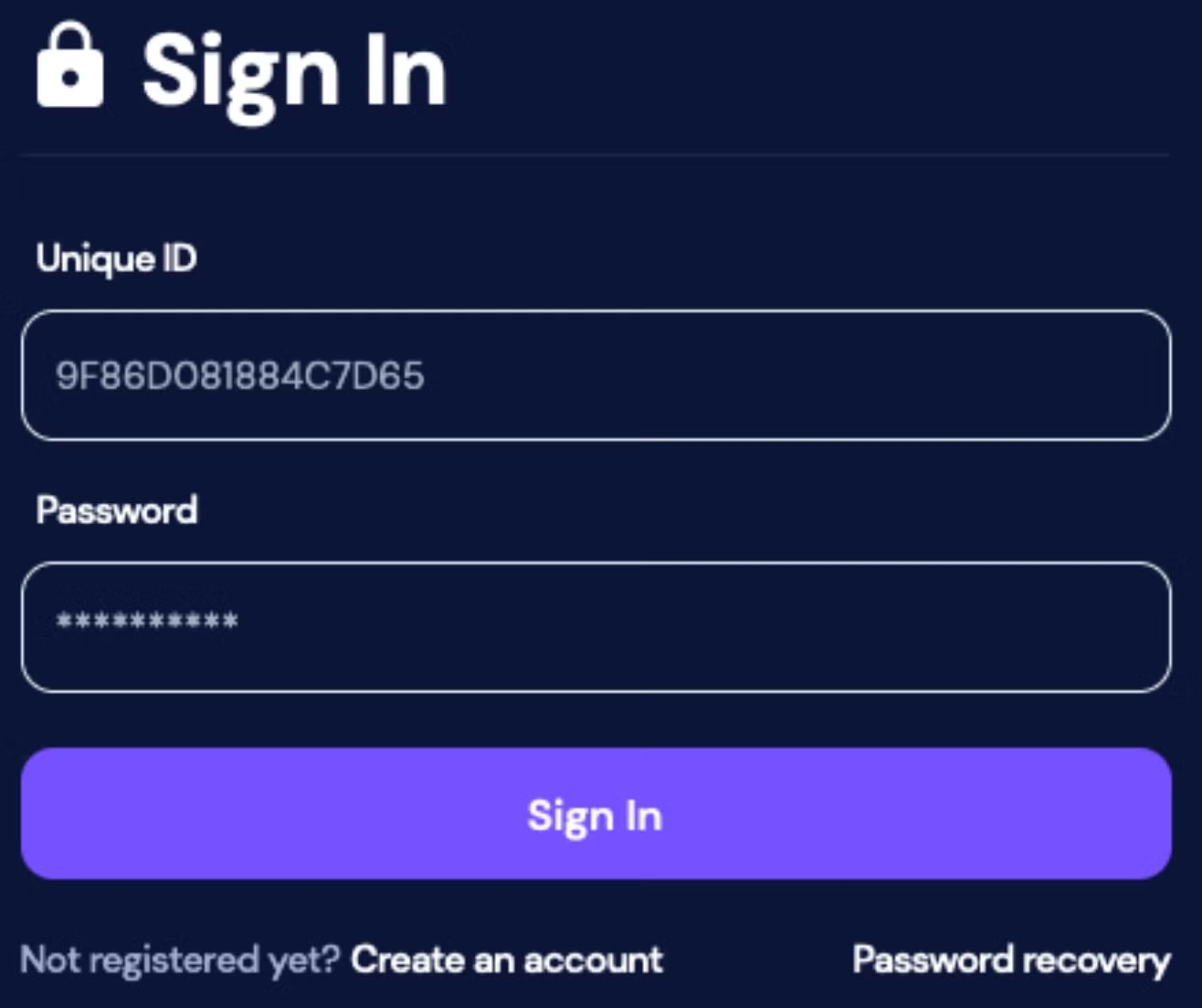
Inc. ransomware victims are instructed to contact the attackers via their TOR-based portal. Each victim is assigned a personal ID within their ransom notes which they are to use upon visiting the payment site.
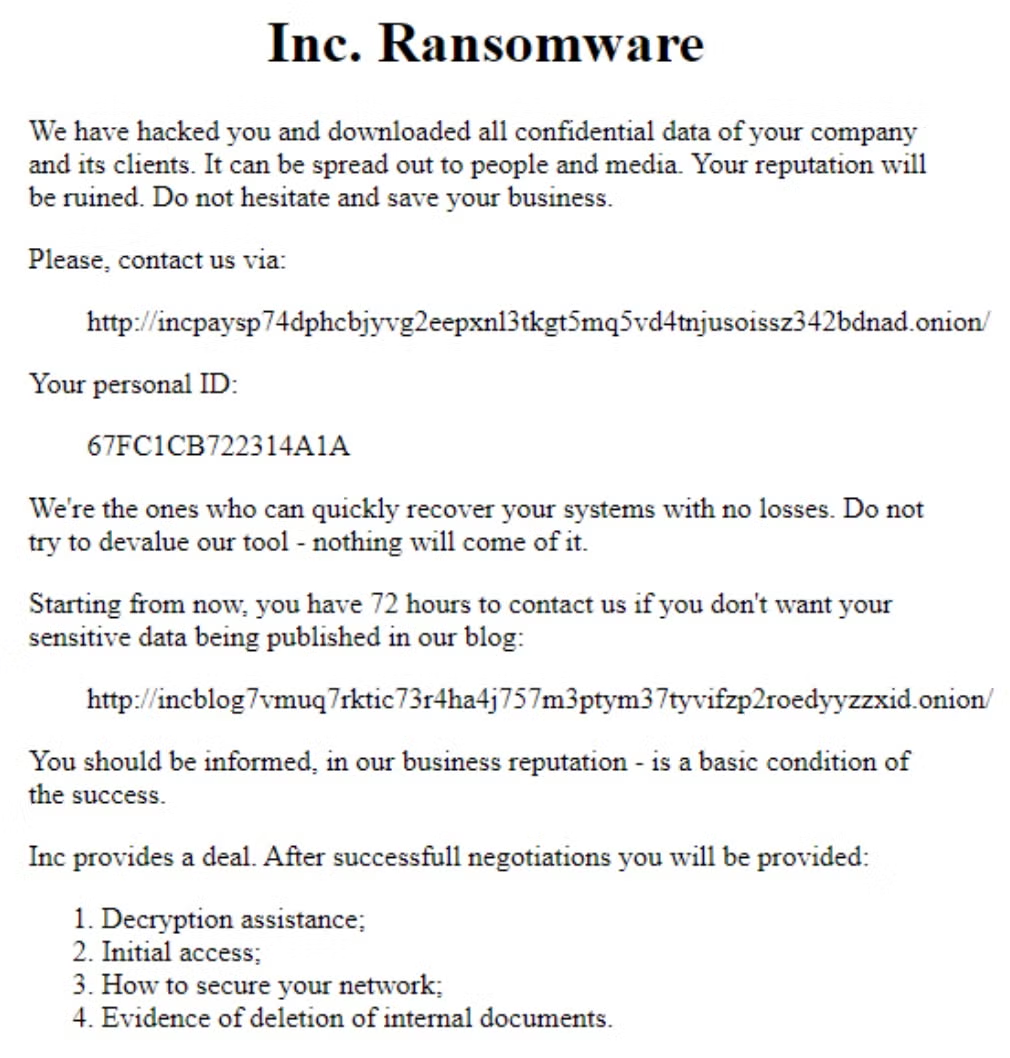
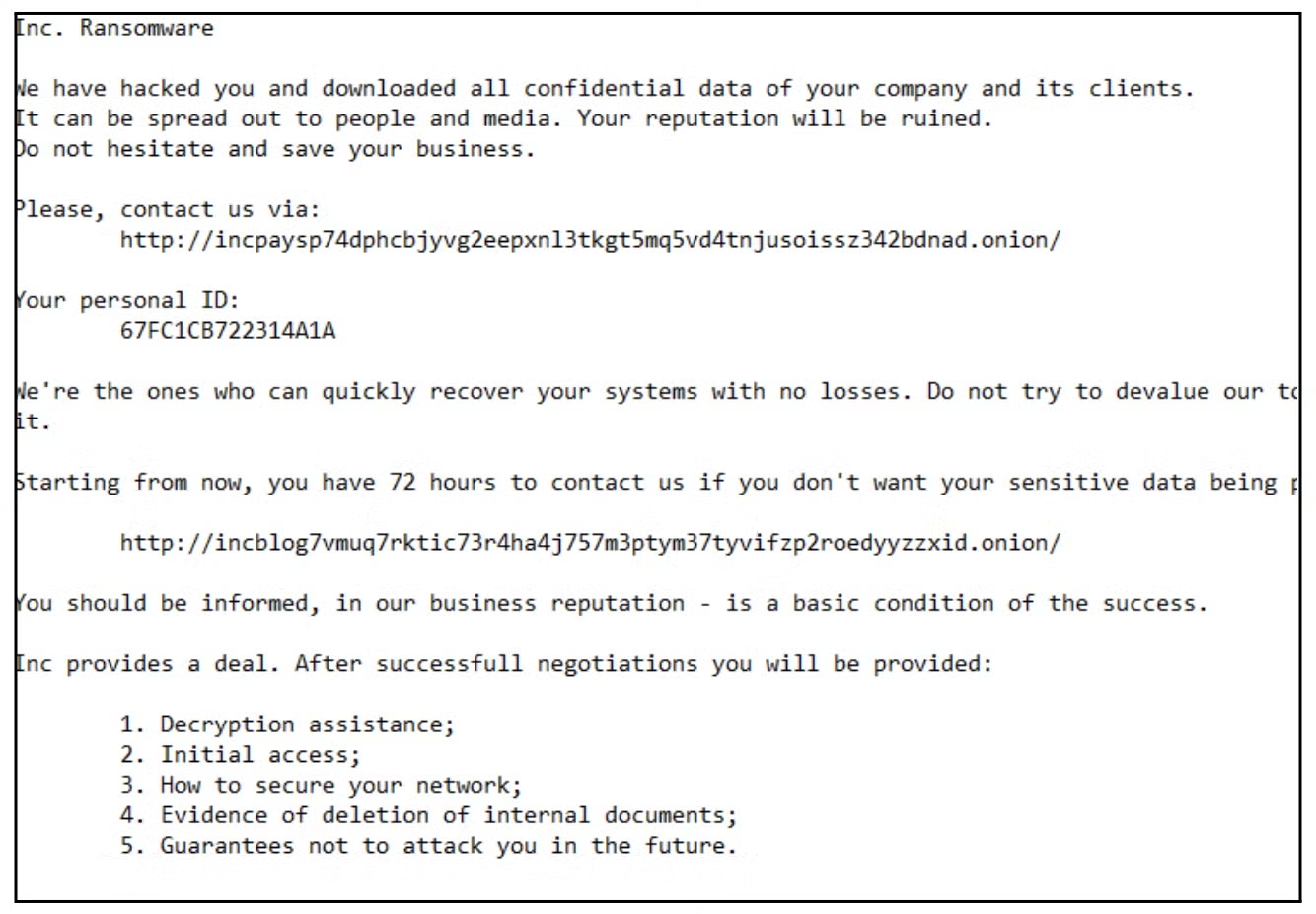
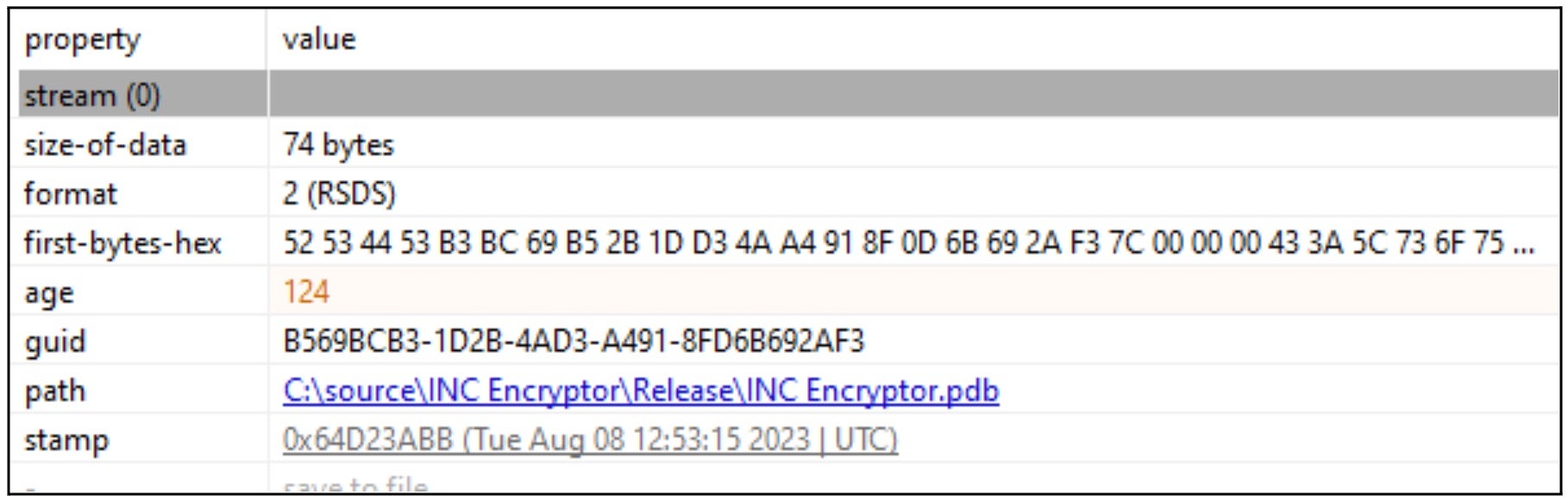
The following debug strings are present in analyzed samples of Inc. ransomware payloads.
C:\source\INC Encryptor\Release\INC Encryptor.pdb
How to Detect Inc. Ransomware
The SentinelOne Singularity XDR Platform can identify and stop any malicious activities and items related to Inc. ransomware.
In case you do not have SentinelOne deployed, detecting Inc. ransomware requires a combination of technical and operational measures designed to identify and flag suspicious activity on the network. This allows the organization to take appropriate action, and to prevent or mitigate the impact of the ransomware attack.
To detect Inc. ransomware without SentinelOne deployed, it is important to take a multi-layered approach, which includes the following steps:
- Use anti-malware software or other security tools capable of detecting and blocking known ransomware variants. These tools may use signatures, heuristics, or machine learning algorithms, to identify and block suspicious files or activities.
- Monitor network traffic and look for indicators of compromise, such as unusual network traffic patterns or communication with known command-and-control servers.
- Conduct regular security audits and assessments to identify network and system vulnerabilities and ensure that all security controls are in place and functioning properly.
- Educate and train employees on cybersecurity best practices, including identifying and reporting suspicious emails or other threats.
- Implement a robust backup and recovery plan to ensure that the organization has a copy of its data and can restore it in case of an attack.
How to Mitigate Inc. Ransomware
The SentinelOne Singularity XDR Platform can return systems to their original state using either the Quarantine or Repair.
In case you do not have SentinelOne deployed, there are several steps that organizations can take to mitigate the risk of Inc. ransomware attacks:
- Educate employees: Employees should be educated on the risks of ransomware, and on how to identify and avoid phishing emails, malicious attachments, and other threats. They should be encouraged to report suspicious emails or attachments, and to avoid opening them, or clicking on links or buttons in them.
- Implement strong passwords: Organizations should implement strong, unique passwords for all user accounts, and should regularly update and rotate these passwords. Passwords should be at least 8 characters long, and should include a combination of uppercase and lowercase letters, numbers, and special characters.
- Enable multi-factor authentication: Organizations should enable multi-factor authentication (MFA) for all user accounts, to provide an additional layer of security. This can be done through the use of mobile apps, such as Google Authenticator or Microsoft Authenticator, or through the use of physical tokens or smart cards.
- Update and patch systems: Organizations should regularly update and patch their systems, to fix any known vulnerabilities, and to prevent attackers from exploiting them. This includes updating the operating system, applications, and firmware on all devices, as well as disabling any unnecessary or unused services or protocols.
- Implement backup and disaster recovery: Organizations should implement regular backup and disaster recovery (BDR) processes, to ensure that they can recover from ransomware attacks, or other disasters. This includes creating regular backups of all data and systems, and storing these backups in a secure, offsite location. The backups should be tested regularly, to ensure that they are working, and that they can be restored quickly and easily.
Frequently Asked Questions
INC ransomware was seen in mid-2023 and targets small and medium-sized enterprises. It follows a “spray-and-pray” strategy, infecting anything it can. When you pay, attackers send a decryption tool but frequently leave backdoors open to future attacks. INC is spread through spear phishing attacks and exploit kits. Yamaha Motor’s Philippine motorcycle manufacturing subsidiary was one of its most prominent victims.
INC targets healthcare, educational, and retail sectors. They do not generally possess world-class cybersecurity protections for these sectors. If your company uses outdated software or poor-quality email security, INC operators will use these vulnerabilities to infiltrate your systems.
INC uses AES-256 encryption in CBC mode with a custom extension. It will terminate processes like Microsoft Office or Outlook to encrypt open files. The ransomware deletes backup files with extensions like.bak or.tmp to hinder recovery. It will also use HackTool.Win32.ProcTerminator.A for defense evasion and HackTool.PS1.VeeamCreds for credential access.
INC attaches the encrypted extension to the encrypted files. Ransom messages named INC_README.txt are dropped in all infected directories. The message has a Tox ID for contacting them and warns users against involving the police.
You can look for. Encrypted files, ransom notes, and PowerShell scripts that alter your registry keys. INC has scheduled tasks titled “INC_Update” to ensure persistence. Traffic to URLs such as inc-decrypt[.]onion or Chinese IPs are other IOCs.
Search for unexpected file renames and disabled backup schedules. Use SIEM tools to alert you to unusual registry usage or PowerShell executions. If you notice repeated quarantines of svchost.exe versions in your antivirus logs, it can be a sign of INC attempting to evade detection.
Block email attachment macros and limit PowerShell runs—patch firewalls and VPNs to prevent exploit kit attacks. Train employees to recognise phishing baits and run ransomware simulations to test incident response plans. Store data in immutable storage so that INC cannot delete it.
Shut down infected systems to avoid further encryption. Capture memory dumps for analysis and identify the initial attack vector. Restore data from offline backups and reimage infected systems. If the INC data was compromised, expect it to be leaked, and prepare breach notifications for the affected customers.