RTM Locker Ransomware: In-Depth Analysis, Detection, and Mitigation
What Is RTM Locker Ransomware?
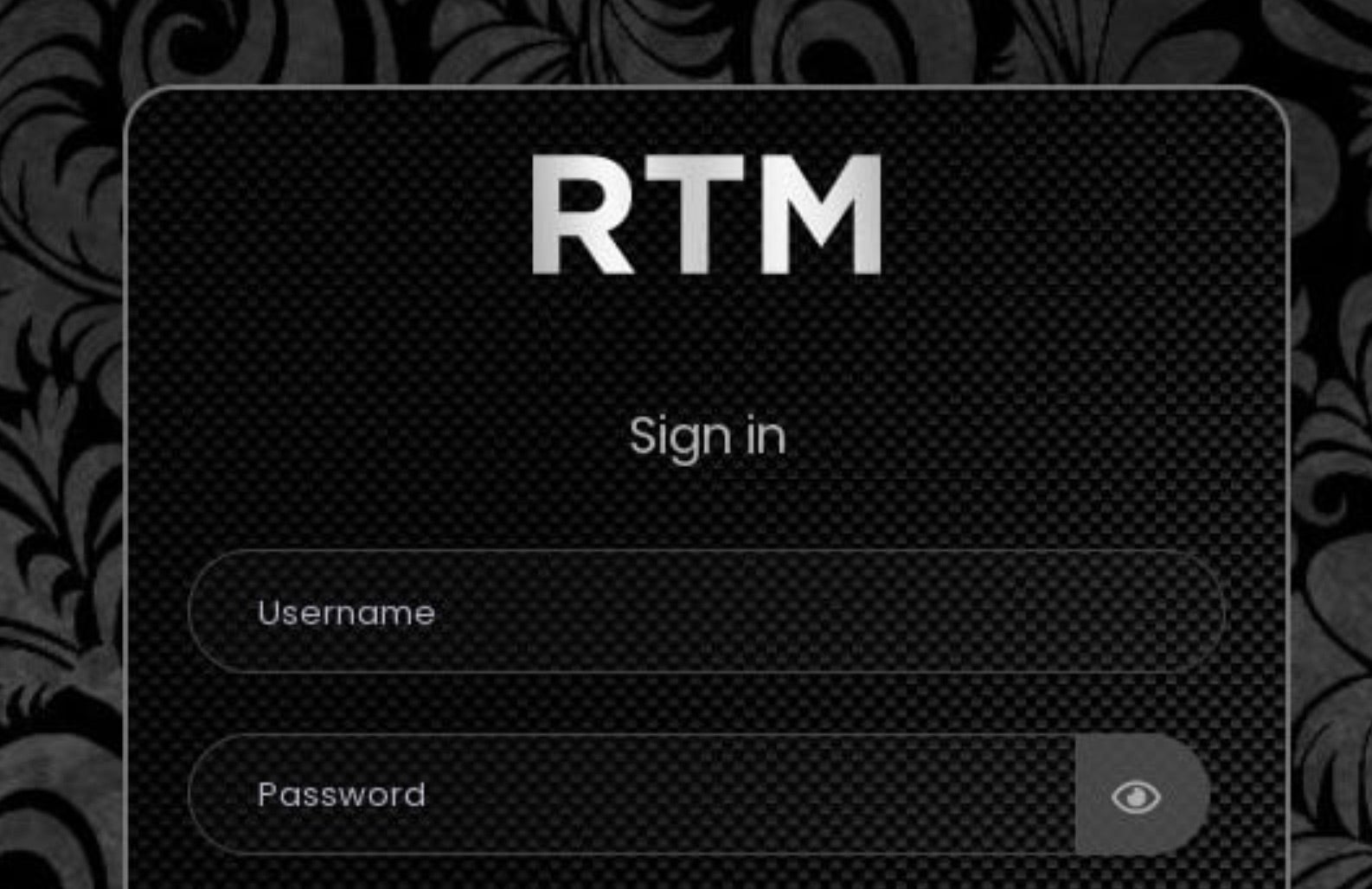
RTM Locker (aka Read the Manual Locker) emerged in early 2023. RTM Locker is an affiliate RaaS (Ransomware as a Service) program. Affiliates are charged a percentage of their profits, while RTM Locker ‘vendors’ provide fresh malware builds, along with a web-based interface where customers can track and manage their attack campaigns. RTM Locker variants for both Windows and Linux have been observed in the wild.
What Does RTM Locker Ransomware Target?
RTM Locker campaigns are targeted and focused on specific geographies. Affiliates often have political leanings with concerns to the war between Russia and Ukraine. The CIS (Commonwealth of Independent States) must be excluded from targeting per the rules of RTM Locker’s affiliate program. In addition, affiliates are dissuaded from attacks which may be large enough to garner unwanted attention/headlines/media coverage. The developers behind RTM Locker have a previous history of non-ransomware cybercrime activities such as access brokering and carding.
How Does RTM Locker Ransomware Work?
Delivery of the malware to victims is at the discretion of individual affiliates. RTM Locker payloads have been observed spreading via phishing email, as well as a secondary infection after exploitation of a vulnerable, public-facing, application, or interface. Affiliates of RTM Locker are provided access to a full management panel, allowing for customization of their payloads and campaigns.
RTM Locker will attempt to terminate processes which may start with encryption. These processes are hardcoded in the malware payloads. Similarly, a hard-coded list of service names is also leveraged to stop said services from inhibiting the encryption process. Additionally, once encryption completes, RTM will attempt to clear the Windows event logs.
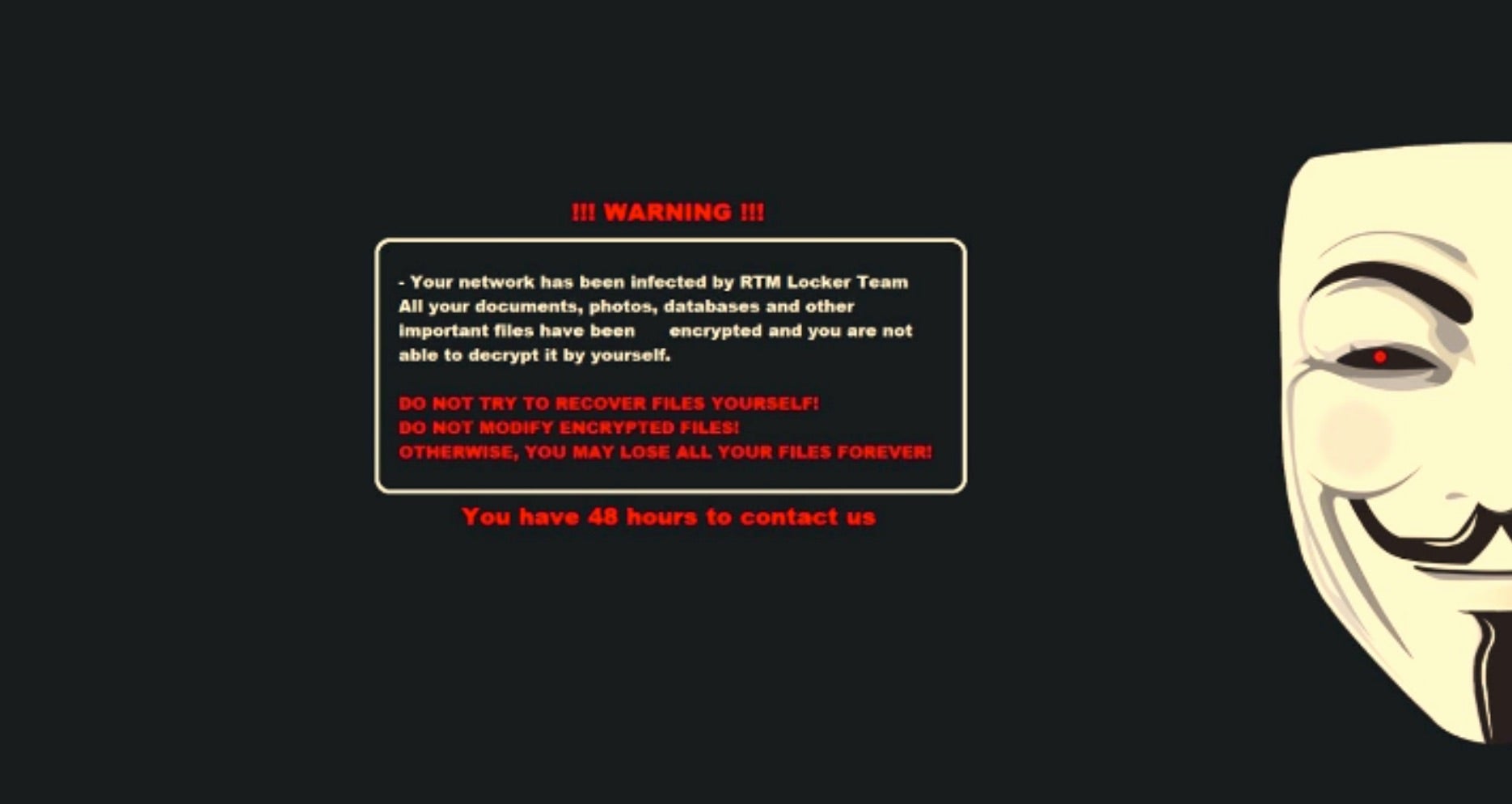
Post infection, victims are instructed to communicate with the attacker via their individualized TOR-based (.onion) portal. Ongoing communication is typically handled via TOX messenger.
How to Detect RTM Locker Ransomware
The SentinelOne Singularity XDR Platform can identify and stop any malicious activities and items related to RTM Locker Ransomware.
In case you do not have SentinelOne deployed, detecting RTM Locker ransomware requires a combination of technical and operational measures designed to identify and flag suspicious activity on the network. This allows the organization to take appropriate action, and to prevent or mitigate the impact of the ransomware attack.
To detect RTM Locker ransomware without SentinelOne deployed, it is important to take a multi-layered approach, which includes the following steps:
- Use anti-malware software or other security tools capable of detecting and blocking known ransomware variants. These tools may use signatures, heuristics, or machine learning algorithms, to identify and block suspicious files or activities.
- Monitor network traffic and look for indicators of compromise, such as unusual network traffic patterns or communication with known command-and-control servers.
- Conduct regular security audits and assessments to identify network and system vulnerabilities and ensure that all security controls are in place and functioning properly.
- Educate and train employees on cybersecurity best practices, including identifying and reporting suspicious emails or other threats.
- Implement a robust backup and recovery plan to ensure that the organization has a copy of its data and can restore it in case of an attack.
How to Mitigate DarkBit Ransomware
The SentinelOne Singularity XDR Platform can return systems to their original state using either the Repair or Rollback feature.
In case you do not have SentinelOne deployed, there are several steps that organizations can take to mitigate the risk of RTM Locker ransomware attacks:
1. Educate Employees
Employees should be educated on the risks of ransomware, and on how to identify and avoid phishing emails, malicious attachments, and other threats. They should be encouraged to report suspicious emails or attachments, and to avoid opening them, or clicking on links or buttons in them.
2. Implement Strong Passwords
Organizations should implement strong, unique passwords for all user accounts, and should regularly update and rotate these passwords. Passwords should be at least 8 characters long, and should include a combination of uppercase and lowercase letters, numbers, and special characters.
3. Enable Multi-factor Authentication
Organizations should enable multi-factor authentication (MFA) for all user accounts, to provide an additional layer of security. This can be done through the use of mobile apps, such as Google Authenticator or Microsoft Authenticator, or through the use of physical tokens or smart cards.
4. Update and Patch Systems
Organizations should regularly update and patch their systems, to fix any known vulnerabilities, and to prevent attackers from exploiting them. This includes updating the operating system, applications, and firmware on all devices, as well as disabling any unnecessary or unused services or protocols.
5. Implement Backup and Disaster Recovery
Organizations should implement regular backup and disaster recovery (BDR) processes, to ensure that they can recover from ransomware attacks, or other disasters. This includes creating regular backups of all data and systems, and storing these backups in a secure, offsite location.
The backups should be tested regularly, to ensure that they are working, and that they can be restored quickly and easily.
Purpose Built to Prevent Tomorrow’s Threats. Today.
Your most sensitive data lives on the endpoint and in the cloud. Protect what matters most from cyberattacks. Fortify every edge of the network with realtime autonomous protection.
Get a DemoFrequently Asked Questions
RTM Locker is a pay-to-decrypt ransomware that infects Windows machines and spreads through phishing emails. It will turn off security software like antivirus software before encryption. The victims are offered a ransom message named “DECRYPT_FILES.txt.” RTM Locker can remove backups, so recovery is not possible. It can be identified by the. The .rtm file extension was added to encrypted files.
RTM is “Read The Manual,” the attackers’ reference for their condescending demeanor while issuing ransom requests. The group will blame victims for not following security best practices. They will also taunt victims during negotiations and mock them.
RTM Locker mainly attacks Windows 10 and 11 systems. It will exploit vulnerabilities in outdated Windows Server versions. Linux servers are occasionally targeted, but less frequently. The ransomware avoids macOS due to its limited payload compatibility.
RTM Locker will first look for documents, images, and databases. The ransomware does not encrypt system files to prevent machine crashes. Encrypted files are appended with the .rtm extension. It removes volume shadow copies to avoid attempts at recovery.
RTM Locker encrypts documents with AES-256 and RSA-2048 to protect keys. The encrypted files are assigned the.rtm extension.
Scan for unusual CPU spikes or mass file renames. Network alerts will show up when RTM Locker connects to its command server. Search for disabled security services or odd PowerShell executions. File integrity monitoring software can detect encryption signatures early.
Quarantine affected computers from the network immediately. Notify cybersecurity authorities and in-house incident response teams of the attack. Maintain ransom notes for forensic analysis. Verify backups for integrity prior to restoration. If there are no backups, seek professional incident responders for decryption possibilities.