Abyss Locker Ransomware: In-Depth Analysis, Detection, and Mitigation
What Is Abyss Locker Ransomware?
Abyss Locker ransomware operations, in their current form, emerged in March 2023, aggressively targeting VMware ESXi environments. Abyss Locker is a multi-extortion group, hosting a TOR-based website where victims are listed along with their exfiltrated data should they fail to comply with the demands of the threat actor.
In January of 2023, threat actor “infoleak222” posted on the now defunct Breached forums, linking to victim data that overlapped with data also posted on the Abyss Locker website. It is believed that these events are related and that Abyss Locker operations were in full swing many months prior to the posting of their TOR-based blog. Previous variations of Abyss, including a Windows variant, have been observed as far back as 2019.
What Does Abyss Locker Ransomware Target?
Abyss Locker ransomware campaigns have been targeted at numerous industries including finance, manufacturing, information technology, and healthcare. Based on postings from the groups website, primary targeting is in the United States with the medical, manufacturing, and technology sectors being attacked most frequently.

How Does Abyss Locker Ransomware Work?
Initial access can vary for Abyss Locker infections. Affiliated threat actors have been observed targeting weak SSH configurations (SSH brute force attacks) as a means to establish entry to exposed servers. For Linux, Abyss Locker payloads are derived from the Babuk codebase and function in a very similar fashion.
The ransomware has a standard command line interface, requiring the threat actor to define a targeted path for encryption.
Usage:%s [-m (5-10-20-25-33-50) -v -d] Start Path
- m for mode or encryption percentage
- v for verbose mode
- d for daemon (persistence)
Abyss Locker contains calls specific to the “esxcli” command-line tool, used for management of virtual devices. The following commands are utilized by the malware to assist in full encryption of virtual machines (VMs):
esxcli vm process list
esxcli vm process kill -t=force -w=%d
esxcli vm process kill -t=hard -w=%d
esxcli vm process kill -t=soft -w=%d
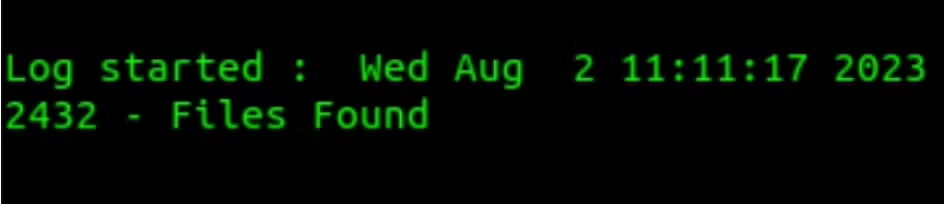
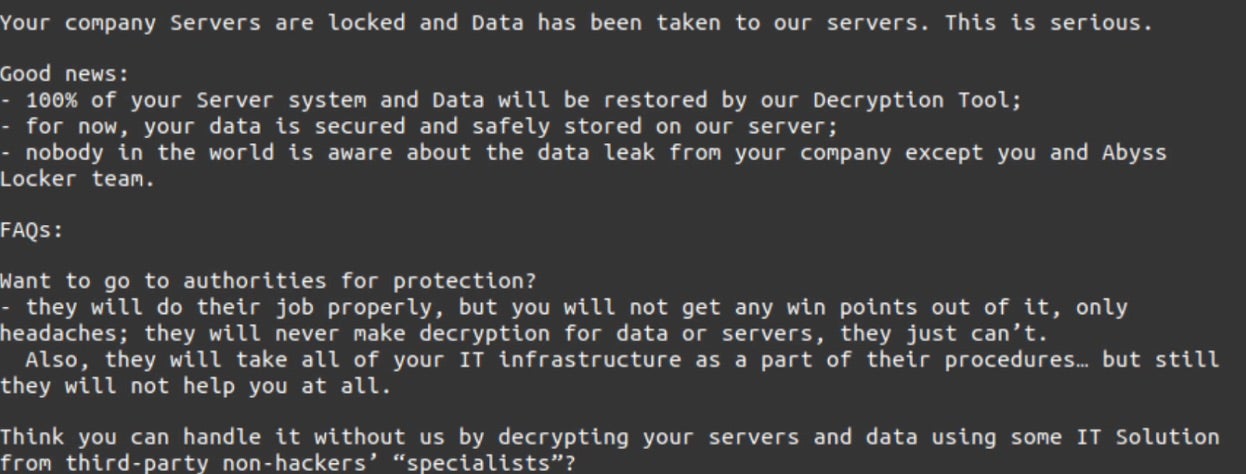
These commands affect how ‘graceful’ the shutdown of targeted VMs will be. Encrypted files are noted with the “.crypt” extension. Any folder containing encrypted files will also contain Abyss Locker ransom notes. The notes are the files with the .README_TO_RESTORE extension.
How to Detect Abyss Locker Ransomware
The SentinelOne Singularity XDR Platform can identify and stop any malicious activities and items related to Abyss Locker ransomware.
In case you do not have SentinelOne deployed, detecting Abyss Locker ransomware requires a combination of technical and operational measures designed to identify and flag suspicious activity on the network. This allows the organization to take appropriate action, and to prevent or mitigate the impact of the ransomware attack.
To detect Abyss Locker ransomware without SentinelOne deployed, it is important to take a multi-layered approach, which includes the following steps:
- Use anti-malware software or other security tools capable of detecting and blocking known ransomware variants. These tools may use signatures, heuristics, or machine learning algorithms, to identify and block suspicious files or activities.
- Monitor network traffic and look for indicators of compromise, such as unusual network traffic patterns or communication with known command-and-control servers.
- Conduct regular security audits and assessments to identify network and system vulnerabilities and ensure that all security controls are in place and functioning properly.
- Educate and train employees on cybersecurity best practices, including identifying and reporting suspicious emails or other threats.
- Implement a robust backup and recovery plan to ensure that the organization has a copy of its data and can restore it in case of an attack.
How to Mitigate Abyss Locker Ransomware
The SentinelOne Singularity XDR Platform can return systems to their original state using either the Quarantine or Repair.
In case you do not have SentinelOne deployed, there are several steps that organizations can take to mitigate the risk of Abyss Locker ransomware attacks:
Educate employees: Employees should be educated on the risks of ransomware, and on how to identify and avoid phishing emails, malicious attachments, and other threats. They should be encouraged to report suspicious emails or attachments, and to avoid opening them, or clicking on links or buttons in them.
Implement strong passwords: Organizations should implement strong, unique passwords for all user accounts, and should regularly update and rotate these passwords. Passwords should be at least 8 characters long, and should include a combination of uppercase and lowercase letters, numbers, and special characters.
Enable multi-factor authentication: Organizations should enable multi-factor authentication (MFA) for all user accounts, to provide an additional layer of security. This can be done through the use of mobile apps, such as Google Authenticator or Microsoft Authenticator, or through the use of physical tokens or smart cards.
Update and patch systems: Organizations should regularly update and patch their systems, to fix any known vulnerabilities, and to prevent attackers from exploiting them. This includes updating the operating system, applications, and firmware on all devices, as well as disabling any unnecessary or unused services or protocols.
Implement backup and disaster recovery: Organizations should implement regular backup and disaster recovery (BDR) processes, to ensure that they can recover from ransomware attacks, or other disasters. This includes creating regular backups of all data and systems, and storing these backups in a secure, offsite location. The backups should be tested regularly, to ensure that they are working, and that they can be restored quickly and easily.
Frequently Asked Questions
Abyss Locker is a relatively new ransomware group that emerged around 2023. They carry out double-extortion attacks – meaning they not only encrypt a victim’s files but also steal sensitive data and threaten to leak it.
Abyss Locker is mainly known for targeting virtualised environments: in March 2023, they began aggressively attacking VMware ESXi servers (which host virtual machines) and Windows systems. They operate a Tor leak site where victim companies are listed, and stolen data is posted if ransoms aren’t paid. Abyss Locker is an up-and-coming ransomware threat aimed at enterprises, using both data theft and file encryption to extort money.
Abyss Locker has organisations across several sectors. Reports show the group has targeted finance, manufacturing, information technology, and healthcarecompanies. Many of their known victims have been U.S.-based – for example, some attacks struck American medical providers (healthcare), factories (manufacturing), and tech firms. Those industries (medical, manufacturing, tech, and financial services) appear frequently on Abyss Locker’s victim list. They aren’t strictly limited to those sectors; any business with valuable data could be at risk if security is weak.
Abyss Locker builds ransomware for multiple platforms to target Windows and Linux-based systems. The group developed a Linux/Unix malware variant to attack VMware ESXi hypervisors (which run virtual machines). By hitting ESXi, they can encrypt many virtual servers at once. They also have a Windows version of Abyss Locker for infecting standard servers and PCs. In short, Abyss Locker can attack Windows environments and virtualised Linux/ESXi servers – meaning both regular workstations and critical virtual infrastructure are in their crosshairs.
Abyss Locker uses strong cryptography to make files unreadable without paying. Analyses indicate it uses the ChaCha20 cipher (a modern high-speed encryption algorithm) to encrypt the contents of files. Like many ransomware strains, it likely combines this with an asymmetric key exchange (derived from Babuk/HelloKitty code) to securely handle the encryption keys. In simpler terms, Abyss Locker generates a unique key for your data and uses ChaCha20 to lock up each file, and only the attackers have the private decryption key. Without that key, the encryption is effectively unbreakable – victims can’t decrypt their files on their own.
Abyss Locker renames encrypted files by adding a new extension. In most cases, it appends “.abyss” to each file name. For example, a file originally named invoice.xlsx would become invoice.xlsx.abyss after encryption. However, some variants have behaved differently – one early Windows version of Abyss Locker would append a random five-letter extension to files instead of “.abyss” (so report.doc might turn into report.doc.doc.
The telltale signs of an Abyss Locker attack include the file extension changes and the ransom note it leaves. Encrypted files will suddenly have “.abyss” appended to their filenames (or in some cases a random 5-letter extension). Alongside, the malware drops a ransom note file named “WhatHappened.txt” in the directories where files were encrypted – this contains the attackers’ message and payment instructions. Finding many files with the .abyss extension and a WhatHappened.txt note in the same folders clearly indicates an Abyss Locker incident. (Sometimes, the malware generates a work.log file as an internal log, but the changed files and ransom note are the primary IOCs.)
If Abyss Locker strikes, respond immediately to contain and recover. Disconnect any infected servers from the network immediately to stop the malware’s spread. Once isolated, work on eradication and restoration: remove the ransomware and rebuild the affected systems from clean backups (wiping the machines and restoring data). It’s not advised to pay the ransom – there’s no guarantee you’ll get a decryption key, and paying fuels the criminal operation. Focus on cleaning up and recovering using your backups instead. Afterward, ensure to fix the security gaps that allowed the attack (patch the exploited vulnerabilities, tighten access controls, etc.) to prevent it from happening again.