RansomHub Ransomware: In-Depth Analysis, Detection, and Mitigation
What Is RansomHub Ransomware?
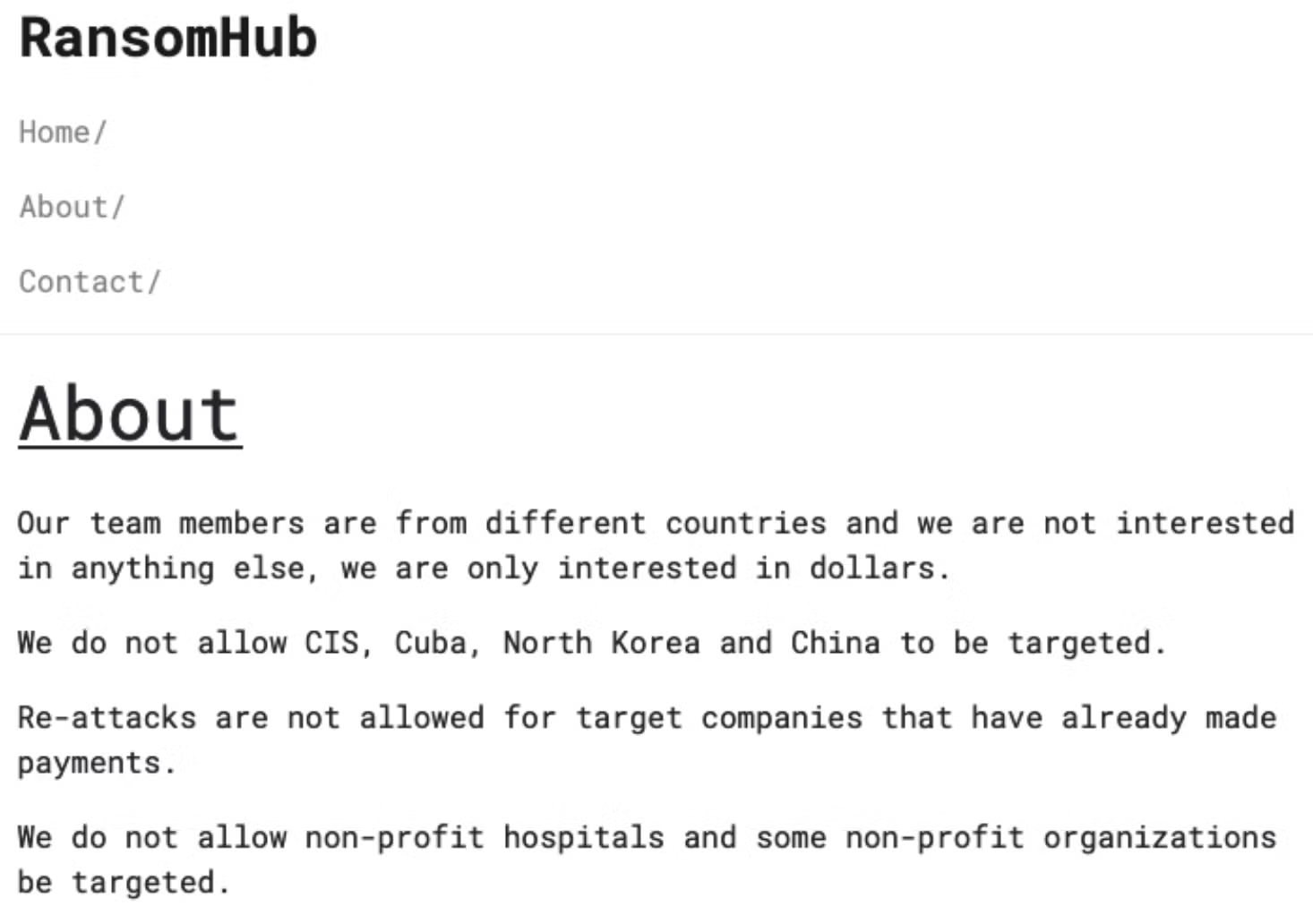
RansomHub operations were first observed in February of 2024. Since then, the group has drawn heavily upon its ability to recruit and attract operators from other, sometimes imploding, extortion operations. Upon the collapse of ALPHV, for example, multiple affiliates migrated to RansomHub, hoping to monetize their stolen data through them. RansomHub has been associated with the re-extortion of ransomware victims, including high-value healthcare organizations. Primary operators behind RansomHub have openly recruited affiliates from other ransomware operations via their various communication channels, including DLS sites, forum posts, and Telegram.
Operating primarily as a Ransomware-as-a-Service (RaaS), RansomHub provides affiliates with payloads for Linux and Windows endpoints along with customized tooling to support deployment and management of their ransomware payloads. The RansomHub RaaS also offers multiple ‘levels’ of affiliate access. Malicious operators can pay more to access higher levels, which provide greater support from the operation as well as additional tooling.
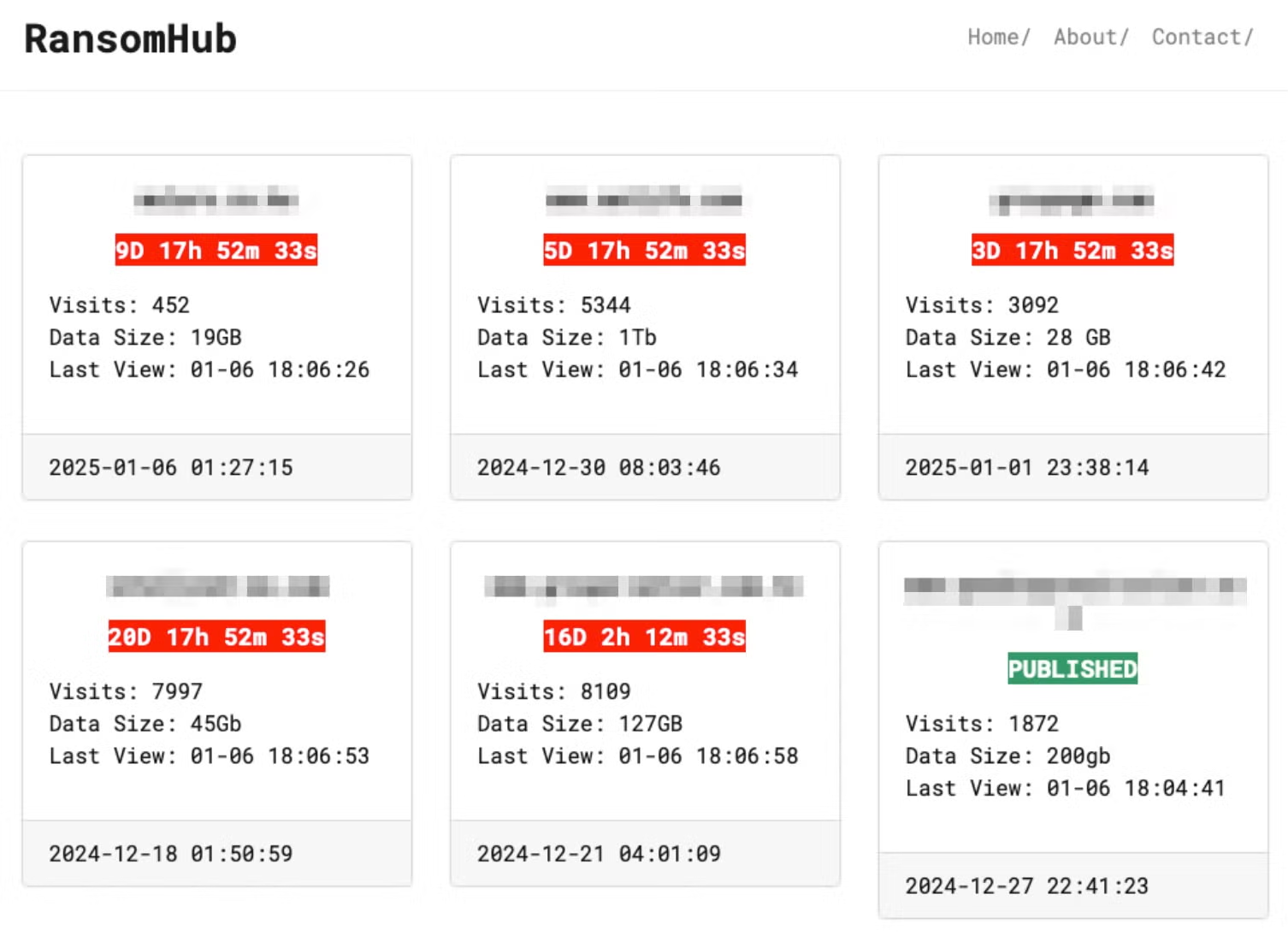
Additionally, RansomHub collaborates with other ransomware operations, in addition to offering their own Ransomware payload and tools. RansomHub is a multi-pronged extortion operation, leveraging a TOR-based DLS to list victims and host data for those that refuse to comply with their ransom demands.
What Does RansomHub Ransomware Target?
RansomHub threat operators target a large variety of industries. Given the distributed and decentralized nature of RansomHub, target size and industry do vary. Frequently targeted industries include Information Technology, Emergency Services, Food & Agriculture and Telecommunications. RansomHub operators are also known to frequently target entities in the Retail, Manufacturing, Healthcare, Government, and Finance verticals as well.

How Does RansomHub Ransomware Work?
RansomHub provides payloads and tools supporting Windows and Linux operating systems. The encryptor payloads rely on a combination of AES and ECC (Curve 25519) for data encryption. Some payloads have been observed using ChaCha20/XChaCha20 rather than AES. The algorithm variance can also be a product of the platform for which the payload is built (e.g. ESXI payloads use ChaCha20 whereas Windows and Linux use AES). This also includes specialised lockers (ransomware payloads) targeting SFTP and ESXi servers.
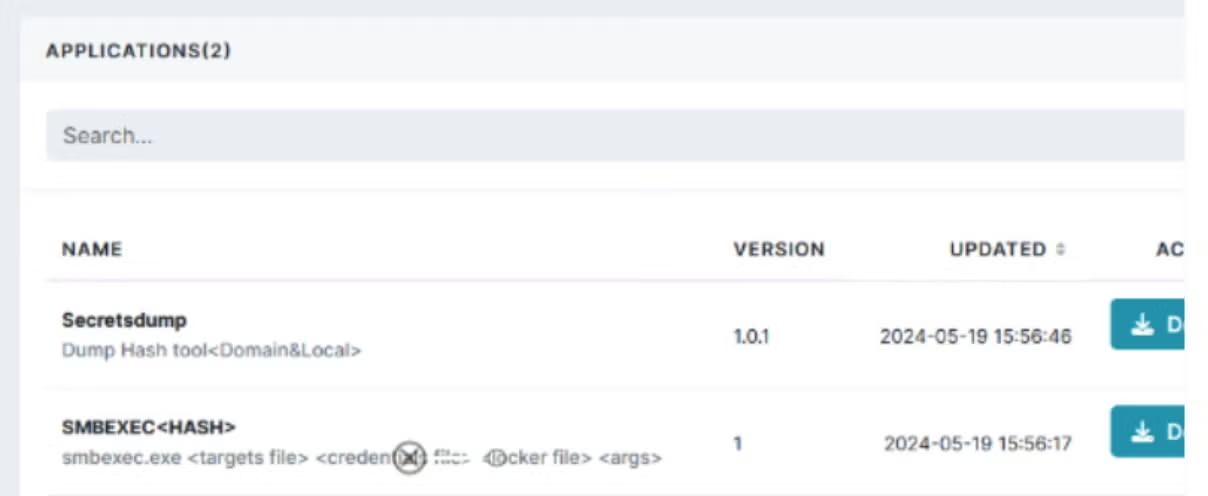
As RansomHub provides separate ‘levelsl of access to affiliates and recruits, malicious operators can pay more to access higher levels, which provide additional tooling and a greater amount of support from the operators. For example, a customized TDSS-based EDR killer tool is made available to higher-level members while default or level 0 affiliates have access to only basic tooling which includes ‘Secretsdump’ (a hash dumping tool) and ‘SMBEXEC’.
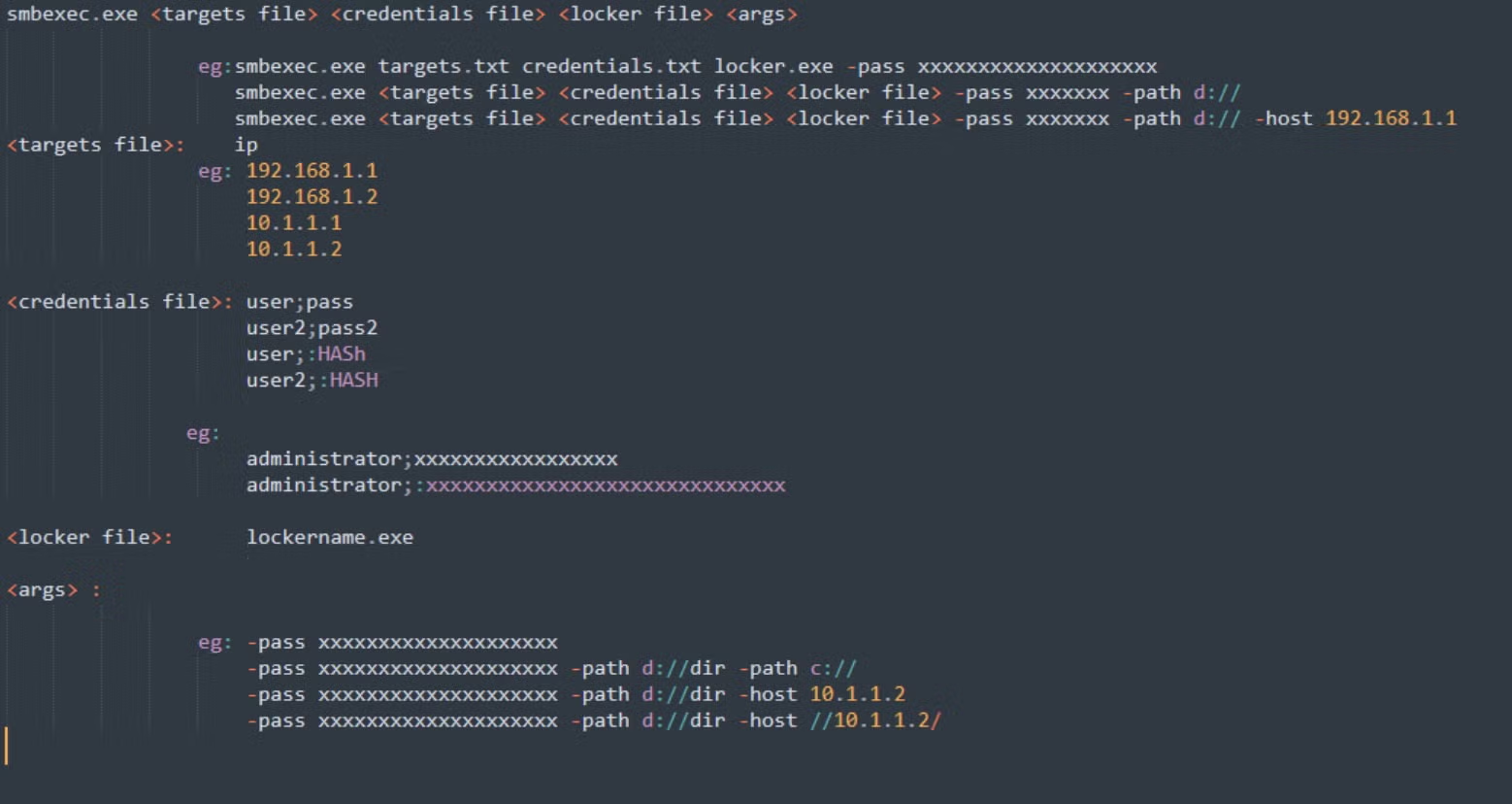
SMBEXEC is part of impacket tools and is used to launch code remotely with customized parameters while Secretsdump, also part of impacket, allows for the dumping of password hashes (e.g., SAM, LSA reads, NTLM hash dumps, plaintext credential extraction and more). RansomHub also provides a limited amount of custom scripts and group policy (GPO) templates for distribution of ransomware payloads.
Operators can fully launch (Windows-based) RansomHub payloads via SMBEXEC. The operator panel provides full details on using the tool with RansomHub payloads.
Initial access for RansomHub operators will vary given the nature of its decentralized RaaS. Operators have used spearphishing and more sophisticated social engineering tactics such as voice-based phishing to coax victims into revealing useful credentials or tokens. In recent attacks, RansomHub operators have been observed targeting exploits within public-facing applications and services via VPN and RDP platform targeting, along with brute-force targeting of other identity access management (IAM) architectures. Both RansomHub operators and affiliates have been observed targeting the following vulnerabilities:
- CVE-2023-3519 – Citrix ADC
- CVE-2023-27532 – Veeam Backup and Replication
- CVE-2023-27997 – Fortinet FortiOS
- CVE-2024-48788 – Fortinet FortiClientEMS
- CVE-2023-46604 – Apache ActiveMQ OpenWire
- CVE-2023-46747 – F5 BigIP
- CVE-2023-22515 – Atlassian Confluence
- CVE-2017-0144 – Microsoft Windows SMB
RansomHub encryptor payloads can be built via the operator panel in varieties and tailored towards Windows, Linux (referred to as Linux/NAS), ESXi and SFTP. Each variation of payload can be further tailored with regards to which files to encrypt, inclusions and exclusions to parse, ransom note template/verbiage. Inclusion and exclusions can include specific hostnames and RansomHub payloads on Windows are able to terminate specific processes and services. The processes to identify and terminate can also be configured upon building of the payloads.
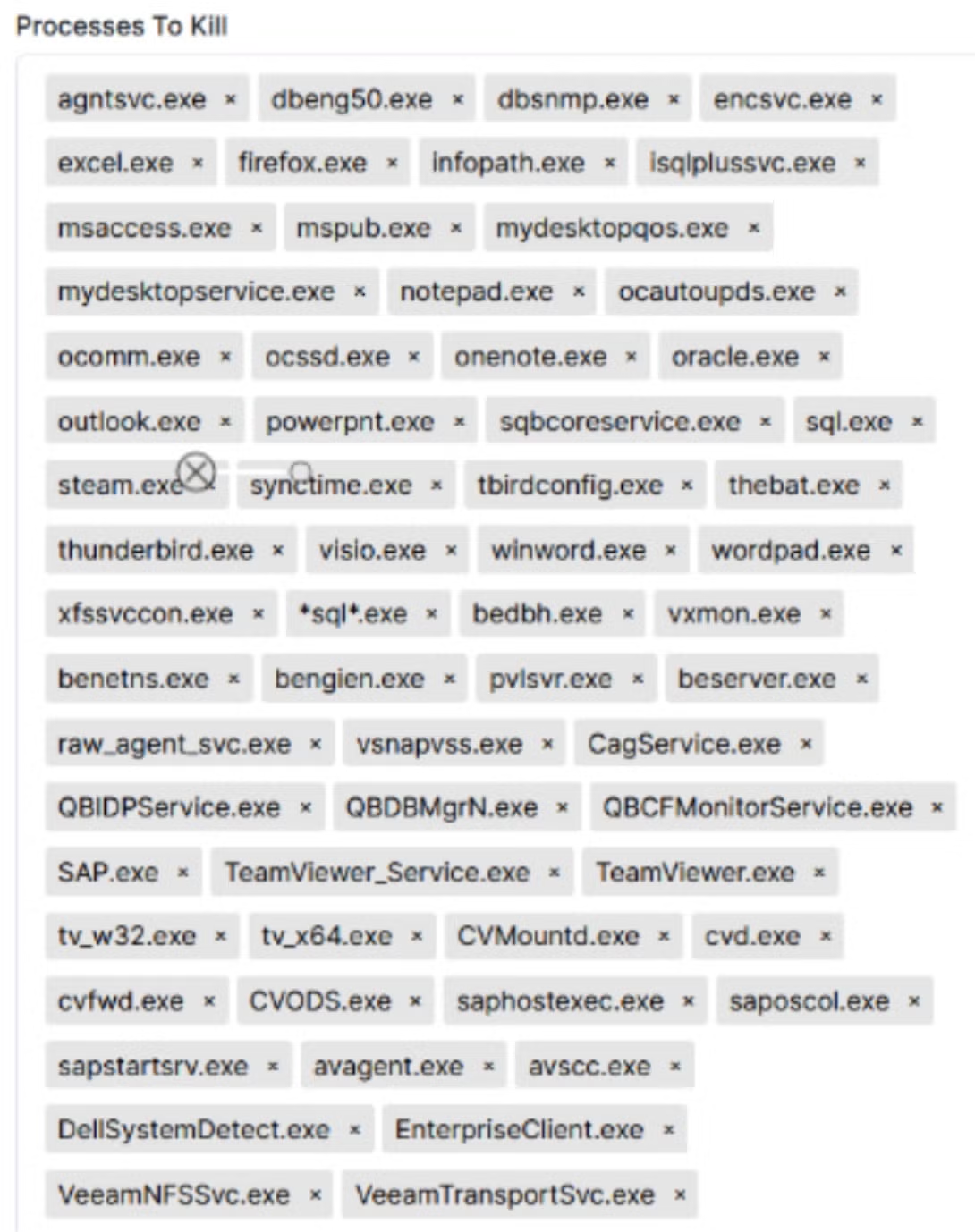
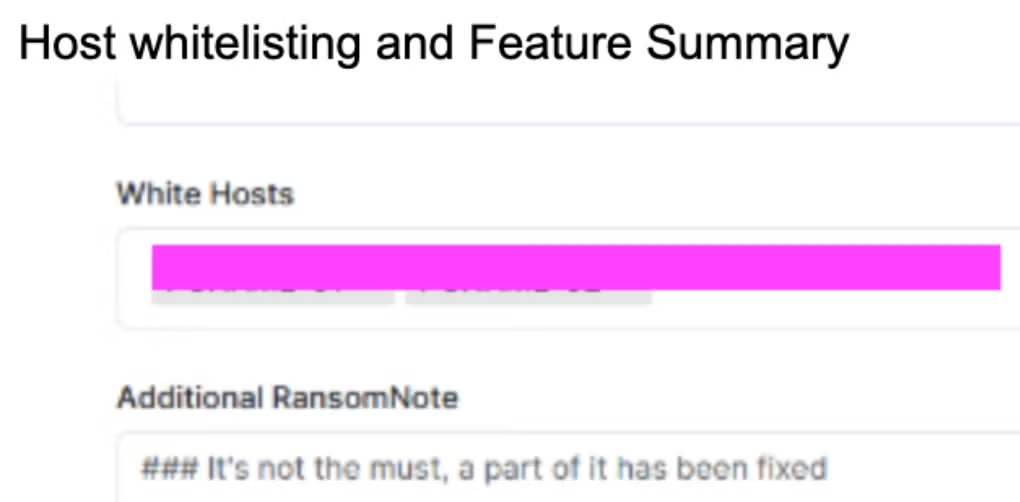
Multiple sets of command-line parameters are accepted and required by the encryptor payloads, depending on what platform/architecture they are built for. Primary Linux and Windows encryptors require a passphrase be provided with the “-pass” parameter. If this is not provided at execution, the process will exit/terminate.
When building individual RansomHub payloads, the associated passphrases are generated as well. These are then provided to the affiliated threat operator in the form of instructional text files upon retrieval of the constructed payloads from the RansomHub operator panel.
RansomHub’s Windows payloads support the following command-line options:
-cmd string

cmd to be executed before encryption

-disable-net

disable network before running

-fast

fast encryption mode

-file value

only process file inside defined files. -file C://1.txt -file D://2.txt

-host value

only process net share inside defined hosts. -host 10.10.10.10 -host 10.10.10.11

-no-folder-filter

*

-only-local

only encryption local disks

-pass string

run pass

-path value

only process files inside defined paths. -path C:// -path D:// -path //10.10.10.10/d/

-safeboot

reboot in Safe Mode before running

-safeboot-instance

run as Safe Mode instance

-skip-vm value

skip shutting down VMs. -skip-vm "Ubuntu 22.04 LTS" -skip-vm "Windows Server 2012"

-sleep int

sleep for a period of time to run (minute)

-verbose

log to console
RansomHub’s Linux/NAS and ESXi locker payloads support the following command-line options:
-pass string

Provide payload password/passcode

-path string

Provide specific path to encrypt

-sleep int

Sleep for a period of time to run (minute)

-skip_vms string

VM names to whitelist/skip processing for encryption

-fast fast encryption mode

-verbose

Log to console
RansomHub’s SFTP (Windows) locker payloads support the following command-line options:
-cmd string

cmd to be executed before encryption

-fast

fast encryption mode

-pass string

Provide payload password/passcode

-path value

Provide specific path to encrypt

-host string

Target host (default “10.10.10.10:22”)

-proxy string

set proxy url. -proxy socks5://127.0.0.1:1090 or socks5://user:password@host:port/

-skip_vms string

VM names to whitelist/skip processing for encryption
Some samples of RansomHub on Windows have been observed deleting Volume Shadow Copies via VSSADMIN. Windows-based RansomHub payload also supports running in Safe Mode (-safeboot or -safeboot-instance parameters). Running encryption in safe-mode allows threat actors to bypass some legacy security controls, while also reducing any possible interference.
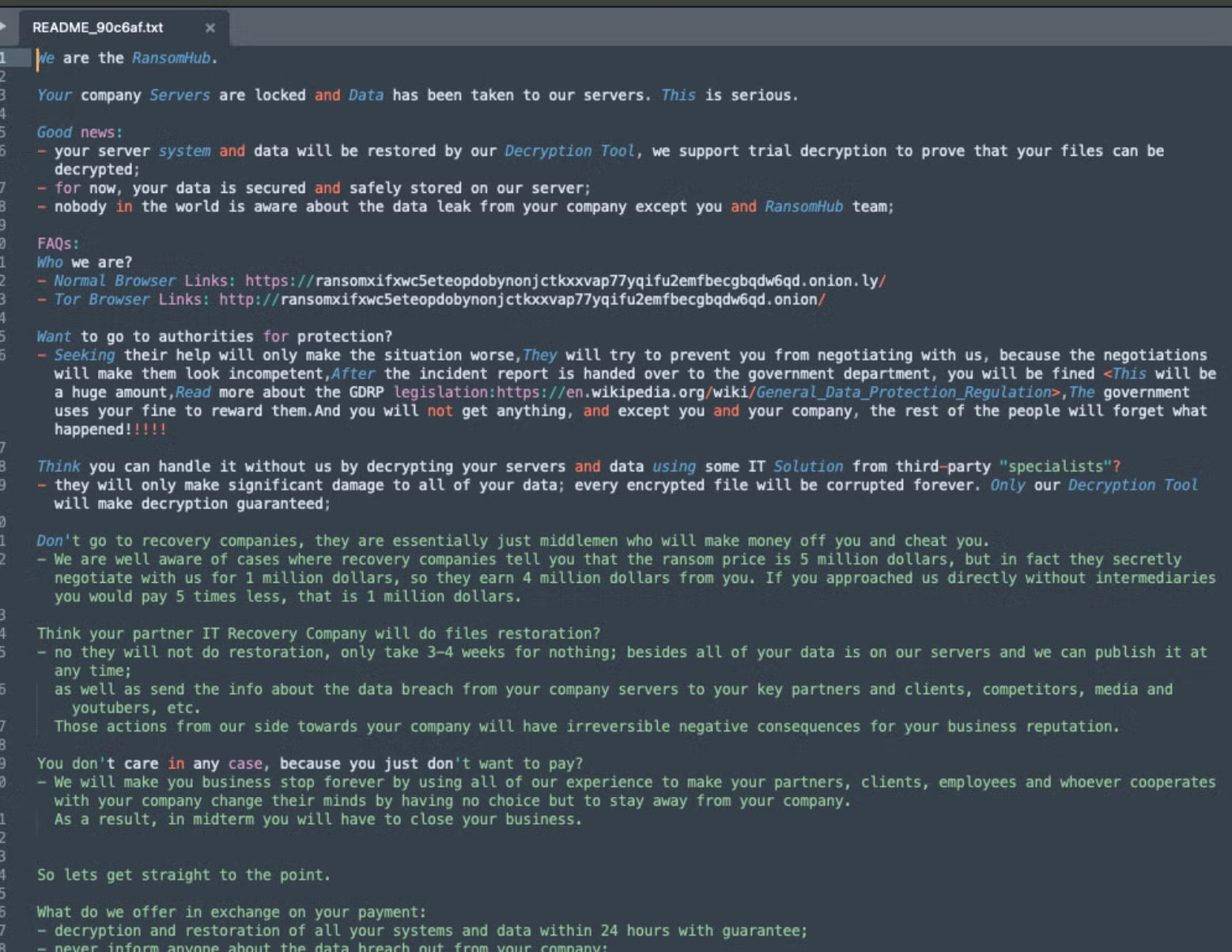
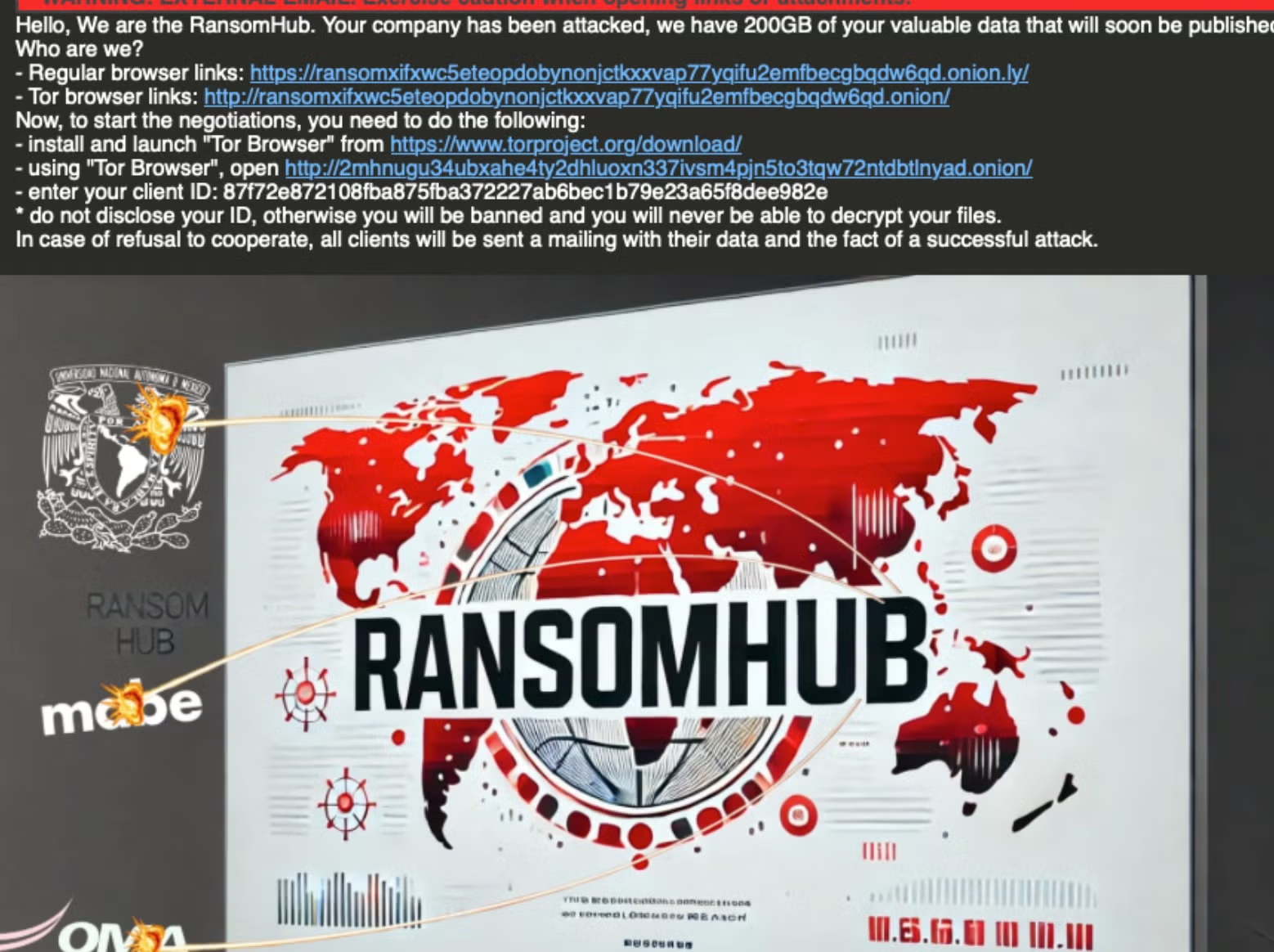
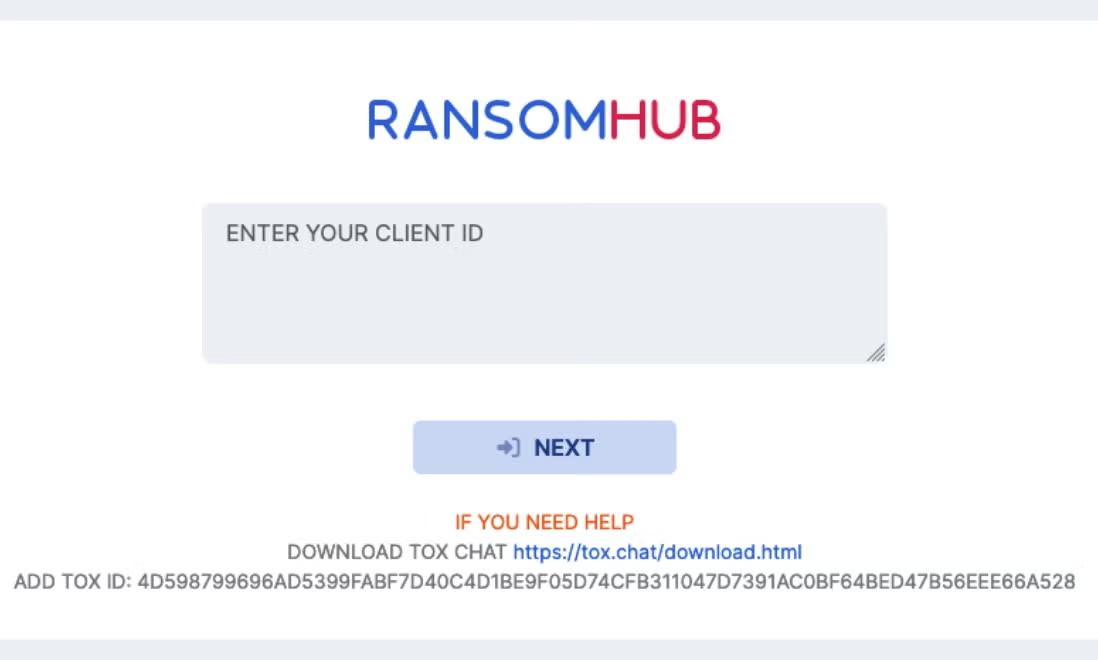
Currently, RansomHub ransom notes are written to disk, post encryption, as standard text files. RansomHub operators are also known to email victims with their templates varying. The note instructs victims to communicate with the attackers via their TOR-based victim portal.
How to Detect RansomHub Ransomware
The SentinelOne Singularity XDR Platform can identify and stop any malicious activities and items related to RansomHub ransomware.
In case you do not have SentinelOne deployed, detecting RansomHub ransomware requires a combination of technical and operational measures designed to identify and flag suspicious activity on the network. This allows the organization to take appropriate action, and to prevent or mitigate the impact of the ransomware attack.
To detect RansomHub ransomware without SentinelOne deployed, it is important to take a multi-layered approach, which includes the following steps:
- Use anti-malware software or other security tools capable of detecting and blocking known ransomware variants. These tools may use signatures, heuristics, or machine learning algorithms, to identify and block suspicious files or activities.
- Monitor network traffic and look for indicators of compromise, such as unusual network traffic patterns or communication with known command-and-control servers.
- Conduct regular security audits and assessments to identify network and system vulnerabilities and ensure that all security controls are in place and functioning properly.
- Educate and train employees on cybersecurity best practices, including identifying and reporting suspicious emails or other threats.
- Implement a robust backup and recovery plan to ensure that the organization has a copy of its data and can restore it in case of an attack.
How to Mitigate RansomHub Ransomware
The SentinelOne Singularity XDR Platform can return systems to their original state using either the Quarantine or Repair.
In case you do not have SentinelOne deployed, there are several steps that organizations can take to mitigate the risk of RansomHub ransomware attacks:
Educate employees: Employees should be educated on the risks of ransomware, and on how to identify and avoid phishing emails, malicious attachments, and other threats. They should be encouraged to report suspicious emails or attachments, and to avoid opening them, or clicking on links or buttons in them.
Implement strong passwords: Organizations should implement strong, unique passwords for all user accounts, and should regularly update and rotate these passwords. Passwords should be at least 8 characters long, and should include a combination of uppercase and lowercase letters, numbers, and special characters.
Enable multi-factor authentication: Organizations should enable multi-factor authentication (MFA) for all user accounts, to provide an additional layer of security. This can be done through the use of mobile apps, such as Google Authenticator or Microsoft Authenticator, or through the use of physical tokens or smart cards.
Update and patch systems: Organizations should regularly update and patch their systems, to fix any known vulnerabilities, and to prevent attackers from exploiting them. This includes updating the operating system, applications, and firmware on all devices, as well as disabling any unnecessary or unused services or protocols.
Implement backup and disaster recovery: Organizations should implement regular backup and disaster recovery (BDR) processes, to ensure that they can recover from ransomware attacks, or other disasters. This includes creating regular backups of all data and systems, and storing these backups in a secure, offsite location. The backups should be tested regularly, to ensure that they are working, and that they can be restored quickly and easily.