Trigona Ransomware: In-Depth Analysis, Detection, and Mitigation
What Is Trigona Ransomware?
Trigona is a ransomware family that was first observed in June 2022. A multi-extortion group, Trigona hosts a public blog of victims as well as their stolen data. Their malware payloads have been observed on Windows and Linux, although the Windows version far precedes its Linux-based counterpart.
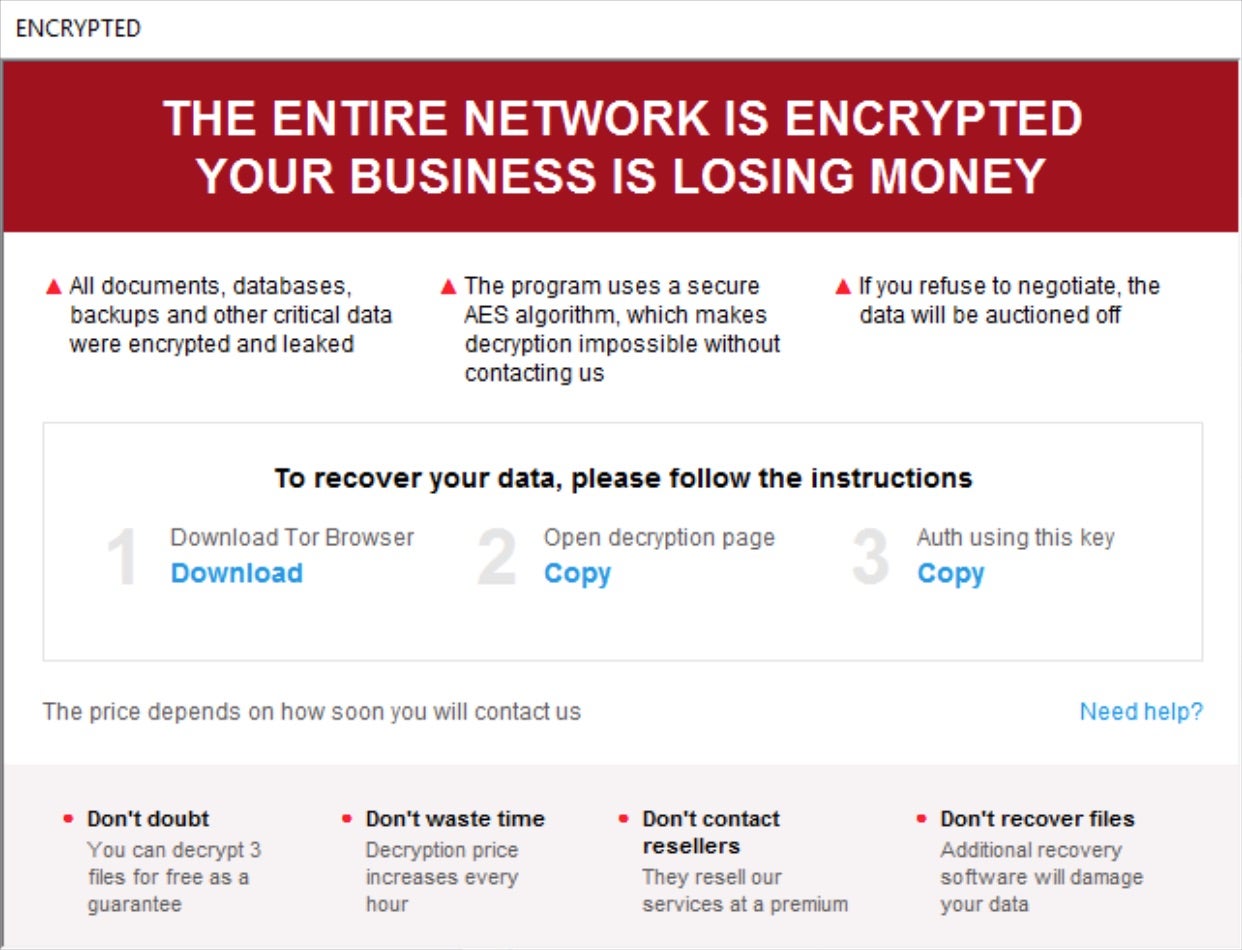
Trigona attempts to extort targeted victims with intimidating time requirements. Trigona victims are instructed, per an .HTA-format ransom note, to enter their unique key for specific instructions. Victims are then led to a TOR-based payment portal where the group prefers to accept Monero (XMR) payments. This portal can also be used to make payments or “support requests” to the attacker.
What Does Trigona Ransomware Target?
Trigona attackers do not discriminate when it comes to victimology outside of targeting large enterprises. As of this writing, financial institutions as well as those in the educational, manufacturing, medical, and legal industries are all known targets of Trigona campaigns.

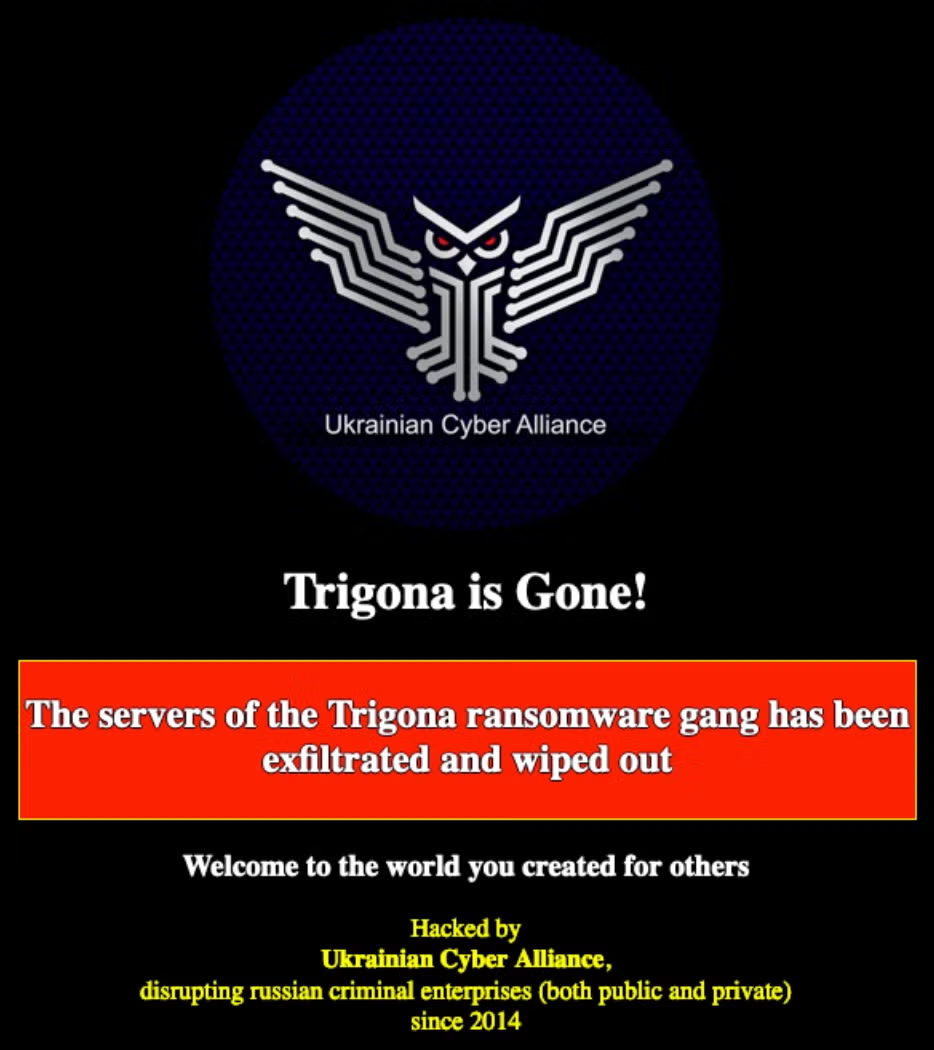
Update: On October 17, 2023, the hacktivist group, Ukrainian Cyber Alliance, announced an attack on and takedown of Trigona’s operations. Trigona ransomware operations have remained dormant following the UCA’s attack.
How Does Trigona Ransomware Work?
Initial delivery methods of Trigona payloads vary across campaigns. Deployment via spear phishing as well as exploitation of known vulnerabilities has been observed. Early, Windows-based Trigona payloads are written in Delphi and focused on evasion as well as efficient and rapid encryption. File encryption is handled via a combination of AES-256 (symmetric key) and RSA-4112 (public key) in OFB (output feedback) mode.
Trigona ransomware configuration data is embedded within each payload. The configuration data is encrypted using multiple layers of AES in CBC mode. Encrypted files are modified, adding the ._locked extension to affected files. The malware attempts to achieve persistence via Registry Run keys. Further, Trigona ransomware appears to have SMB spreading capabilities. This capability can be toggled on and off in current generations of Trigona ransomware. Additional command-line arguments are supported as well.
The following commands are available in the current generation of Trigona ransomware payloads. Most of these are implemented across both Windows and Linux platforms.
/!autorum – Omit autorun registry entry (persistence)
/!lan – Do not attempt to encrypt files over network shares
/!local – Do not encrypt local files
/autorun_only – Create registry entry for persistence – no encryption
/erase – Overwrite data. The first 512KB is by default, but this option can be used with the /full argument
/full – Full file encryption (as opposed to the first 512KB)
/is_testing – Sets testing/debugging flag
/p – Specified path for encryption
/path – Same as /p – specified path for encryption (recursive)
/r – Encrypt files in randomized order
/shdwn – Initiate system shutdown post-encryption (shutdown.exe -f -s -t 00)
/test_cid – Force use of specified computer ID (testing)
/test_vid – Force use of specified victim ID (testing)
The /erase feature can be utilized to approximate wiper functionality by attackers. The /erase option is combined with /path or /full as the attacker sees fit. This option renders targeted files unrecoverable.
Trigona ransom notes are written to disk as how_to_decrypt.hta and function as valid .HTA ‘applications’. When opening the ransom note, victims are instructed to copy the respective URL (TOR-based) and ‘auth key’.
How to Detect Trigona Ransomware
The SentinelOne Singularity XDR Platform can identify and stop any malicious activities and items related to Trigona ransomware.
In case you do not have SentinelOne deployed, detecting Trigona ransomware requires a combination of technical and operational measures designed to identify and flag suspicious activity on the network. This allows the organization to take appropriate action, and to prevent or mitigate the impact of the ransomware attack.
To detect Trigona ransomware without SentinelOne deployed, it is important to take a multi-layered approach, which includes the following steps:
- Use anti-malware software or other security tools capable of detecting and blocking known ransomware variants. These tools may use signatures, heuristics, or machine learning algorithms, to identify and block suspicious files or activities.
- Monitor network traffic and look for indicators of compromise, such as unusual network traffic patterns or communication with known command-and-control servers.
- Conduct regular security audits and assessments to identify network and system vulnerabilities and ensure that all security controls are in place and functioning properly.
- Educate and train employees on cybersecurity best practices, including identifying and reporting suspicious emails or other threats.
- Implement a robust backup and recovery plan to ensure that the organization has a copy of its data and can restore it in case of an attack.
How to Mitigate Trigona Ransomware
The SentinelOne Singularity XDR Platform can return systems to their original state using either the Repair or Rollback feature.
In case you do not have SentinelOne deployed, there are several steps that organizations can take to mitigate the risk of Trigona ransomware attacks:
- Educate employees: Employees should be educated on the risks of ransomware, and on how to identify and avoid phishing emails, malicious attachments, and other threats. They should be encouraged to report suspicious emails or attachments, and to avoid opening them, or clicking on links or buttons in them.
- Implement strong passwords: Organizations should implement strong, unique passwords for all user accounts, and should regularly update and rotate these passwords. Passwords should be at least 8 characters long, and should include a combination of uppercase and lowercase letters, numbers, and special characters.
- Enable multi-factor authentication: Organizations should enable multi-factor authentication (MFA) for all user accounts, to provide an additional layer of security. This can be done through the use of mobile apps, such as Google Authenticator or Microsoft Authenticator, or through the use of physical tokens or smart cards.
- Update and patch systems: Organizations should regularly update and patch their systems, to fix any known vulnerabilities, and to prevent attackers from exploiting them. This includes updating the operating system, applications, and firmware on all devices, as well as disabling any unnecessary or unused services or protocols.
- Implement backup and disaster recovery: Organizations should implement regular backup and disaster recovery (BDR) processes, to ensure that they can recover from ransomware attacks, or other disasters. This includes creating regular backups of all data and systems, and storing these backups in a secure, offsite location. The backups should be tested regularly, to ensure that they are working, and that they can be restored quickly and easily.
Frequently Asked Questions
Trigona popped up around late October 2022, and its early samples were detected in June 2022. It’s highly active and has been compromising MSSQL servers by stealing login credentials via brute-force attacks. In May 2023, Trigona’s Linux variant and Windows counterparts were discovered. The group behind the CryLock ransomware is behind the Trigona ransomware strains. They have also been linked to the ALPHV group, which goes by the name of BlackCat.
Trigona is written in Delphi, a programming language often used for Windows applications. This allows it to evade detection by some antivirus tools. You can identify Trigona by analysing its binary structure or checking for Delphi-specific runtime libraries in memory dumps.
Trigona ransomware strains hit the US and India the most. Some detections were found in countries like Brazil, Italy, Turkey, and Israel. Attacks were mostly focused on the technology and healthcare industries.
Trigona will exploit the ManageEngine vulnerability CVE-2021-40539 for its initial access. It can also compromise accounts by gaining access through network access brokers. Trigona can perform advanced port scanning and use a network scanner to find new network connections. It also uses the CLR shell to launch attacks on MS-SQL servers and can initiate multiple commands, including dropping executables for privilege escalations.
It drops turnoff.bat (detected as Trojan.BAT.TASKILL.AE) and terminates AV-related services and processes. After encryption, it will change file names to to the ._locked extension.
Trigona attackers use phishing emails that include malicious Excel macros or leverage open RDP connections. Open RDP ports with no multi-factor authentication will brute-force weak passwords to get into your network if you have them. They also abuse legitimate tools like PowerShell for lateral movement.
Look for .trigona file extensions, ransom notes, and unusual PowerShell activity. Trigona creates registry entries under HKEY_CURRENT_USER\Software\Trigona to store configuration data. Network traffic to domains like trigonapay[.]top or IPs in Russia and Belarus are also red flags.
Patch RDP vulnerabilities and use multi-factor authentication. Segregate your network to limit lateral movement—train personnel to avoid phishing emails and turn off macros by default. Test backups stored offline periodically to ensure they are still usable if Trigona can encrypt your live data.
Patch RDP vulnerabilities and enforce multi-factor authentication. Segment your network to limit lateral movement. Train employees to avoid phishing emails and turn off macros by default. Regularly test offline backups to ensure they’re usable if Trigona encrypts your live data.
Isolate the affected systems and unplug them from the network. Inform CISA and local law enforcement of the incident. After erasing infected machines, restore data from clean backups. In the event that Trigona took data what was taken and informed affected parties to meet data breach regulations.