Singularity Mobile

您的員工隊伍是行動化的。 您的防禦也應如此。

行動裝置就是端點。請以端點的方式對待它們。Singularity™ Mobile 提供裝置端 AI 防護,可在 iOS、Android 和 ChromeOS 上阻止網路釣魚、惡意軟體及高風險應用程式。無需雲端連線。
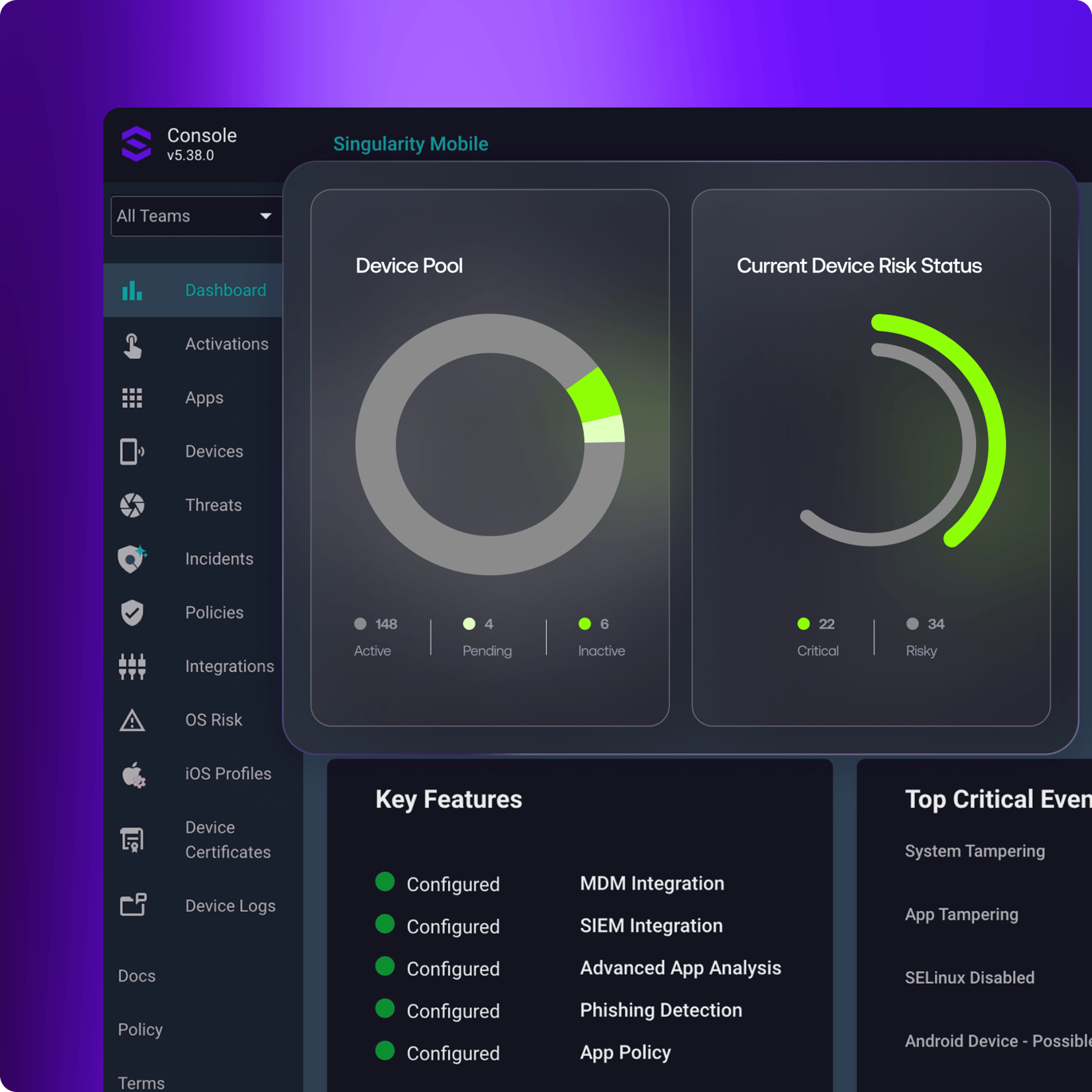
Dark analytics dashboard UI with Console v5.38.0, “Singularity Mobile,” sidebar and cards: Device Pool donut, risk arc, key features, top critical events

當今現實

01
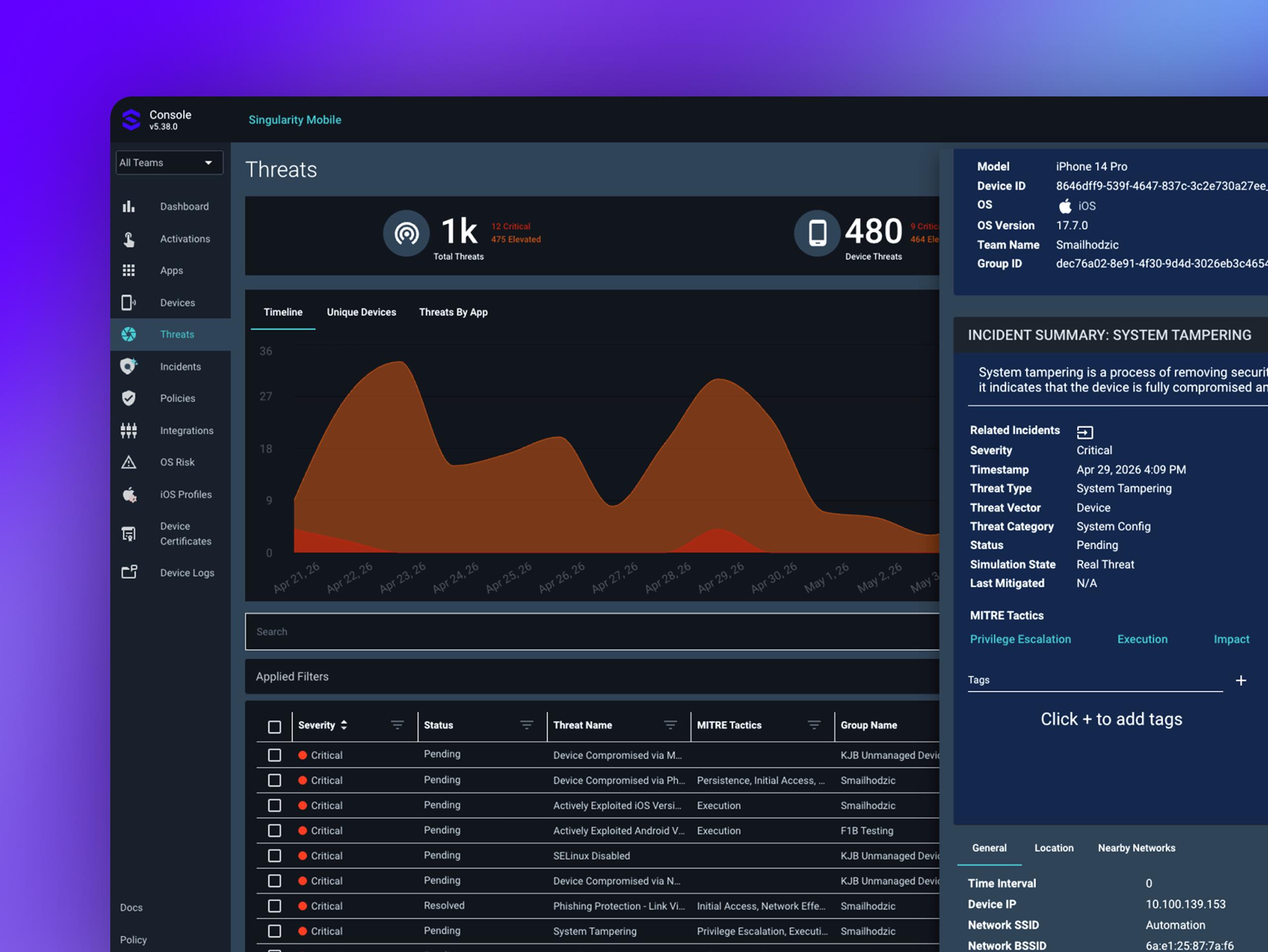
Dark cybersecurity dashboard UI with title Threats; metrics 1k and 480; orange area chart; table with statuses; incident panel heading INCIDENT SUMMARY: SYSTEM TAMPERING

自主 AI 防護

自主阻止行動威脅

裝置端 AI 可即時偵測並封鎖零時差惡意軟體、網路釣魚與網路攻擊。無需往返雲端。無連線依賴。防護直接在裝置上執行。

  • 防禦中間人 (MITM) 攻擊

  • 即時封鎖已側載的應用程式,以及在遭入侵裝置上的漏洞利用

  • 立即標記已越獄與已 root 的裝置,並觸發自動化回應

02
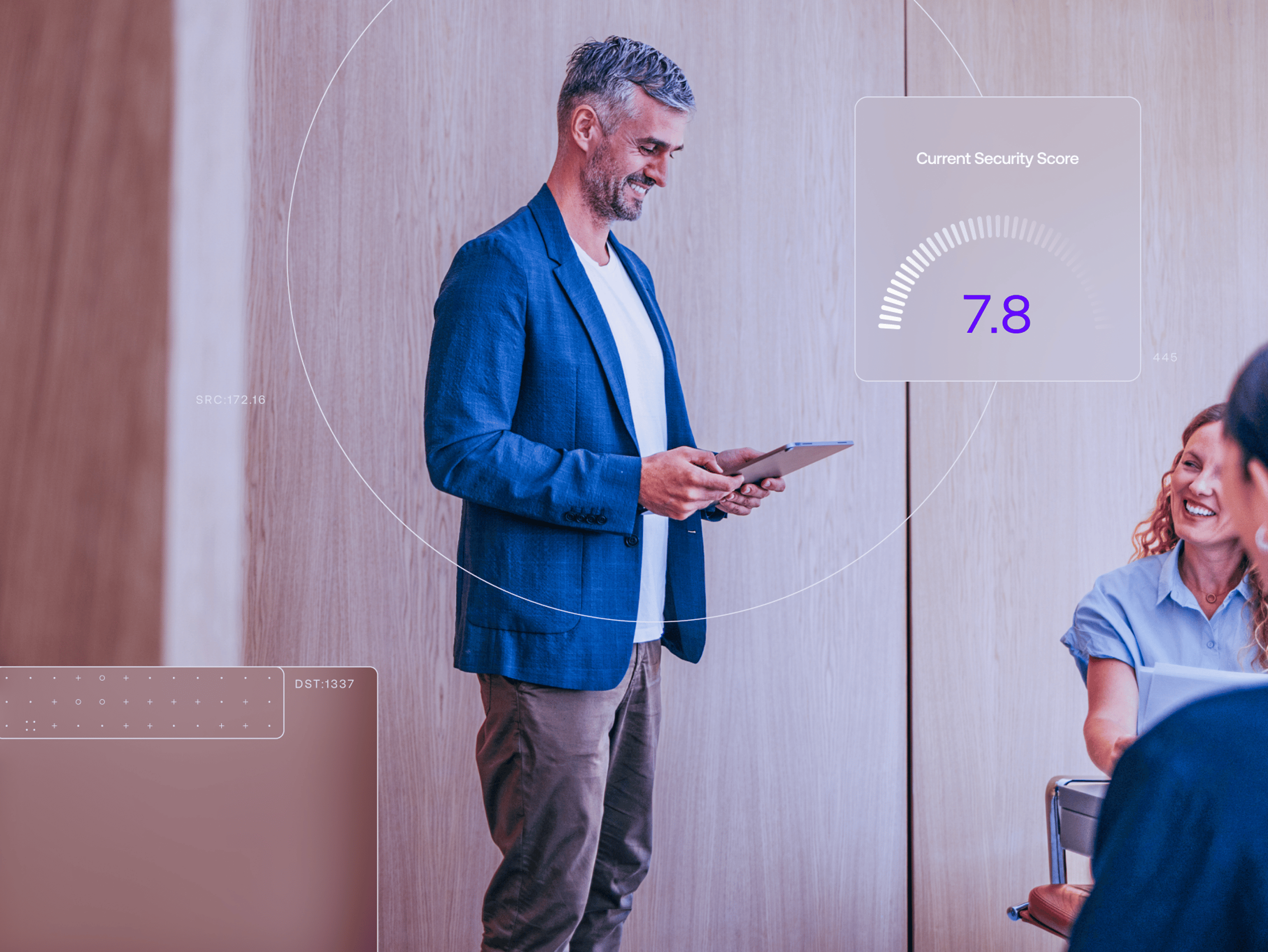
Conference room scene with a blue-blazer man holding a tablet; overlay shows gauge “7.8” and “Overall Score…” with “EXTER” panel

反網路釣魚

封鎖網路釣魚藏身的每個角落

網路釣魚不再只透過電子郵件而來。Singularity Mobile 可在使用者互動之前,封鎖 SMS、訊息應用程式、電子郵件與社群媒體中的惡意連結。

  • 即時封鎖已知與新興的網路釣魚 URL

  • 在點擊之前防止憑證遭竊

03
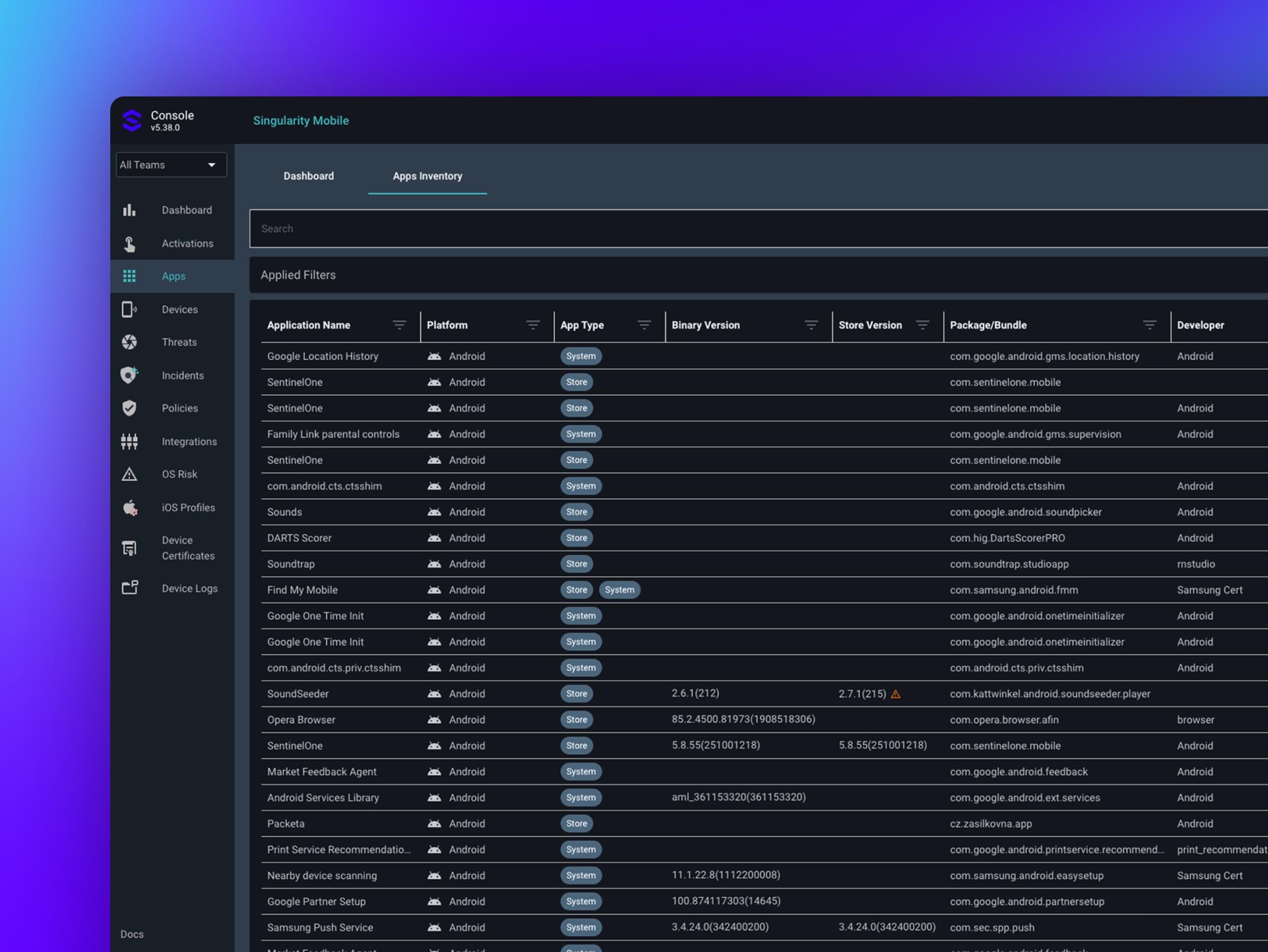
Dark UI app inventory page in browser: header “Simplicity Mobile”, tabs “Dashboard” and selected “App inventory”, search bar, table “Physical Files” listing apps with platform, type, and version details

應用程式審查

持續審查每個應用程式。

第三方應用程式會帶來應用程式商店無法發現的風險。Singularity Mobile 會持續分析應用程式的高風險權限、可疑行為與隱私違規。

  • 監控應用程式的高風險權限與惡意行為

  • 標記不合規應用程式並自動限制存取

04
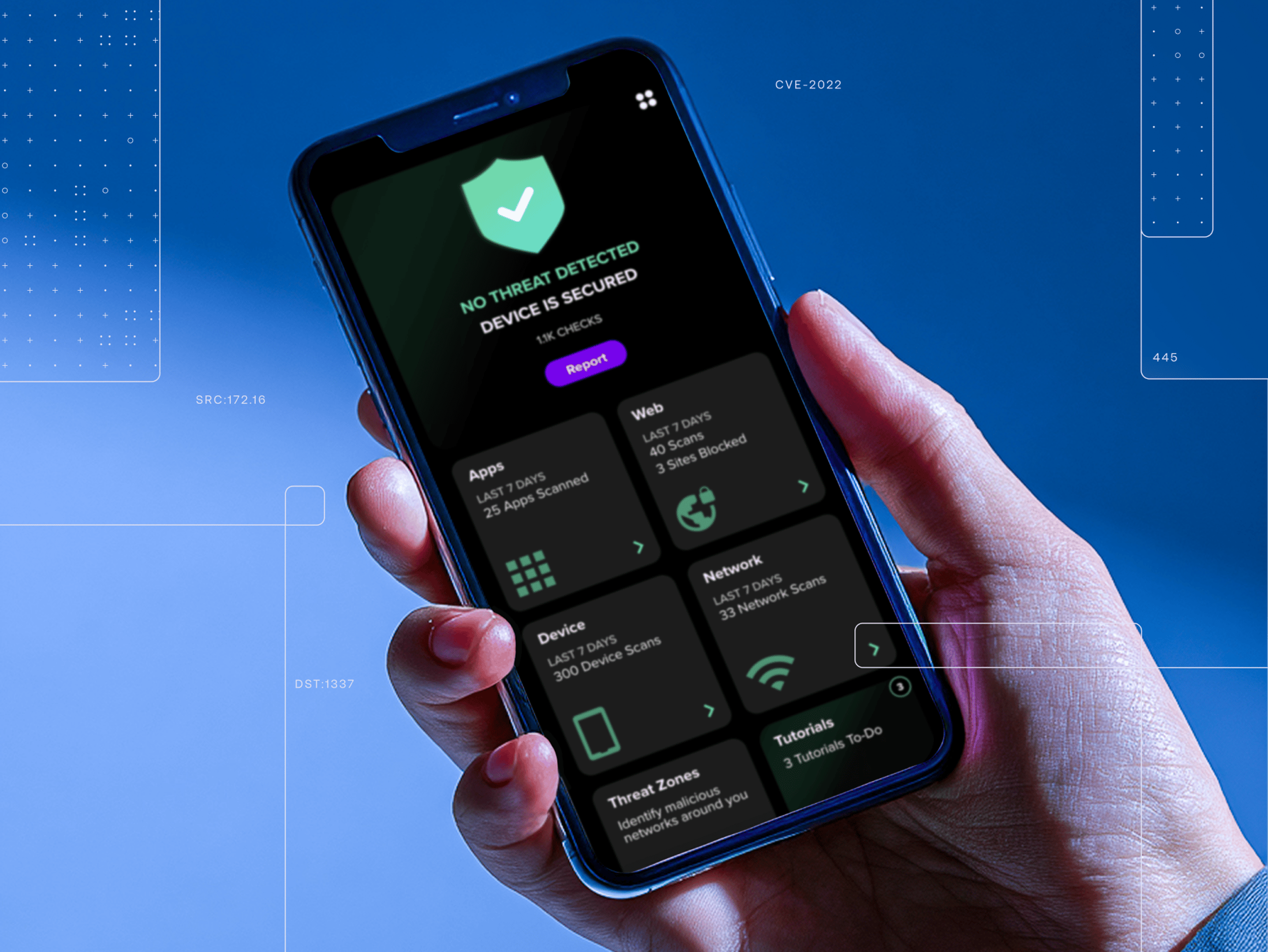
Hand holding a blue-edged black phone showing “NO THREAT DETECTED” and “DEVICE IS SECURE” on a security app screen

隱私內建於設計

保護行動化員工隊伍。無論身在何處。

Singularity Mobile 可在不受信任的 wifi 和公共網路上,為使用者阻擋隱形威脅,無論工作在何處進行。

  • 偵測並提醒使用者注意惡意 wifi 網路或中間人 (MITM) 攻擊嘗試。

  • 在傳輸敏感資料之前自動評估網路安全性。

  • 封鎖不安全的通訊,或在曝露發生前重新導向。

Decorative background gradient

立即開始

Symmetrical 3D geometric open box of glossy translucent panels around a glowing light-blue cube on a white background

使用案例

安全團隊如何使用 Singularity Mobile

Young man in dark shirt at cool blue-purple event, with blurred screen in foreground and UI overlay text: 445, T1486, 8080

裝置健康狀態與安全態勢

監控整體行動裝置群的 OS 版本、越獄狀態與組態漂移。

取得示範
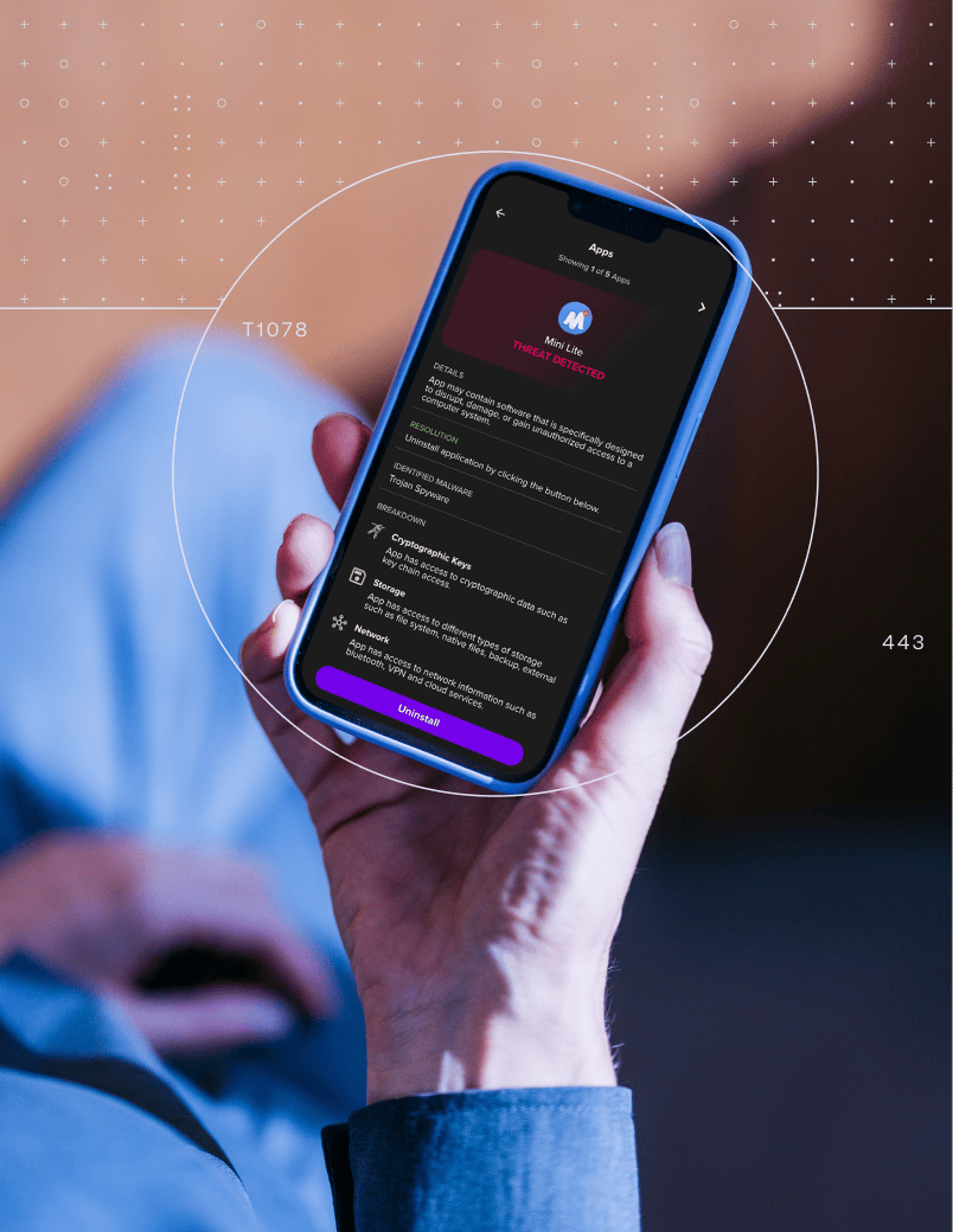
Person holding a smartphone with blue case showing app screen; purple Uninstall button; overlays with T1078 and 443

條件式存取強制執行

當裝置不再符合規範時,自動限制對企業資源的存取。

取得示範
Abstract purple 3D tile scene with white technical lines, dot grid, labels “445,” “8080,” “T1083,” “9800”

無需 MDM

可獨立部署行動威脅防護。無需 MDM 前提。無裝置管理負擔。

取得示範
Man typing in profile at a desk with overlay panels labeled 8080, CVE-2022, and T1021; cool blue/gray office tech scene

跨平台涵蓋範圍

在 iOS、Android 和 ChromeOS 上提供一致防護。一個代理程式。一套原則架構。每一台裝置。

取得示範

成果

帶來實效的行動安全

為組織中的每個行動端點提供可衡量的防護。
  1. 01

    0%

    MITRE ATT&CK Evaluations 中的偵測準確率。

    Abstract purple-blue concentric spiral/target bands on black with small lime-green dots and open gaps
  2. 02

    0

    連續多年在 GartnerⓇ Magic QuadrantTM for Endpoint Protection Platforms 中獲評為領導者。
    Dark purple to black gradient panel grid with thick rounded black dividers and five small neon/pale dots in upper right
  3. 03

    0

    具備裝置端 AI 防護的雲端依賴。

    Abstract symmetrical purple arc graphic on black, with lime-green center circle and magenta glow dots

成功案例

深受全球資安團隊信賴

Gartner logo on dark navy rounded rectangle with “Peer Insights” in white and light blue, including small trademark symbols

「Singularity Mobile 具備進階威脅防護。 它可防止中間人類型的攻擊」


深入了解
Gartner logo on dark navy rounded rectangle with “Peer Insights” in white and light blue, including small trademark symbols

「這是一款非常好的產品,具有易於使用的介面,以及絕對的惡意軟體與網路釣魚防護。」


深入了解
Gartner logo on dark navy rounded rectangle with “Peer Insights” in white and light blue, including small trademark symbols

「Singularity Mobile 整體而言相當正面。 介面時尚且使用者友善,讓使用者能輕鬆瀏覽各項功能,而無需經歷陡峭的學習曲線。」


深入了解

為什麼選擇 SentinelOne?

Abstract neon geometric shapes (glowing rounded squares, capsules, loops) layered over a faint diagonal blue grid on dark background

裝置端 AI。無需雲端。

AI 驅動的防禦在每台裝置上本機執行。即使離線,也能即時偵測並封鎖威脅。不依賴連線能力。

Hands using a landscape smartphone with HUD overlays, purple bokeh, dotted panels and labels: 445, 8080, T1083

每個平台。單一代理程式。

透過單一主控台保護 iOS、Android 和 ChromeOS,提供一致的原則與統一的遙測資料。

Worker in factory aisle with yellow hard hat holding a tablet; blue-gray scene with overlay text “TI190” left and “T1480” right

建立信任的隱私保護

企業級資安,無需個人監控。使用者保有隱私。組織確保資料安全。

Street scene: man in beige blazer on phone by gray wall; blurred passerby left; interface overlays with faint unreadable text

有無 MDM 都能運作

可獨立部署行動威脅防禦,或與現有 MDM 搭配使用。無需前置條件。無強制裝置管理。

平台整合

內建於 Singularity Platform 的行動資安

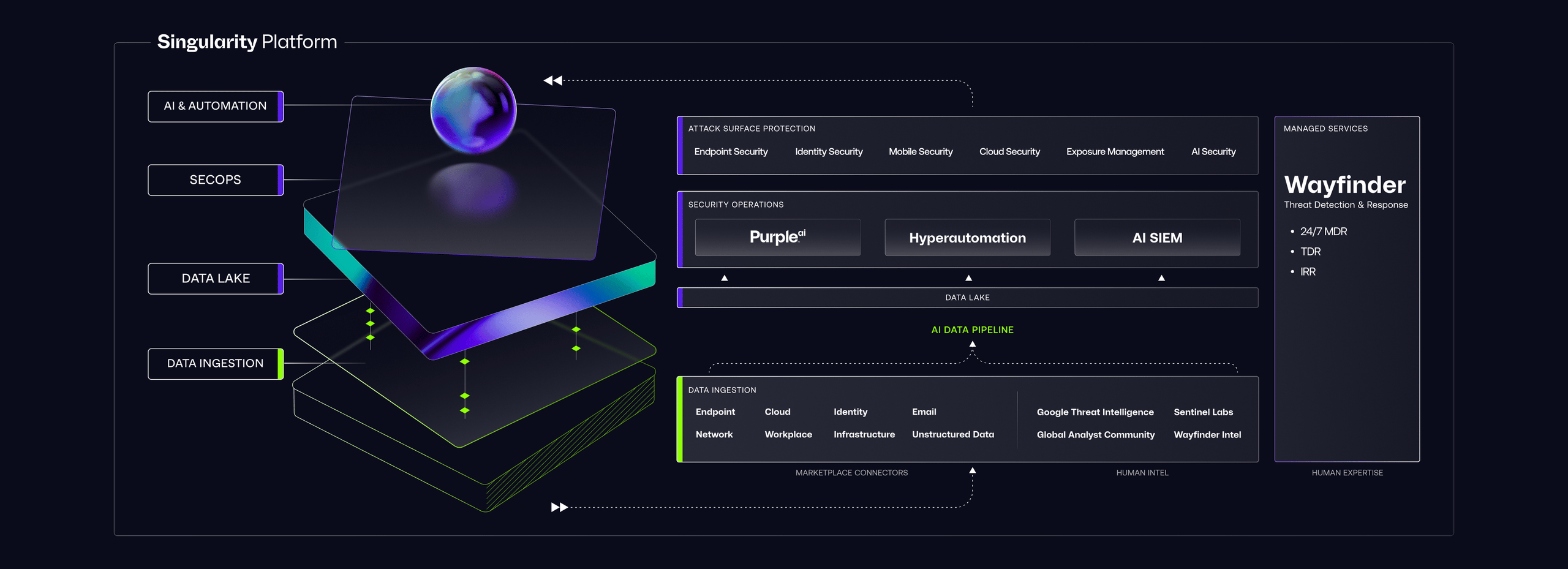
Futuristic UI mockup titled “Singularity Platform” with neon platform, orb, labeled sections, and sidebar “Wayfinder”

Singularity Platform

Singularity Mobile 將遙測資料匯入與端點、雲端和身分訊號相同的資料湖。單一主控台。涵蓋每個攻擊面的完整情境脈絡。

Singularity Endpoint

將相同的自主式 AI 防護從筆記型電腦與工作站延伸至行動裝置。單一代理程式架構。一致的防禦。

Singularity Identity

行動網路釣魚會鎖定憑證。Singularity Identity 可在完整驗證鏈中偵測並封鎖以身分為基礎的攻擊。

開始使用

幾天內部署行動防護,而非數月。

設定

連接您的環境

可與您現有的 MDM 整合,或獨立部署。Singularity Mobile 同時支援受管理與未受管理的裝置,且無需變更基礎架構。

建置

定義原則。推出防護。

從 Singularity 主控台設定威脅防護、應用程式審查與合規原則。將代理程式推送至 iOS、Android 和 ChromeOS 裝置。

演進

擴大涵蓋範圍。深化可視性。

從試點擴展到完整裝置群。將行動遙測資料與端點及身分資料統一整合,在整個平台上實現完整的攻擊面可視性。

資源

深入了解行動資安

需要解答嗎?

常見問題

行動威脅防禦(MTD)可即時保護行動裝置免受惡意軟體、網路釣魚、網路攻擊及應用程式風險的侵害。不同於管理裝置設定與原則的 MDM,MTD 會在裝置上主動偵測並封鎖威脅。SentinelOne Singularity Mobile 使用自主式裝置端 AI,可阻止零時差惡意軟體、橫跨簡訊與應用程式的網路釣魚,以及 iOS、Android 和 ChromeOS 上具風險的應用程式行為。 

取得資料表 →

MDM 會管理裝置設定、強制執行原則,並控制可安裝哪些應用程式。它不會偵測或封鎖進行中的威脅。Singularity Mobile 是一種行動威脅防禦解決方案,使用裝置端 AI 即時識別並阻止惡意軟體、網路釣魚和網路攻擊。兩者可互補搭配使用。Singularity Mobile 可在有或沒有 MDM 的情況下運作。

取得示範 →

不需要。Singularity Mobile 直接在裝置上執行 AI 驅動的防禦。威脅會在本機偵測並封鎖,無需往返雲端。這表示即使裝置離線、位於不受信任的網路上,或處於企業基礎架構之外,也能受到保護。當連線可用時,遙測資料會同步至平台。

取得示範 →

Singularity Mobile 可保護 iOS、Android 和 ChromeOS 裝置。這三個平台都可透過單一管理主控台獲得相同的自主式 AI 保護、網路釣魚防禦和應用程式審查能力。 

取得資料表 →

會。Singularity Mobile 採用隱私保護設計。它可在不監控個人內容、瀏覽記錄或位置資料的情況下保護企業資源。這使其適用於 BYOD 環境,在這類環境中,使用者信任對採用至關重要。

取得示範 →

Singularity Mobile 將裝置遙測資料匯入與端點、雲端和身分訊號相同的 Singularity™ 資料湖中。安全團隊可在單一主控台中,將行動威脅與所有其他攻擊面資料一併檢視。這種統一視圖可在各類端點之間實現更快速的調查與關聯式回應。 

探索平台 →

Decorative background gradient

後續步驟

行動端點值得真正的防護

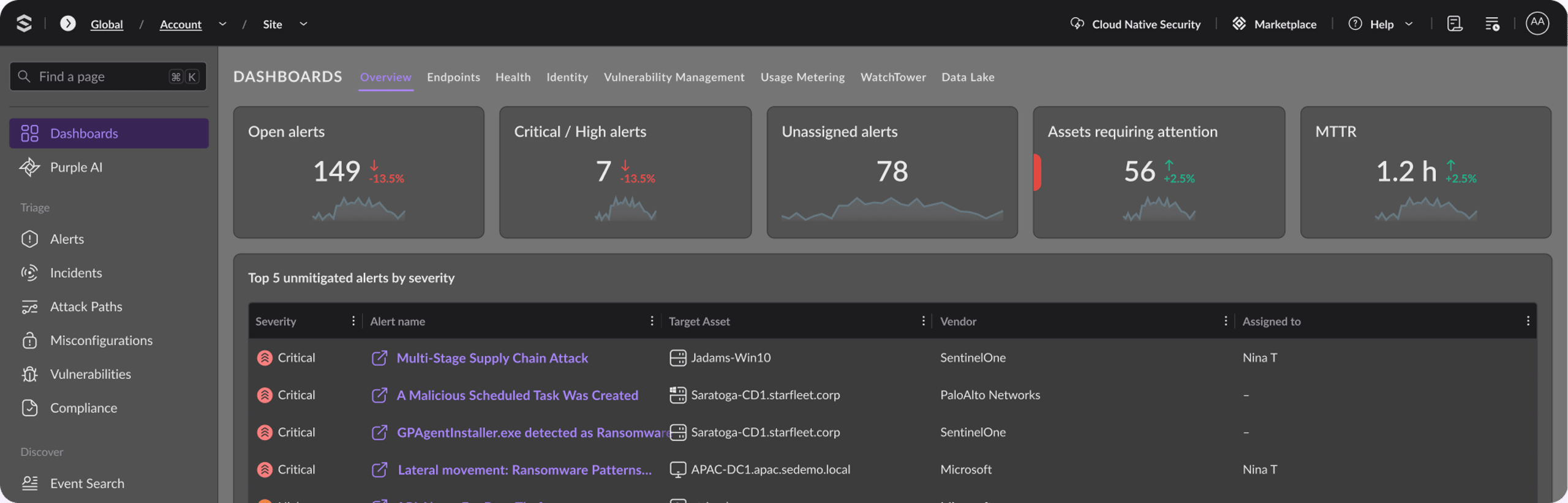
Dark dashboard UI with purple-highlighted nav, summary cards showing 149, 7, 78, 56, 1.2 h, and a status table with linked purple text